

At one fintech company, every routine access request took 5–30 minutes of IT time. A ticket landed in Jira, a manager had to approve it, and an admin still had to open Okta and assign the right group by hand. At 10 requests, that feels manageable. At hundreds, those small tasks become a permanent queue — and nobody remembers every expiry date. Temporary access turns into standing privilege.
Key Takeaways:
- Treat your identity provider as the authority for access changes.
- Separate approval decisions from the mechanical work of provisioning.
- Make temporary access the default for elevated roles.
- Tie every approval, group change, and revocation to one Jira issue.
- Start automation with predictable requests, not every edge case.
- Measure exceptions and standing access, not just ticket closure time.
Why Manual Provisioning Creates More Risk, Not More Control
Manual provisioning creates risk because approval, execution, and evidence happen as separate activities. A human can approve the correct request and still add the wrong identity provider group. They can also forget an expiry or record the change somewhere an auditor won't find. More manual checks don't fix a broken execution chain.
Human Review Doesn't Guarantee Correct Access
At a fast-growing fintech company, hundreds of routine access requests arrived through Slack, email, and Jira. An IT admin had to find the request, chase a manager, open Okta, and assign the right group. Each request took between 5 and 30 minutes. The company had nearly 1,200 employees, so that little workflow repeated all day.
Nobody involved was careless. That's an important distinction. The process asked people to copy decisions between systems, remember group mappings, and document what they did after the work was finished. Even a strong admin will eventually pick the wrong group or miss a comment when the queue gets busy. Manual provisioning errors are usually process failures wearing a human face.
Approval and Execution Drift Apart
An approval says what should happen. Provisioning determines what actually happens. When those two actions live in different tools, there's no built-in guarantee that the approved role matches the assigned group.
Think of the access request like a relay race across Jira, Slack, and your identity provider. Each handoff looks simple, but the baton can be dropped, swapped, or left sitting on someone's desk. By the time the ticket closes, the record may show "approved" without proving which group was assigned. That gap is one of the overlooked challenges of manual provisioning.
The drift usually shows up in four places:
- Role selection: The requester asks for Editor, but the admin assigns Admin.
- Identity matching: The right entitlement goes to the wrong account.
- Timing: Approval happens today, but provisioning happens two days later.
- Evidence: The ticket closes without the identity provider result attached.
Temporary Requests Become Standing Access
Temporary access and permanent access look identical when expiry depends on memory. An engineer asks for production access during an incident. Their manager approves it for six hours. IT grants the group membership, closes the ticket, then gets pulled into the next request.
Six hours later, nothing happens. The access remains active because revocation is a second manual task with no operational link to the original grant. A policy document may say elevated access must expire, but the system doesn't enforce the policy. Automation-first least privilege beats a policy that relies on someone checking yesterday's tickets.
Manual access can still make sense for a non-SSO app or a rare exception. The mistake is treating those exceptions as the default workflow for every request. That request-to-revocation chain is the thing to inspect when you learn how Multiplier handles it, because a faster approval alone won't fix standing access.
So the question isn't how to make admins click faster. It's how to remove the clicks without removing control.
How to Replace Manual Provisioning With Enforced Access
Replace manual provisioning by making the identity provider execute approved access changes, then writing the outcome back to the originating ticket. Approval remains a human or policy decision where needed. Group assignment, expiry, revocation, and evidence become system actions rather than follow-up tasks.
Diagnose Where Your Access Chain Breaks
Where does your team lose control today? Don't start by counting open tickets. A queue tells you there's pressure, but it doesn't show where approval and actual access split apart. Trace five recent requests from submission through revocation instead.
For each request, compare the approved role with the final group membership. Check who made the change, when it happened, and where the result was recorded. Then look for an expiry. If you can't answer those questions from one record, you don't have a provisioning speed problem. You have a control gap.
Use five questions during the review:
- Did the request name a specific application and role?
- Was the approver determined from a clear rule?
- Did the approved role map to a known identity provider group?
- Was the final group change recorded on the request?
- If access was temporary, did revocation happen automatically?
Three failed answers across five requests is enough to stop tweaking ticket forms. The challenges of manual provisioning are already structural at that point.
Make the Identity Provider Authoritative
Your identity provider should execute the access change because it already controls group membership for connected applications. Jira can remain the place where employees request access and where approvals happen. The identity provider becomes the place that adds or removes the entitlement.
Having two sources of truth creates a nasty failure mode. Jira says the request was completed, while Okta, Entra ID, or Google Workspace shows something different. An admin may have assigned the wrong group or skipped the change entirely. If ticket status and identity state can disagree, closing the ticket means very little.
A better request path looks like this:
- The employee selects an approved application and role.
- The role maps to a defined identity provider group.
- The request goes to the required approver.
- Approval triggers the group assignment through the identity provider.
- The outcome is written back to the same Jira issue.
Not every application supports group-based provisioning. That's a real limitation. Keep unsupported apps in a manual exception lane, but make the exception visible. Your main workflow should still use authoritative group changes wherever the identity stack supports them.
Match Approval Effort to Access Risk
Low-risk access and production admin access shouldn't follow the same approval path. Treating every request as high risk creates a backlog. Treating every request as routine creates exposure.
Start by separating access into three practical buckets. Standard access covers sanctioned tools and common roles with known group mappings. Elevated access covers admin roles, sensitive systems, or production environments. Exceptions cover non-SSO tools, unusual requests, and anything without a dependable identity provider action.
The rules can stay simple:
- Standard access: Auto-approve or require one clear owner.
- Elevated access: Require an explicit approver and a duration.
- Exception access: Route to IT for manual work and added evidence.
- Unknown application: Hold the request until ownership and provisioning are defined.
Some security teams prefer approval on every request, and the logic is understandable. More decisions can feel like more control. But approvals don't prevent the wrong group assignment or forgotten revocation. Keep human judgment where risk requires it, then automate the mechanical work after that judgment.
Put Duration Inside the Request
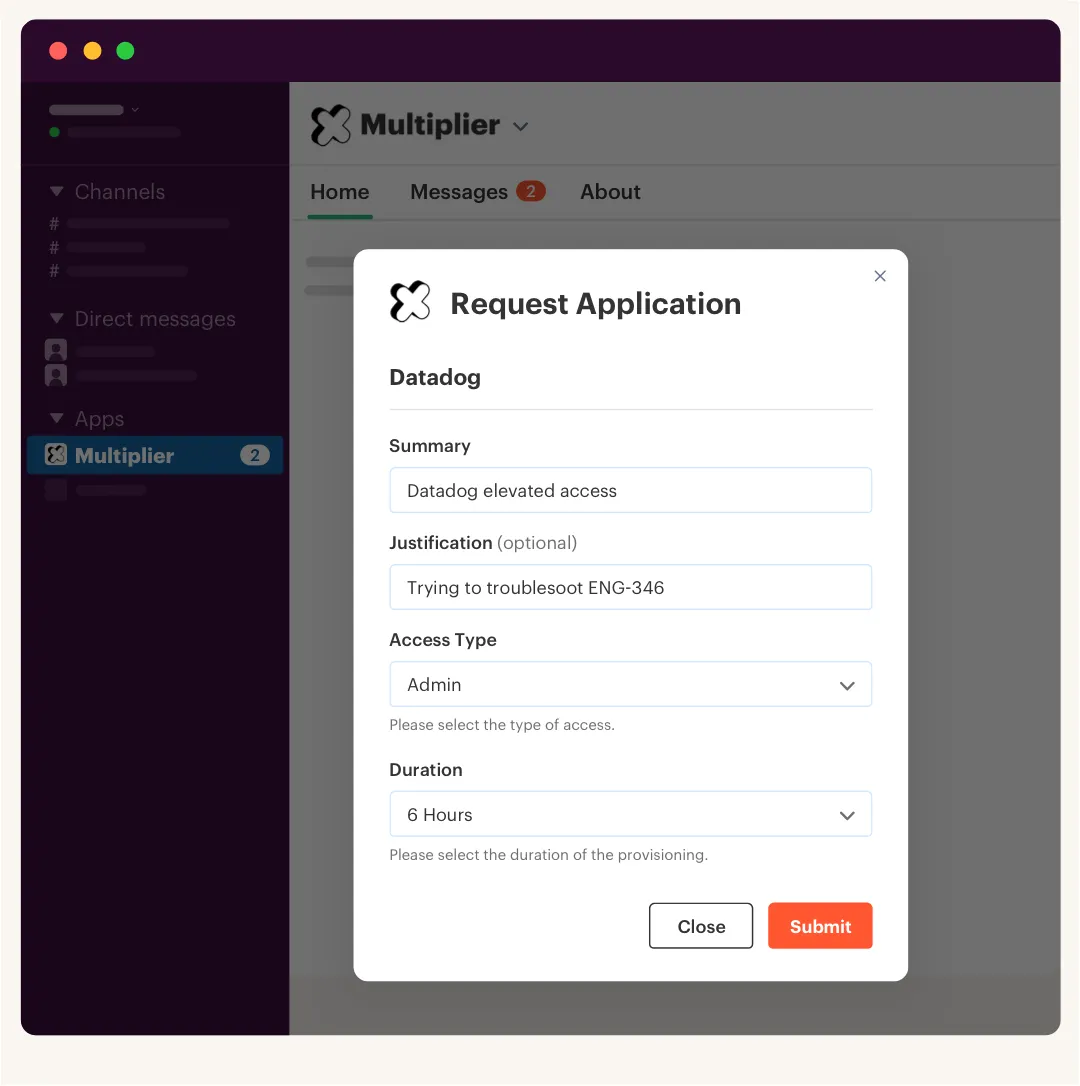
A duration of 1, 6, or 24 hours changes the request from "give this person access" to "give this person access for a defined job." That one field forces the requester and approver to think about how long the entitlement is actually needed. It also gives the system something concrete to enforce.
Without duration, temporary access becomes a calendar reminder, a follow-up ticket, or a Slack message. All three can be ignored. With duration tied to the identity provider group assignment, the system removes membership when the timer ends and records the revocation against the original request.
The operating sequence is straightforward:
- Ask the requester to choose a duration.
- Show the duration to the approver.
- Add the mapped group after approval.
- Start the expiry timer immediately.
- Remove the group membership when time runs out.
- Record the grant and revocation in Jira.
Automatic expiry only works when the system controls the entitlement through identity provider group membership. A manually granted local account can't be revoked through that path. Keep that boundary clear, because false confidence is worse than a visible manual exception.
Capture Evidence During Execution
An auditor shouldn't have to reconstruct an access change from screenshots. The request already contains the requester, application, role, approver, and business reason. Add the executed identity change and revocation to that same record, and the evidence exists as part of the work.
Manual provisioning flips that order around. IT completes the task first, then tries to document it later. During a busy week, "later" becomes a ticket comment with no group name, or a screenshot saved in a folder nobody remembers. By quarter end, the access review turns into an investigation.
For every completed request, keep these facts together:
- The person who requested access
- The application and approved role
- The person or rule that approved it
- The identity provider group added
- The time of provisioning
- The expiry and revocation result, when applicable
If the system action fails, don't close the request as completed. Record the error on the ticket and keep it open for retry. That sounds obvious, but one of the common challenges of manual provisioning is that ticket status often reflects admin activity, not the actual identity state.
Automate One Predictable Lane First
Automation works fastest when you start with one request type that already has clear ownership and group mappings. Pick a sanctioned application with steady volume, a known approver, and a role that maps cleanly to your identity provider. Don't begin with the weirdest app in the company.
One AI company followed that path while growing from roughly 100 to more than 400 employees. Its access process had lived in Slack channels and Notion boards, which meant approvals were missed and provisioning stayed manual. After standardizing intake and automating predictable requests, the company processed more than 3,800 requests in a year. Around 75% were fully automated, while a four-person IT Ops team supported more than 420 employees.
Measure the first lane for 30 days. Track the percentage of requests completed without admin action, failed identity provider changes, manual exceptions, and temporary grants revoked on time. Ticket resolution time matters, but it isn't enough. A fast ticket with incorrect or permanent access is still a failed request.
Once the first lane holds up, add another application. Then another role. Volume compounds quickly when the request model is repeatable, and exceptions become easier to spot because they're no longer buried inside routine work. Use those checks as your baseline, then see how Multiplier performs against the same standard.
Once that operating model is clear, the product question becomes specific: can it keep Jira, approvals, identity changes, and expiry attached to one enforceable workflow?
How Multiplier Enforces Identity Provider Provisioning
Multiplier connects Jira Service Management requests to identity provider group changes, keeping approval and execution in the same workflow. Employees request sanctioned applications through Jira or Slack, approvers make the decision, and approved roles map to groups in Okta, Entra ID, or Google Workspace. The resulting change is recorded on the Jira issue.
Jira-Native Requests With Authoritative Execution
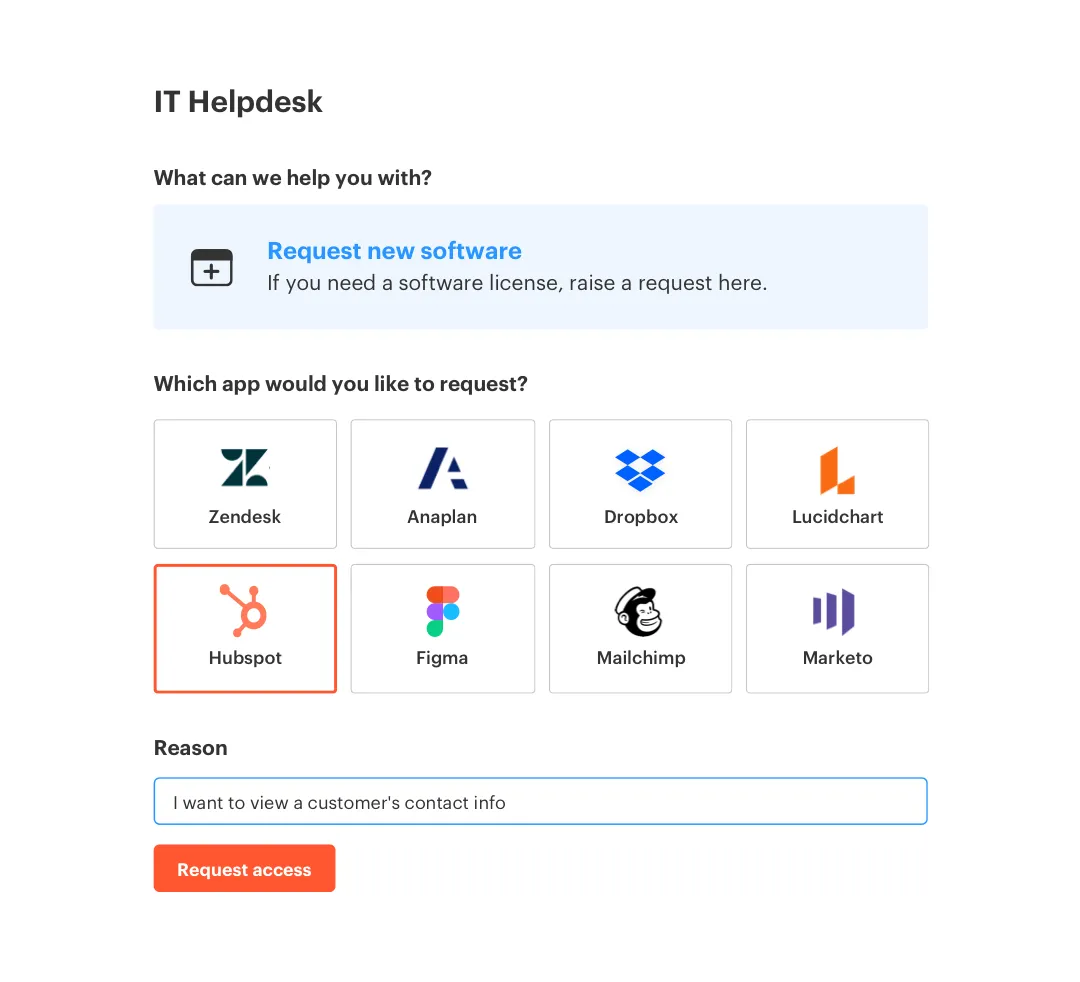
The Application Catalog gives employees a defined set of approved applications and roles. Each role maps to one or more identity provider groups, so IT doesn't need to look up the correct entitlement for every ticket. Approval workflows can route the request to a manager, application owner, or specific user in Jira or Slack.

Once the Jira issue reaches the configured approved status, the automated provisioning feature calls the identity provider to add the user to the mapped group. The product provisions through those identity provider groups, not by clicking around inside individual SaaS applications. That boundary matters. For connected SSO applications, the identity provider stays authoritative, while the Jira issue carries the request and execution record.
The workflow replaces several manual steps:
- Structured intake: Employees choose an approved application and role.
- Defined approval: The request goes to the configured decision-maker.
- Group-based execution: Approval triggers the mapped identity provider action.
- Recorded outcome: Success or failure is written back to Jira.
Time-Bound Access With Automatic Revocation
Time-Based Access lets a requester choose a defined window — 1, 6, or 24 hours. After approval, the user is added to the mapped identity provider group and a timer begins. When that period ends, group membership is removed and the change is recorded on the Jira issue.
Automatic revocation requires group-based provisioning. Purely manual or non-SSO grants can't be removed through the same mechanism, so those requests still need an exception process. For supported access, though, expiry stops being a reminder and becomes an enforced action. That's the difference between documenting least privilege and actually running it.
Start with one elevated role where standing access creates obvious risk. Map the group, define the approver, set the allowed durations, and watch the full request-to-revocation path. If that chain matches how you want access to work, get started with Multiplier and expand only after the first workflow behaves as expected.
The old ticket queue becomes an identity control system, because approval and execution finally agree.
Replace Manual Provisioning With Enforced Least Privilege
The challenges of manual provisioning don't come from lazy admins or weak policies. They come from splitting one access decision across several tools and relying on people to reconnect the pieces. The fix is to make your identity provider authoritative, keep evidence in Jira, and make expiry part of the original request.
You don't need to automate every application on day one. Start with one predictable access lane, measure failures and exceptions, then expand. Manual work can remain for unsupported cases. It just shouldn't define the whole system.
Policy matters. Enforcement makes it real.
Frequently asked questions
- How do I automate access requests with Multiplier?
To automate access requests using Multiplier, start by setting up the Application Catalog in Jira Service Management (JSM). 1) Add your approved applications and roles to the catalog, ensuring they sync with your identity provider like Okta or Google Workspace. 2) Employees can then browse the catalog and submit requests directly through JSM or Slack. 3) Once a request is approved, Multiplier automatically provisions access by managing identity provider groups, streamlining the process and reducing manual errors.
- What if I need to grant temporary access?
If you need to grant temporary access, you can utilize Multiplier's Time-Based Access feature. 1) When submitting a request, the requester can choose a duration for access (like 1, 6, or 24 hours). 2) After approval, Multiplier provisions access and starts a timer for automatic revocation once the duration expires. This ensures that elevated access is only granted for as long as necessary, minimizing security risks and license waste.
- Can I track access requests and approvals in Jira?
Yes, you can track all access requests and approvals directly in Jira using Multiplier. 1) Each access request creates a Jira ticket that captures all relevant details, including the requester, application, role, approver, and status. 2) As the request moves through the approval workflow, Multiplier updates the ticket with comments about provisioning success or failure, ensuring a complete audit trail. 3) This centralized tracking makes it easier for IT teams to manage requests and maintain compliance.
- When should I consider manual provisioning?
Manual provisioning might be necessary for non-SSO applications or unique requests that don't fit standard workflows. 1) Identify applications that lack integration with your identity provider; these will require manual handling. 2) Ensure that any manual process still captures approvals and maintains an audit trail in Jira to avoid losing important documentation. 3) Use Multiplier to manage approvals for these manual requests, ensuring they are logged and tracked effectively.
- Why does my team need to automate access management?
Automating access management with Multiplier helps reduce human error and speeds up the provisioning process. 1) By connecting Jira Service Management with your identity provider, you streamline requests and approvals, minimizing delays. 2) Automation ensures that access is granted accurately and revoked when no longer needed, which enhances security. 3) This efficiency allows your IT team to focus on more strategic tasks rather than getting bogged down in repetitive manual work.
Frequently Asked Questions
How do I automate access requests with Multiplier?
To automate access requests using Multiplier, start by setting up the Application Catalog in Jira Service Management (JSM). 1) Add your approved applications and roles to the catalog, ensuring they sync with your identity provider like Okta or Google Workspace. 2) Employees can then browse the catalog and submit requests directly through JSM or Slack. 3) Once a request is approved, Multiplier automatically provisions access by managing identity provider groups, streamlining the process and reducing manual errors.
What if I need to grant temporary access?
If you need to grant temporary access, you can utilize Multiplier's Time-Based Access feature. 1) When submitting a request, the requester can choose a duration for access (like 1, 6, or 24 hours). 2) After approval, Multiplier provisions access and starts a timer for automatic revocation once the duration expires. This ensures that elevated access is only granted for as long as necessary, minimizing security risks and license waste.
Can I track access requests and approvals in Jira?
Yes, you can track all access requests and approvals directly in Jira using Multiplier. 1) Each access request creates a Jira ticket that captures all relevant details, including the requester, application, role, approver, and status. 2) As the request moves through the approval workflow, Multiplier updates the ticket with comments about provisioning success or failure, ensuring a complete audit trail. 3) This centralized tracking makes it easier for IT teams to manage requests and maintain compliance.
When should I consider manual provisioning?
Manual provisioning might be necessary for non-SSO applications or unique requests that don't fit standard workflows. 1) Identify applications that lack integration with your identity provider; these will require manual handling. 2) Ensure that any manual process still captures approvals and maintains an audit trail in Jira to avoid losing important documentation. 3) Use Multiplier to manage approvals for these manual requests, ensuring they are logged and tracked effectively.
Why does my team need to automate access management?
Automating access management with Multiplier helps reduce human error and speeds up the provisioning process. 1) By connecting Jira Service Management with your identity provider, you streamline requests and approvals, minimizing delays. 2) Automation ensures that access is granted accurately and revoked when no longer needed, which enhances security. 3) This efficiency allows your IT team to focus on more strategic tasks rather than getting bogged down in repetitive manual work.


