User access review software checks, on a schedule, that each person still needs the access they have, and keeps proof for auditors. Multiplier does this inside Jira Service Management. It connects to Okta, Microsoft Entra ID, Google Workspace or JumpCloud, runs reviews on real-time access data, sends managers and app owners their reviews, de-provisions what they reject, and produces audit-ready reports for SOC, ISO and SOX.
A quarterly review used to mean five exports, ten tabs and data nobody trusted, then weeks of emailing managers for replies. With Multiplier, managers and app owners review and track their users in one place, on real-time access data.
Data-driven recommendations sit next to each decision, so reviewers stop rubber-stamping, and reminders keep the campaign moving until it's done.
Not ready to switch? Plan your next cycle with the free user access review template.
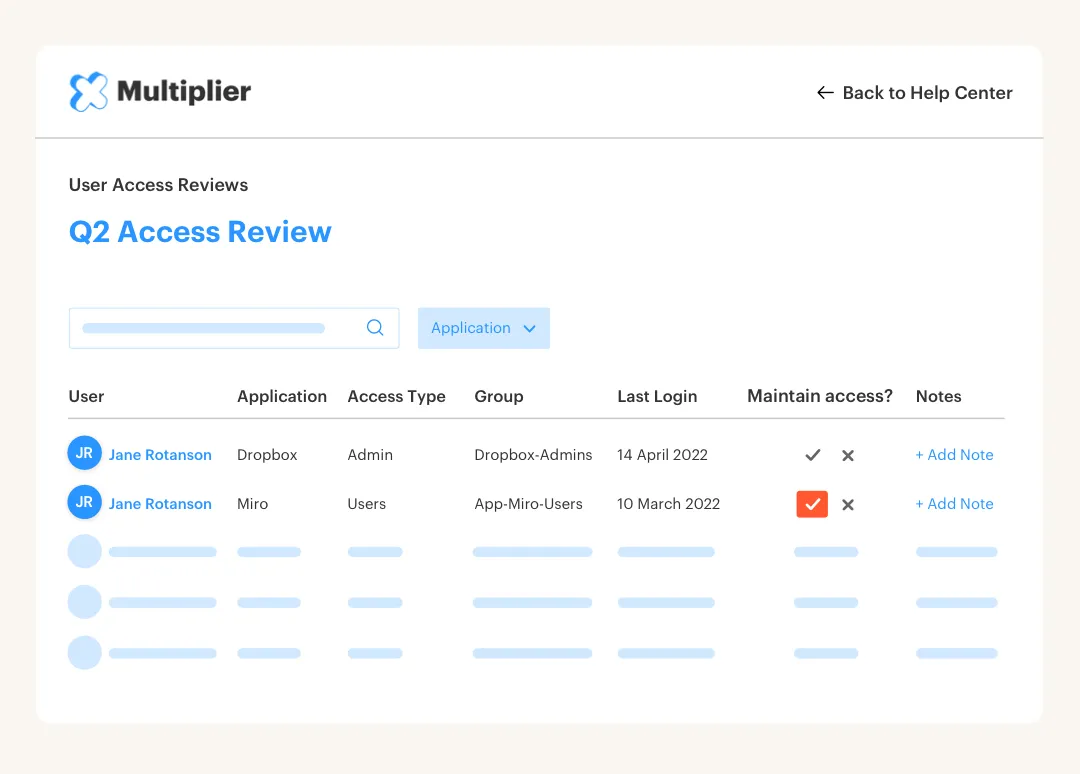
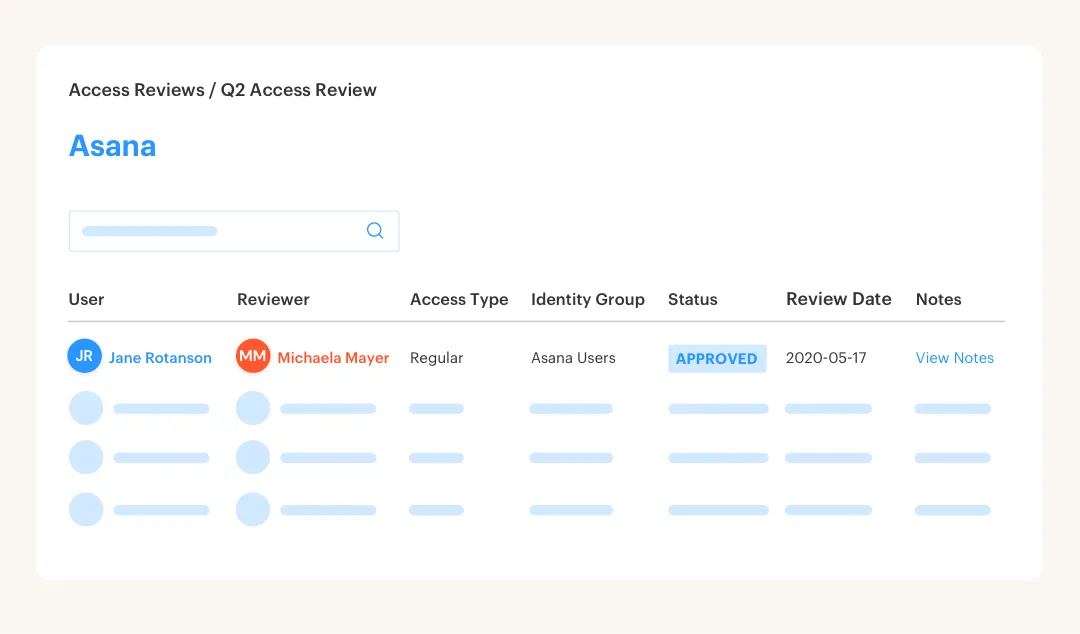
See every in-flight review across your systems, spot pending certifications, and catch access that should be gone, like the contractor who left but is still in Salesforce, Slack and Notion.
Multiplier de-provisions users that no longer need access, or kicks off a revocation flow in Jira, and records each revoke on the ticket.

Generate audit-ready reports for SOC, ISO, and SOX audits that show a full audit trail of all certifications and access changes.
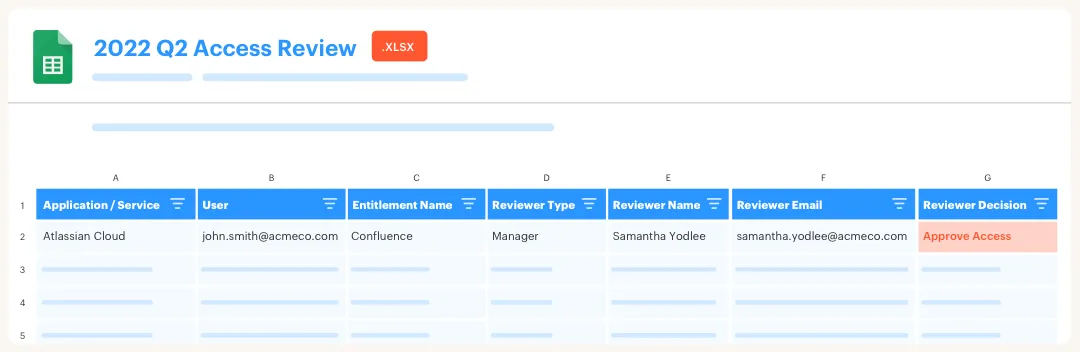
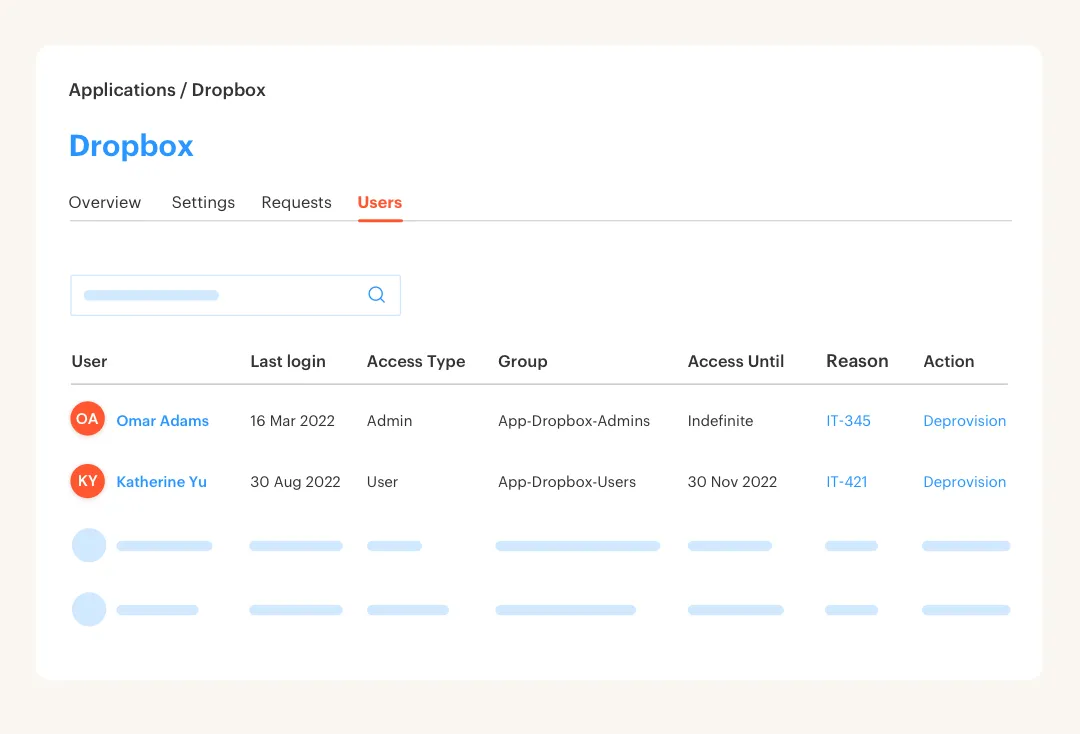
Keep a record of all access requests, approvals, reviews and provisioning actions within one system.
It's never been easier to know who has access to what.
Upload access control evidence to Vanta with a single click.
Every step of the review happens in Jira Service Management, and every action is logged on the Jira ticket.
1. Multiplier syncs with your identity provider and apps, so the review starts from real-time access data instead of an export.
2. Managers and app owners get the users they're responsible for, with context and recommendations next to each decision.
3. Notifications and reminders keep reviewers moving until the campaign is complete.
4. Each reviewer certifies or revokes access. Multiplier de-provisions users who no longer need access, or starts a revocation flow in Jira.
5. You export an audit-ready report of every certification and access change, or upload the evidence to Vanta in one click.
Most access review tools look alike in a demo. These six capabilities decide whether reviews finish on time and pass the audit. Here is how Multiplier handles each one.
Integrations with your identity provider. A review is only as good as its user list. Multiplier pulls users, groups and app access from Okta, Microsoft Entra ID, Google Workspace, JumpCloud or Active Directory, so nobody builds the list by hand.
Reviews scoped to each reviewer. Managers and app owners see only the users they're responsible for, so nobody filters a master spreadsheet.
Context next to every decision. Last login, access type, group and recommendations sit beside each user, and inactive users are flagged. That's what stops rubber-stamping.
Reminders that run themselves. Notifications and reminders go out until every reviewer has finished, so IT doesn't chase people over email.
Revocation that actually happens. Check what a tool does after a reviewer says no. Some only open a ticket and leave the removal to IT. Multiplier de-provisions the user directly, or starts a tracked revocation flow in Jira, and records each revoke on the ticket.
Evidence auditors accept. Audit-ready reports for SOC, ISO and SOX show every certification and access change. Evidence uploads to Vanta in one click.
Where each tool runs reviews, what each vendor says its reviews do, and published pricing as of November 2026.
| Tool | Where reviews run | What the vendor says reviews do | Published price |
|---|---|---|---|
| Multiplier | Inside Jira Service Management | De-provisions the user, or starts a revocation flow in Jira | $5 per user per month (Standard), 30-day free trial |
| Microsoft Entra ID Governance | In Microsoft Entra | Reviews cover Entra groups, apps, roles and access packages | $7 per user per month paid yearly, plus an Entra ID P1 prerequisite |
| Lumos | In Lumos | Says it auto-revokes rejected access | Not published |
| Vanta | In Vanta, a compliance platform | Offers remediation management | Not published, quoted after a demo |
Sources for each claim and three more tools are in our guide to the best user access review software.
Multiplier connects to Okta, Microsoft Entra ID, Google Workspace, JumpCloud and on-prem Active Directory. Completed review evidence goes to Vanta.
Access reviews are included in the Standard plan at $5 per user per month, alongside access requests and employee lifecycle workflows. Every plan starts with a 30-day free trial on the Atlassian Marketplace. See pricing, or read our guide to the best user access review software if you're comparing tools.
Access reviews are in the Standard plan at $5 per user per month, alongside access requests and employee lifecycle workflows. Every plan starts with a 30-day free trial on the Atlassian Marketplace, with no credit card required.
Multiplier connects to Okta, Microsoft Entra ID, Google Workspace, JumpCloud and on-prem Active Directory, and pulls users, groups and app access from them to build each review.
Yes. Each campaign exports an audit-ready report of every certification and access change, and you can upload the evidence to Vanta in one click.
Multiplier de-provisions the user directly, or starts a revocation flow in Jira, and records each revoke on the ticket so the audit trail shows it was done.
Yes. Multiplier is a Jira Cloud app that runs inside Jira Service Management, so reviews, revocations and their audit trail live in the tool your IT team already uses.