

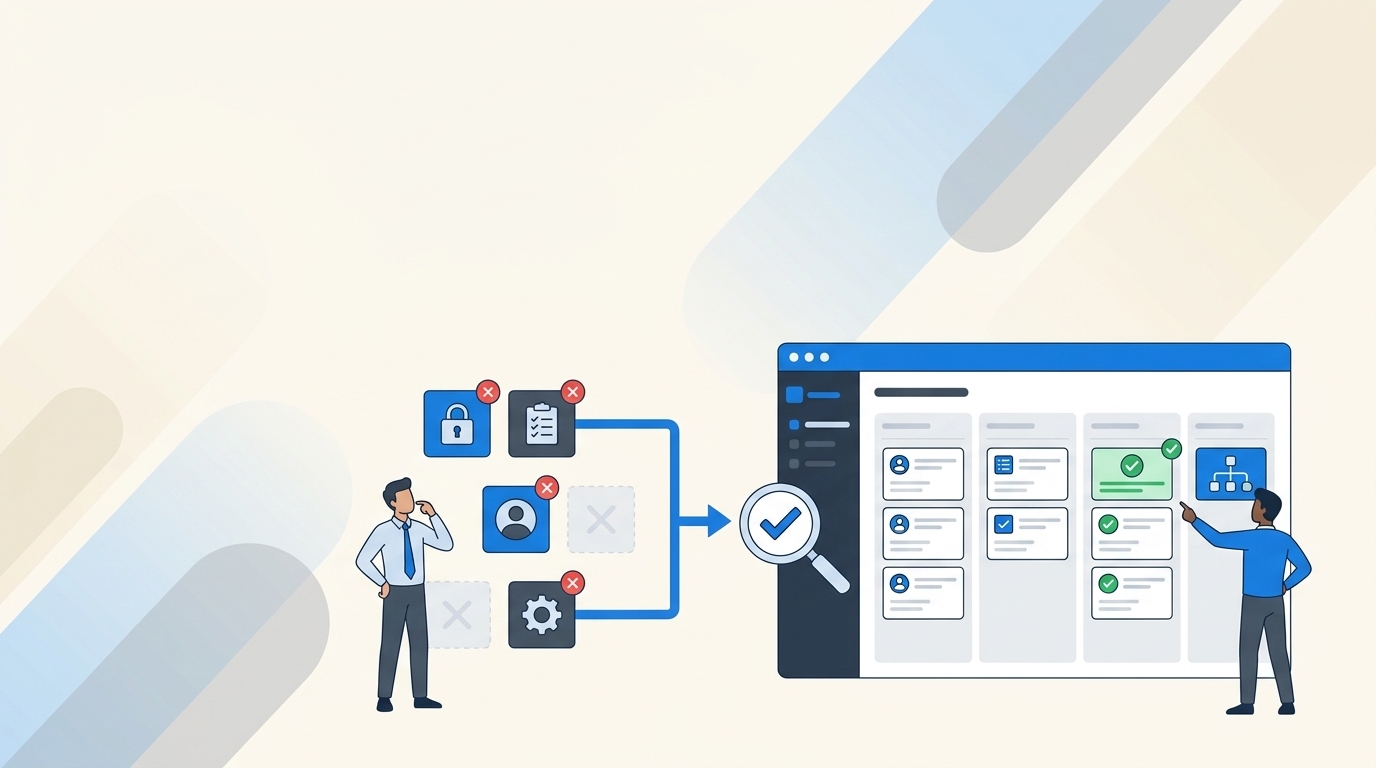
At 4:47 p.m. on the Friday before an audit, somebody asks who still has access to your finance apps. You have 90 days of login data in Okta, a Jira queue full of old tickets, and a spreadsheet nobody fully trusts.
That’s where a compliance-driven inactivity review usually breaks. Not at the review meeting. It breaks when activity data, access decisions, identity changes, and evidence live in different systems.
A user hasn’t logged in for 60 days. Fine. But did their manager approve keeping access? Was the account removed? Did the identity provider accept the change? Can you prove all of that without rebuilding the story by hand? Those are the questions that matter.
Key Takeaways:
- Treat inactivity as a review signal, not automatic proof that access is unnecessary.
- Set different inactivity thresholds based on application risk and usage patterns.
- Keep the decision, revocation, and evidence connected to one Jira issue.
- Execute access changes through your identity provider, not through manual app updates.
- Build exceptions into the process so leave, seasonal work, and service accounts don’t create bad revocations.
- Test whether reviewers can prove completion without opening a spreadsheet.
Why Inactivity Reviews Break During Audit Preparation
Inactivity reviews break when the evidence is separated from the action. Login data may come from the identity provider, reviewer decisions may sit in a spreadsheet, and revocations may happen inside individual applications. Each part can work on its own. The problem appears when someone needs to prove the full chain.

A 90-Day Login Gap Doesn’t Prove Access Is Wrong
A 90-day login gap tells you that an account appears inactive. It doesn’t tell you whether the user still needs access, whether the application is used seasonally, or whether the identity provider has accurate telemetry. That distinction matters. Compliance-driven inactivity reviews need a human decision backed by useful context.
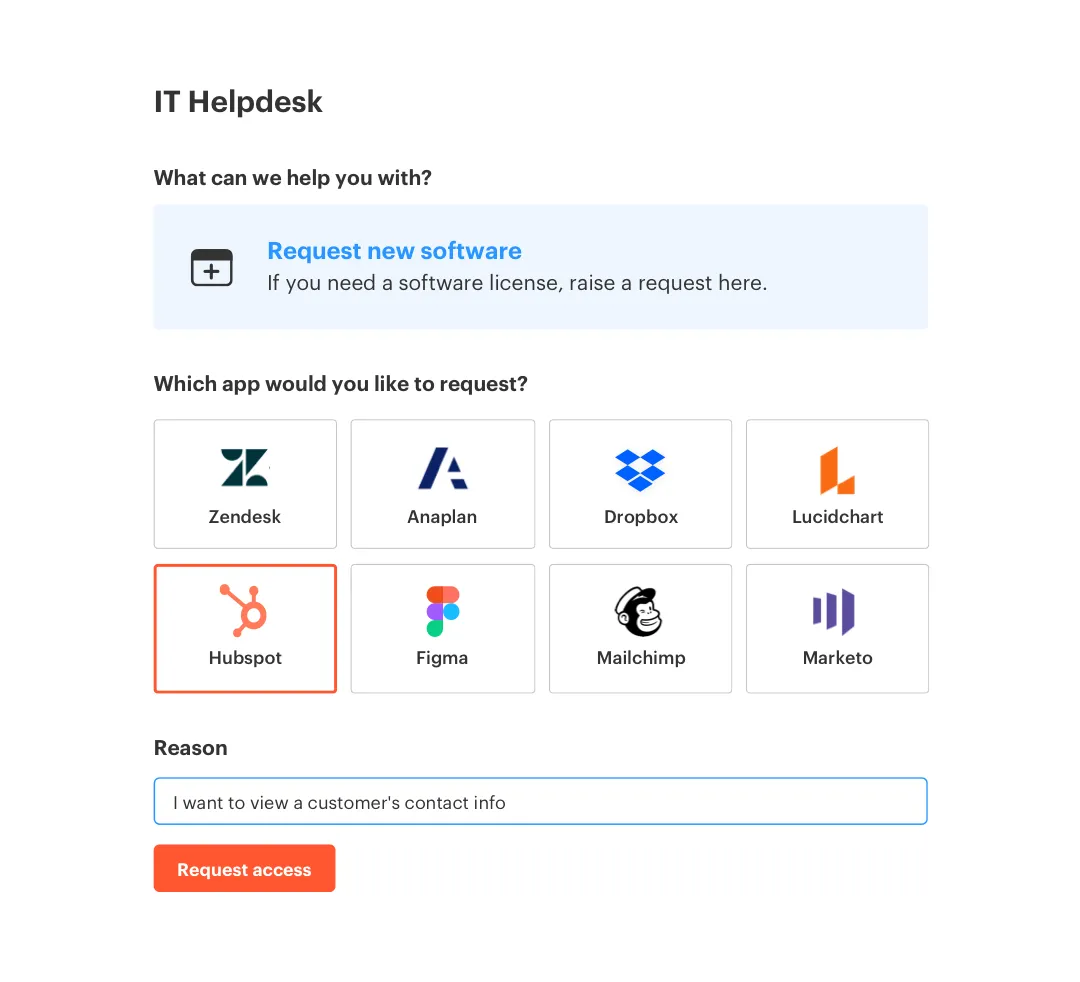
I’ve seen teams treat the inactivity threshold as the decision itself. User inactive for 90 days, access revoked. Sounds efficient. Then someone removes a finance lead from an application used only during quarterly close, or disables a contractor who’s returning next week. The threshold should start the review, not finish it.
The evidence you need is broader:
- Last recorded login
- Current role and department
- Application and access level
- Manager or application owner
- Reason to keep or revoke access
- Confirmation that the identity change succeeded
Split Workflows Turn Evidence Collection Into Reconstruction
An IT manager opens a spreadsheet and finds “revoke” beside 17 users. There’s no ticket number, no date, and no record showing whether those removals happened. They check Slack for approvals, then Okta for group membership. Two hours later, they’re still matching names.
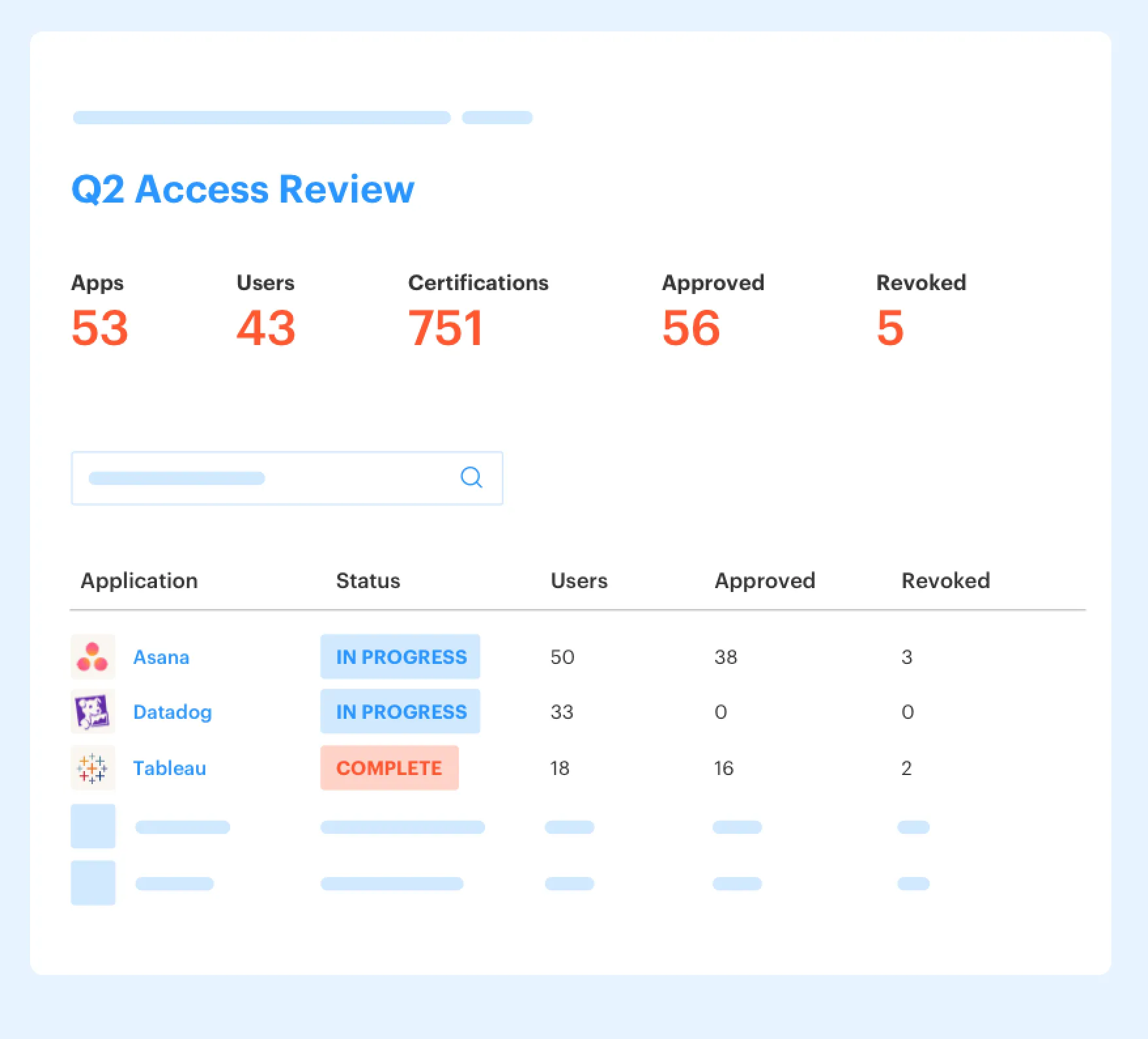
Spreadsheet-based reviews can work for ten applications and one reviewer. That’s a fair reason teams start there. The weakness shows up when the review has several owners, hundreds of users, and actual identity changes to track. You’re reconciling a bank statement with receipts stored in four different drawers. Every missing receipt creates another question.
A Jira-native record changes the evidence model. The request, review decision, access change, and status can stay attached to the same issue. If that workflow matches how your team already works, learn more about Multiplier to see how access governance can live inside JSM instead of another portal.
A Review Isn’t Complete Until the Access Changes
A completed review with unfinished revocations is still an open control. The reviewer may have made the right decision. Security still has the wrong access state until somebody removes the user from the correct identity provider group.
Manual follow-up is where good intentions tend to die. The review closes on Friday, the revocation list gets sent to IT, and Monday brings onboarding tickets plus a production incident. By Wednesday, several removals are done and several aren’t. Nobody’s trying to be careless. The workflow simply separates judgment from execution.
One fast-growing AI company processed more than 3,800 access requests in a year while supporting over 420 employees with a four-person IT team. About 75% of those requests were fully automated. The interesting part isn’t only the saved time. Automation makes the approved state and the actual identity state much harder to separate.
The better question isn’t, “Did we finish the spreadsheet?” It’s, “Can we prove every decision became an authoritative identity change?”
How to Build Compliance-Driven Inactivity Reviews in Jira
A reliable inactivity review connects five things: trustworthy login data, an application-specific threshold, useful reviewer context, an enforced identity change, and evidence in Jira. Build those pieces in that order. If one is missing, the review may look complete while access remains unchanged.
Can You Trust the Login Data?
Can you trace the last-login value back to the identity provider and explain what it represents? Start there. Some applications send useful login telemetry through Okta, Entra ID, or Google Workspace. Others have stale records, shared accounts, or no usable activity data at all.
An incomplete signal isn’t useless. It just needs a boundary. If an application doesn’t provide reliable activity data, don’t label the account inactive based on a blank field. Route that application through a manual certification path and record why. Honestly, this is less elegant, but it’s much safer than pretending missing data means no usage.
Before putting an application into an automated inactivity workflow, verify:
- The identity provider receives a usable last-login value.
- The value belongs to the person being reviewed.
- Shared and service accounts can be identified.
- The application’s normal usage pattern is understood.
- Revocation can be enforced through a mapped identity provider group.
Set Thresholds Based on Application Behavior
Thirty days may be right for a frequently used collaboration tool and completely wrong for tax, planning, or quarterly reporting software. A single company-wide threshold is easy to explain. It’s also likely to generate false positives across a mixed SaaS stack.
I’d start with three bands, then adjust from actual usage. High-frequency applications might use 30 days. Periodic applications might use 60 or 90 days. Seasonal applications should use a manual review tied to their business calendar. No fancy framework needed.
Build the first threshold table like this:
- List normal usage frequency: Daily, weekly, monthly, quarterly, or seasonal.
- Add application risk: Low-risk productivity access shouldn’t be treated like an admin role.
- Choose an inactivity trigger: Set the point where review begins, not automatic guilt.
- Set a grace period: Give the user time to confirm usage before revocation.
- Name exclusions: Document service accounts, approved leave, and other valid exceptions.
A global threshold is still reasonable for a small stack with similar applications. I get the logic. Once the stack grows, application behavior becomes more important than administrative simplicity.
Separate License Waste From Access Risk
An unused license costs money. An unnecessary privileged role creates security exposure. Both may begin with the same inactivity signal, but they shouldn’t follow the same decision path.
For a basic design tool license, the reviewer may only need last login, department, and a short grace period. Production administration is different. Reviewers should see the role, the access level, the user’s job, and any valid reason for keeping elevated rights. Same signal. Different stakes.
The split also changes who approves the action. Finance or IT may own routine license reclamation, while an application owner or security reviewer handles privileged access. Mixing those decisions into one generic queue encourages rubber-stamping. People stop asking what access means because every row looks identical.
A useful rule is simple: if revocation could interrupt a core business process, require an owner decision. If access is low-risk and unused beyond a defined threshold, a notification plus grace period may be enough.
Put the Reason Beside the Decision
A reviewer opens the campaign and sees five inactive users. Three left the department, one is on parental leave, and one uses the application during quarterly close. A binary Keep or Revoke choice without context forces the reviewer to investigate each person elsewhere.
The Jira issue should carry enough information to make the decision without a Slack hunt. Include identity attributes, current groups, last login, the application owner, and the proposed action. Then require a reason for exceptions or revocations. The reason matters six months later, when a different auditor or reviewer asks why access remained.
I prefer evidence captured during the work, not added after. Rebuilding evidence later creates transcription mistakes and missing dates. It also turns an ordinary review into an IT fire drill. If the reviewer decision is recorded beside the identity action, audit preparation becomes checking the record rather than recreating it.
The minimum evidence chain should show:
- Who was reviewed
- What application and role were in scope
- Which activity signal triggered the review
- Who made the decision
- Why access was kept or revoked
- When the identity change occurred
- Whether the change succeeded
Make the Identity Provider the Enforcement Point
Revoking access in a spreadsheet changes nothing. Removing the user from an authoritative identity provider group changes the actual entitlement and creates a repeatable path for future reviews.
Group-based access is the cleanest option when the application uses SSO and mapped groups. The reviewer chooses Revoke, the workflow removes the membership, and the Jira record receives the outcome. If the identity provider returns an error, the review stays open for follow-up. Failed execution shouldn’t look like completed governance.
Some applications can’t support that model. Non-SSO tools may still need a manual administrator to remove access inside the application. Fair enough. Keep those applications in the same review process, but make the manual status visible and require confirmation before closure.
For teams trying to connect reviewer decisions to authoritative group changes, see how Multiplier works across Jira, Slack, and the identity provider.
Test the Exceptions Before Launching the Review
What happens when an employee is on leave, an account belongs to a service, or the login feed is stale? If the answer is “the reviewer will figure it out,” the process isn’t ready.
Run a small test with real edge cases before launching the full campaign. Pick one ordinary user, one privileged user, one person on leave, one service account, and one application without reliable telemetry. Walk every record from detection to Jira decision to identity change. It’s not glamorous. It catches the failures that a clean sample hides.
Exceptions need owners and expiry dates. A person on approved leave may keep access until a set return date. A service account may be excluded while its owner and purpose are recorded. An application with missing telemetry may stay on manual review until the data source improves.
Use three questions during the test:
- Can the reviewer decide without opening another system?
- Can IT prove whether the revocation succeeded?
- Can someone understand the exception six months later?
If any answer is no, fix the workflow before scaling it. The process should produce evidence while people do the work, not ask them to document everything again before an audit.
How Multiplier Connects Jira Reviews to Identity Changes
Multiplier keeps the inactivity review, reviewer action, identity change, and audit record inside the Jira workflow. It uses login data from connected identity providers, supports policy-based reclamation, and can execute revocations through mapped groups. The operating model taught above becomes part of normal JSM work instead of a separate compliance project.
Auto Reclaim Handles Policy-Based Inactivity
Multiplier’s Auto Reclaim feature monitors last-login data for in-scope applications connected to the identity provider. Admins define an inactivity threshold, a grace period, and group exclusions. When a user crosses the threshold, they receive a warning. If they remain inactive after the grace period, access is revoked and a Jira ticket records the action.

That mechanism fits lower-risk, policy-based reclamation where the decision can be made from a known threshold and reliable telemetry. It also keeps the warning and revocation connected to Jira. Auto Reclaim is available on the Advanced edition, and its accuracy depends on the login data provided by the identity provider. Applications without useful telemetry can’t be treated the same way.
Access Reviews Add Human Decisions and Enforced Revocation
Multiplier runs access review campaigns inside JSM for applications marked Approved. Reviewers see user attributes, group memberships, and last-login context, then choose Keep or Revoke. A Revoke decision removes the relevant identity provider group membership and creates Jira evidence for the change.
Multiplier also supports application catalogs and approval workflows in Jira and Slack, which means the original grant can follow the same evidence path as the later review. That connection matters. You can trace access from request, to approval, to provisioning, to review, to revocation without stitching together separate portals.
Automatic removal requires access to be controlled through identity provider groups. Purely manual or non-SSO grants still need manual action. That’s a real limitation, and it’s worth planning around rather than hiding it.
If you want the review decision and identity change tied to the same Jira record, get started with Multiplier and map one in-scope application first.
Keep Inactivity Reviews Ready for the Next Audit
Compliance-driven inactivity reviews work when activity signals lead to decisions, decisions lead to identity changes, and every step leaves evidence in Jira. A spreadsheet can list inactive users. It can’t guarantee that access was removed or prove the identity provider accepted the change.
Start with one application that has reliable login data and group-based provisioning. Set a sensible threshold, test the exceptions, and follow five users through the complete flow. If you can prove each decision without rebuilding the story, you’ve got a process that can grow.
Frequently asked questions
- How do I set up inactivity thresholds in Multiplier?
To set up inactivity thresholds in Multiplier, start by defining the usage frequency of each application—daily, weekly, monthly, or seasonal. Next, determine the inactivity threshold based on the application's risk level. For example, high-frequency tools might use a 30-day threshold, while seasonal apps could require manual reviews. Finally, document any exceptions, such as service accounts or employees on leave, to ensure a smooth review process. This setup helps you tailor access reviews to your organization's specific needs.
- What if I need to revoke access for multiple users?
If you need to revoke access for multiple users, use Multiplier's access review campaigns. Start by creating a new campaign in Jira, selecting the in-scope applications marked as Approved. Assign reviewers for each app and launch the campaign. Reviewers can then easily mark users as 'Keep' or 'Revoke' based on the data provided, and Multiplier will automatically handle the revocation through your identity provider. This streamlines the process and ensures all actions are documented in Jira.
- Can I automate notifications for inactive users?
Yes, you can automate notifications for inactive users using Multiplier's Auto Reclaim feature. Set up inactivity thresholds and grace periods for your applications. When a user exceeds the threshold, Multiplier will automatically send them a warning email, giving them a chance to log in before access is revoked. If they remain inactive after the grace period, Multiplier will revoke their access and document the action in a Jira ticket. This helps manage licenses efficiently and reduces manual follow-up.
- When should I run access review campaigns?
You should run access review campaigns regularly, typically on a quarterly basis, to ensure compliance and security. Use Multiplier to create campaigns that align with your audit schedule. Start by selecting applications that are marked as Approved and assign appropriate reviewers. This ensures that all access decisions are documented in Jira, making it easier to prove compliance during audits. Also, consider running campaigns after significant organizational changes, such as onboarding new employees or changes in project teams.
- Why does my access review process feel disjointed?
Your access review process may feel disjointed if it relies on multiple systems, like spreadsheets or separate portals. To streamline this, use Multiplier to integrate access reviews directly into Jira. This way, all requests, approvals, and identity changes are recorded in one place. By keeping everything in Jira, you eliminate the need for manual data reconciliation and ensure that all evidence is readily available for audits, making the process more efficient and less prone to errors.
Frequently Asked Questions
How do I set up inactivity thresholds in Multiplier?
To set up inactivity thresholds in Multiplier, start by defining the usage frequency of each application—daily, weekly, monthly, or seasonal. Next, determine the inactivity threshold based on the application's risk level. For example, high-frequency tools might use a 30-day threshold, while seasonal apps could require manual reviews. Finally, document any exceptions, such as service accounts or employees on leave, to ensure a smooth review process. This setup helps you tailor access reviews to your organization's specific needs.
What if I need to revoke access for multiple users?
If you need to revoke access for multiple users, use Multiplier's access review campaigns. Start by creating a new campaign in Jira, selecting the in-scope applications marked as Approved. Assign reviewers for each app and launch the campaign. Reviewers can then easily mark users as 'Keep' or 'Revoke' based on the data provided, and Multiplier will automatically handle the revocation through your identity provider. This streamlines the process and ensures all actions are documented in Jira.
Can I automate notifications for inactive users?
Yes, you can automate notifications for inactive users using Multiplier's Auto Reclaim feature. Set up inactivity thresholds and grace periods for your applications. When a user exceeds the threshold, Multiplier will automatically send them a warning email, giving them a chance to log in before access is revoked. If they remain inactive after the grace period, Multiplier will revoke their access and document the action in a Jira ticket. This helps manage licenses efficiently and reduces manual follow-up.
When should I run access review campaigns?
You should run access review campaigns regularly, typically on a quarterly basis, to ensure compliance and security. Use Multiplier to create campaigns that align with your audit schedule. Start by selecting applications that are marked as Approved and assign appropriate reviewers. This ensures that all access decisions are documented in Jira, making it easier to prove compliance during audits. Also, consider running campaigns after significant organizational changes, such as onboarding new employees or changes in project teams.
Why does my access review process feel disjointed?
Your access review process may feel disjointed if it relies on multiple systems, like spreadsheets or separate portals. To streamline this, use Multiplier to integrate access reviews directly into Jira. This way, all requests, approvals, and identity changes are recorded in one place. By keeping everything in Jira, you eliminate the need for manual data reconciliation and ensure that all evidence is readily available for audits, making the process more efficient and less prone to errors.


