


SOC 2 week is a brutal time to discover your access reviews were just approvals in a spreadsheet. You need proof that reviewers saw the right context and that revocations actually happened. Good access reviews ensure least privilege because they connect the decision to the access change. Without that connection, you're collecting comments and hoping the auditor doesn't ask the next question.
Most teams treat access reviews like a compliance event. Which is understandable. Someone asks for evidence, the team exports a report, reviewers click through a spreadsheet, and everyone hopes the obvious problems get caught. That whole motion is backwards. Reviews aren't supposed to prove that access exists. They're supposed to prove that access still makes sense.
And that's where most access review programs break. They look at the user and the app, but they don't show the original reason, the approval path, the last login, the risk level, or whether the access should've expired already. The reviewer guesses. Guessing is a bad control.
Key Takeaways:
- Access reviews ensure least privilege when they force every entitlement to prove it still has a business reason.
- Quarterly reviews fail when they're disconnected from access requests, approvals, and identity provider changes.
- The identity provider should be the authority for provisioning and revocation, not a spreadsheet.
- Reviewers need usage context, not just a list of names and apps.
- Time-bound access reduces the amount of standing privilege that reviews have to clean up later.
- Jira-native governance works because the request, approval, change, and evidence stay in one workflow.
Why Quarterly Reviews Don't Fix Standing Access
Quarterly access reviews fail when they're treated as the main control instead of the inspection layer. By the time the review starts, the access already exists, the user may have changed roles, and the original approval context is usually buried somewhere else. The review becomes cleanup, not governance.

The review finds symptoms, not the cause
Picture the IT admin at 8:14 PM Monday, staring at a CSV with 400 rows exported from Okta, trying to figure out whether a Product Manager still needs access to the finance system she got 6 months ago during a budget review. That's not access review work. That's archaeology. The real question is what created those rows in the first place, because that's where the risk usually entered the system. Someone requested admin access during an incident. Someone changed teams. Someone got added to a group because it was faster than waiting for the right approver. Totally normal stuff. Also where least privilege starts to leak.
I've seen this pattern a lot in fast-growing companies. Access reviews become the place where everyone tries to make up for weak intake, vague approvals, and manual provisioning. That's a losing game. If the original request didn't capture the role, reason, duration, and approver, the reviewer has to reconstruct the story later. And they usually can't.
The fix starts before the review. The access path has to be clean: request comes through one system, approval comes from the right owner, provisioning happens through the identity provider, evidence writes back to the ticket, and revocation happens when the access no longer makes sense.
If you want to see what that operating model looks like inside Jira and Slack, Learn more about Multiplier in the context of access requests, approvals, and evidence living together.
The spreadsheet creates a second system
Spreadsheets feel practical because they're flexible. I get the logic. If you have 20 apps and a small team, you can probably survive with exports, filters, comments, and reminders. You can get through the audit. You can even look organized while doing it. The problem starts when the spreadsheet becomes its own governance system, separate from Jira, Slack, Okta, Entra, or Google Workspace.
By the third review cycle, the spreadsheet has its own version of the truth. IT has one view in the identity provider. Managers have another view in their heads. Jira has the request history, assuming the request even came through Jira. Slack has the approval nudge someone sent because the ticket was stuck. The audit evidence becomes a scavenger hunt.
That's the part people underestimate. A review process shouldn't create new evidence manually. It should expose the evidence that already exists. Think of it like a flight recorder, the review should replay what happened: who asked, who approved, what changed, when it changed, and whether the access was removed. If you have to rebuild that story in a spreadsheet, your control is already too fragile.
The team pays the cost before audit week
The emotional cost is real. It's the IT admin staring at a CSV at 8:30 PM trying to figure out whether someone in Product still needs finance system access. It's the security lead asking for revocation proof and getting screenshots pasted into a ticket. It's the manager clicking "keep" because they don't have enough context to say anything else.
Honestly, that's when access reviews stop feeling like security work and start feeling like administrative theater. Everyone is busy, everyone is trying, and nobody really trusts the output.
The worst part is that teams often blame the reviewers. They say managers rubber-stamp. And yes, they do. Most rubber-stamping happens because the process gives them nothing useful to review. Bad inputs create bad decisions. Always. Which means the fix isn't more reviewer training, it's better inputs to the review itself.
How Access Reviews Ensure Least Privilege Before the Audit
Access reviews ensure least privilege when they connect the review back to the original access workflow. The review should test whether an entitlement is still justified, still used, still approved by the right owner, and still mapped to the right identity provider group. Without that chain, the review is opinion collection.
Start with the access path, not the review calendar
The instinct is to start with frequency. Quarterly? Monthly? Twice a year? That's not the first decision I'd make. A bad monthly review is still bad. It just wastes time more often.
Start with the path access takes from request to removal. If the path is fragmented, the review will be fragmented too. A request starts in Jira, an approval happens in Slack, provisioning happens in Okta, and evidence gets copied into a spreadsheet. Fine for 10 requests. Brutal at 1,000. The review calendar doesn't fix that, the workflow does.
Run this quick diagnostic before changing anything:
- Can you trace each entitlement back to an original request?
- Can you see who approved it and why?
- Can you tell whether the user has used the app recently?
- Can you remove access from the same workflow where the review decision happens?
- Can an auditor follow the trail without asking your team for screenshots?
If you answered no to 2 or more of those, your access review issue is actually an access operations issue. The review is where the broken pieces become visible.
Make every entitlement explain itself
Why does this person still need this access? Not why did they get it six months ago. Not whether they seem trustworthy. Why now?
That sounds basic, but most review exports don't answer it. They show user, app, group, maybe department. They rarely show the request reason, approval chain, current role, last login, and access duration in one place. The reviewer fills in the blanks. Sometimes they're right. Often they're guessing.
A better review record gives the reviewer enough context to make a real decision. For example:
- Original request reason: why the user asked for access
- Approver: who accepted the risk
- Group mapping: which identity provider group grants the entitlement
- Usage signal: whether the user has logged in recently
- Duration: whether the access was meant to be temporary
- Revocation action: what happens when the reviewer says remove
At Synthesia, the access problem got serious because the company grew from 100 to over 400 employees in two years. Requests were being tracked through Slack and Notion, which meant the team had to chase people down and manually move work forward. After moving to Jira Service Management with automated access workflows, a 4-person IT Ops team supported 420+ employees and processed 3,800+ access requests in a year, with 75% fully automated. That's what happens when access stops being a side conversation.
Use the identity provider as the authority
The identity provider should be the system that actually grants and removes access. Jira can own the workflow. Slack can speed up approvals. The app catalog can standardize intake. But the identity provider should be where the entitlement change happens, because that's where group membership becomes enforceable.
This matters because access reviews only ensure least privilege if revocation is real. A reviewer clicking "revoke" in a spreadsheet doesn't remove anything. A Jira comment doesn't remove anything either. Someone still has to go into Okta, Entra, or Google Workspace and remove the group membership. That gap is where reviewed access stays active for weeks after the review said "revoke."
Provisioning through identity provider groups makes the workflow cleaner. The catalog role maps to a group. Approval triggers the group change. Review decisions remove the user from the group. The evidence goes back to the ticket. Not glamorous. Very useful.
There's a real concession here. Group-based provisioning requires discipline. Your groups need to mean something. Role mappings need to be maintained. Apps that aren't connected through SSO may still need manual work. Still, the tradeoff is worth it because the control becomes executable. Policy without execution is a nice document.
Put expiry on risky access before review day
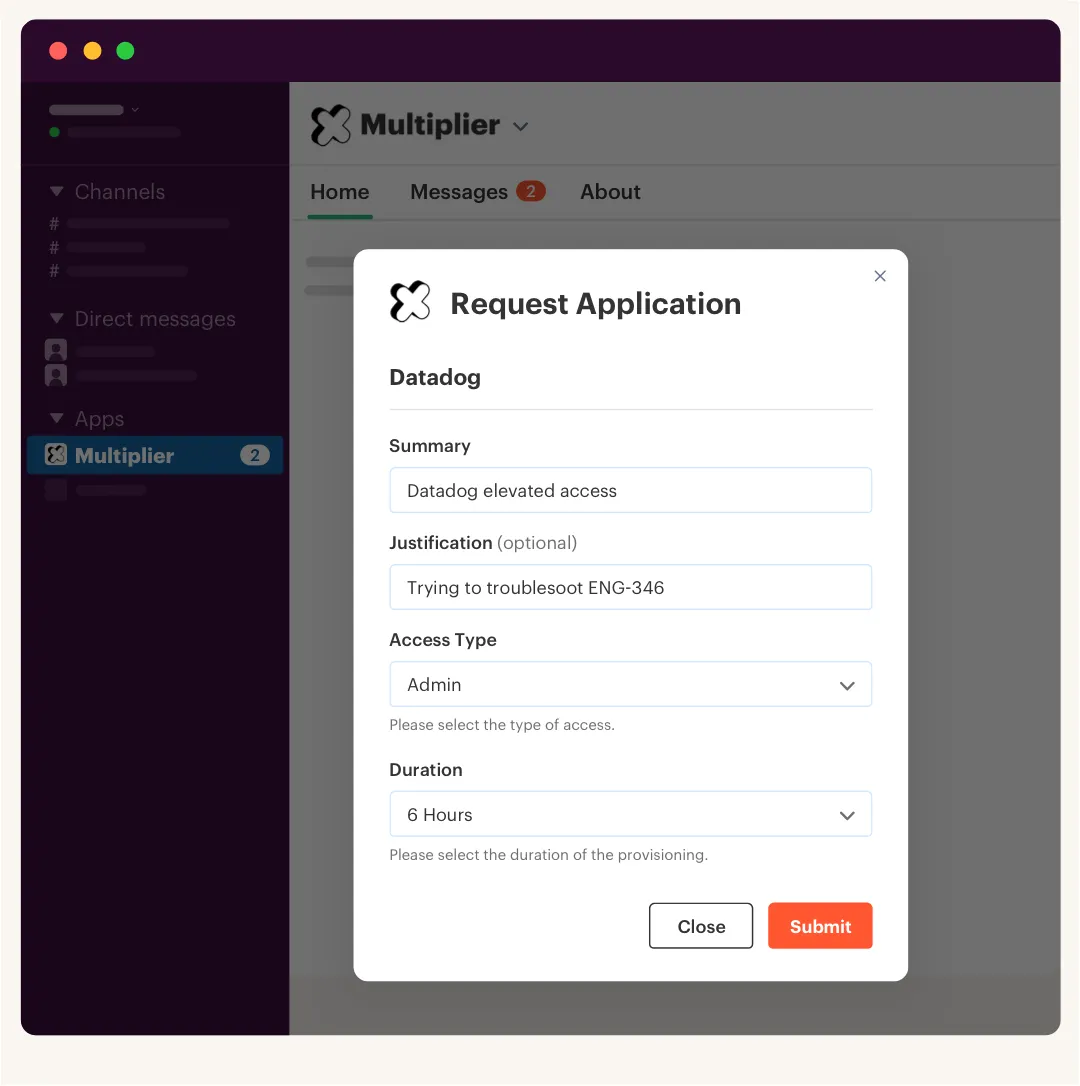
Some access shouldn't wait for a quarterly review. Admin access, production access, database access, finance access, customer data access. These are usually where long-lived privileges create the most risk. If someone needs elevated access for an incident, a release, or a one-off investigation, give it to them fast. Then remove it automatically when the window closes.
Here's the counterintuitive part. Strong least privilege doesn't mean making access painful. It means making access temporary by default where the risk is high. People should get what they need to do the job. They just shouldn't keep it forever because nobody remembered to clean it up.
Stavvy is a good example. After funding and acquisitions, long-lived privileged access became a real problem. They moved to time-bound access inside Jira and Slack, and privileged access dropped by 85%. They also had 1,300+ access requests automatically revoked after the approved window. That's not a quarterly review saving the day. That's the system preventing standing privilege from piling up in the first place.
A simple rule works well here:
- Low-risk app access can be reviewed on a normal cycle
- High-risk privileged access should have an expiry
- Emergency access should be time-bound and logged
- Extensions should be visible and tied to the original approval
- Anything inactive for 30, 60, or 90 days should be flagged before the next review
Access reviews ensure less when they only look backward. They ensure a lot more when risky access expires before it becomes audit debt.
Review usage context, not job titles
Job title is a weak signal. A RevOps Manager might need Salesforce admin access. Another RevOps Manager might not. A software engineer might need production access for one service, but not broad access across every environment. The title tells you the neighborhood. It doesn't tell you the house.
Usage context is where reviews get sharper. Last login, group membership, department, manager, and request history give the reviewer a much clearer picture. If someone hasn't logged into an app in 90 days, you don't need a philosophical debate. You need a decision. Keep with a reason, or revoke.
This is where a lot of teams swing too far into automation. They want the system to decide everything. I get the appeal, nobody wants to run review campaigns forever. Fully automated removal without context can backfire for sensitive apps or unusual roles. A better approach is to automate the obvious and route the judgment calls.
Use a simple split:
- Clearly inactive: notify the user, then reclaim if there's no response
- High-risk access: route to app owner or manager
- Temporary access: auto-revoke at expiry
- Unclear access: require a reviewer reason before keeping it
- Non-SSO access: track the decision even if removal is manual
That mix keeps the process honest. Not every access decision deserves a meeting. Not every access decision should be left to a machine either.
Close the loop with enforced revocation
The review decision isn't the control. The revocation is. That's where many access review programs fall apart, because the campaign ends with a list of "remove these users" and then IT has to execute the removals manually across apps.
You need a closed loop. Reviewer says revoke. The workflow removes the user from the identity provider group. The ticket records the action. The campaign status updates. If something fails, the exception is visible. If it succeeds, the evidence is already there.
That's how access reviews ensure audit readiness too. They don't just show that someone reviewed access. They show that the review changed access. Big difference.
The sequence should be boring:
- Launch review campaign
- Show reviewer user, app, group, manager, department, and usage context
- Capture keep or revoke decision
- Execute revocation through the identity provider where possible
- Write the outcome back to the Jira issue
- Export evidence if the auditor asks
If you're trying to connect reviews, approvals, and identity provider changes without adding another portal, See how Multiplier works with Jira Service Management as the workflow layer.
How Multiplier Keeps Reviews Inside Jira
Multiplier keeps access reviews inside Jira by connecting review decisions to the same access workflow that created the entitlement. Requests start in JSM or Slack, approvals stay tied to Jira issues, and provisioning or revocation happens through identity provider groups. The review becomes part of the operating system, not a separate audit scramble.
Jira-native campaigns with real reviewer context
Multiplier's Access Reviews feature runs certification campaigns inside Jira Service Management. Admins choose in-scope applications, assign reviewers, and give reviewers a JSM Help Center view with user attributes, group memberships, departments, job titles, last login dates, and recommendations. That's the stuff reviewers need. Not a mystery CSV.
Multiplier also keeps the review tied to action. Reviewers mark Keep or Revoke and provide reasons for revocations. When revocation is supported through mapped identity provider groups, the removal happens from the same workflow and the evidence is captured in Jira. That matters because the whole point of a review is to reduce access that no longer makes sense.
The product doesn't pretend every edge case disappears. For non-SSO apps or access that wasn't provisioned through identity provider groups, some removal may still be manual. That's fair. Even then, the campaign gives IT a consistent record of what was reviewed, what decision was made, and what needs follow-up. Much better than five spreadsheets and a Slack thread.
Provisioning and revocation through identity provider groups
Multiplier's automated provisioning works through identity provider group mappings in Okta, Entra ID, or Google Workspace. Each catalog role maps to one or more groups, and when a Jira issue reaches the approved status, Multiplier calls the identity provider API to add the user to the right group. For reviews, that same mapping matters because revocation can remove the group membership and write the result back to Jira.

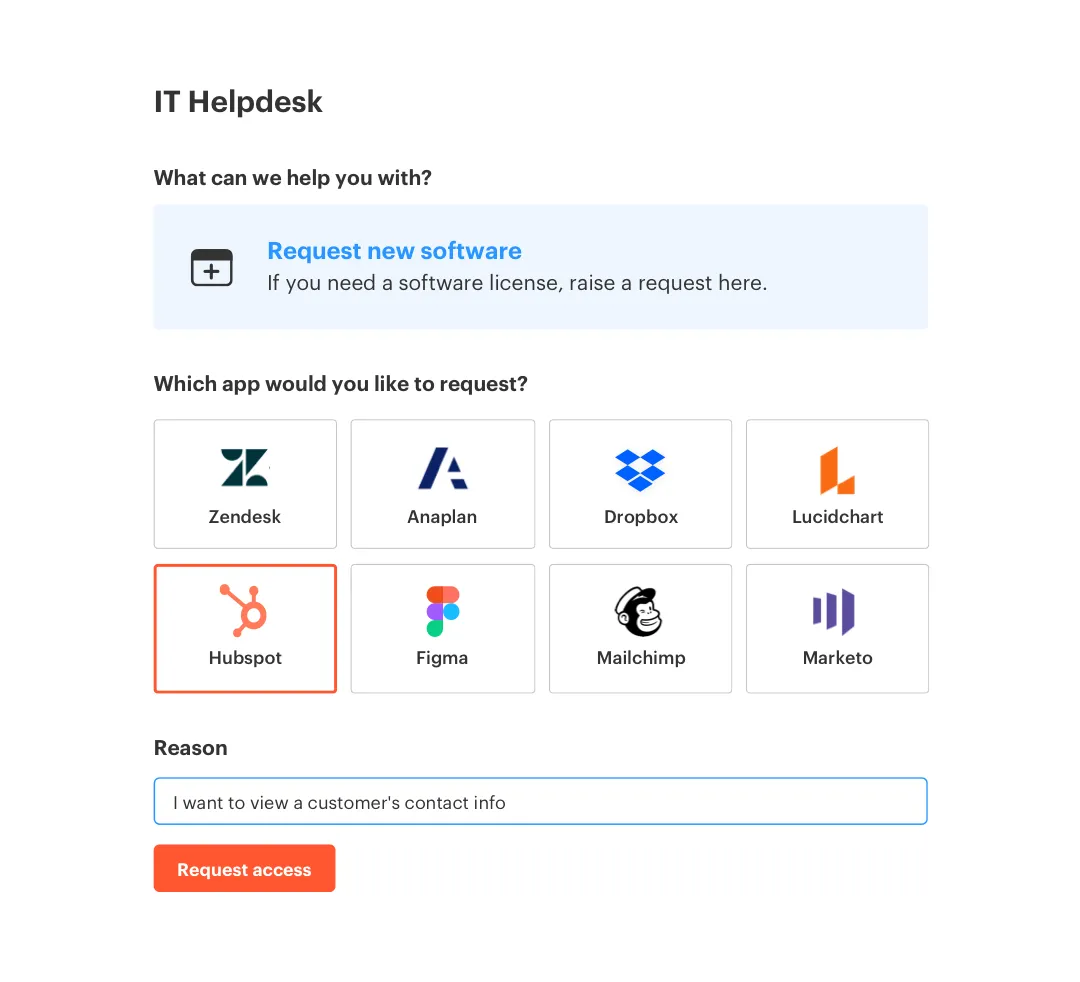
That design is the real unlock. Access reviews ensure least privilege when the review decision can become an identity provider change without someone copy-pasting names between systems. The Application Catalog standardizes intake. Approval Workflows route decisions to managers, app owners, or specific users in JSM and Slack. Time-Based Access can remove temporary entitlements when the approved window expires. The Slack App keeps approvals moving while Jira remains the system of record.
Multiplier won't directly provision inside every individual SaaS app outside the identity provider path. That's an important boundary. The value is that your authoritative access changes run through the identity provider, while the request, approval, review, and evidence stay in Jira. For teams already living in Atlassian, that makes the control much easier to actually use.
Build Reviews That Actually Remove Access
Access reviews work when they stop being a quarterly paperwork exercise and become a way to enforce least privilege continuously. The old way asks managers to validate stale access with limited context. The better way connects requests, approvals, identity provider changes, reviews, revocations, and evidence in one flow.
Start with your messiest app. Map the request path. Identify the approver. Tie the role to an identity provider group. Add usage context. Then run the review and measure how many decisions actually remove access. That's the number that matters.
Most teams don't need a bigger governance portal. They need the governance work to happen where the access work already happens. Jira, Slack, and the identity provider. That's where the real control lives.
Frequently Asked Questions
How do I set up automated access requests with Multiplier?
To set up automated access requests using Multiplier, follow these steps: 1) Integrate Multiplier with your identity provider like Okta or Google Workspace. 2) Use the Application Catalog in Jira Service Management (JSM) to display sanctioned applications for employees. 3) Employees can request access through JSM or Slack, and approvals will be routed automatically to the designated approvers. This streamlines the process and ensures that all requests are logged for audit purposes.
What if I need to revoke access quickly?
If you need to revoke access quickly, use Multiplier's Access Reviews feature. You can create a review campaign in JSM, assign reviewers, and include the applications in scope. Reviewers will see user details and can mark access as 'Revoke' directly within the campaign. Once a decision is made, Multiplier will automatically remove the user from the relevant identity provider groups, ensuring that access is revoked without manual intervention.
Can I track access requests in real-time?
Yes, you can track access requests in real-time with Multiplier. Once a request is made through JSM or Slack, a Jira ticket is automatically created. You can monitor the ticket's status as it transitions through 'Waiting for Approval' to 'Approved' or 'Provisioning.' This visibility helps ensure that you can manage requests efficiently and keep all stakeholders informed throughout the process.
When should I use time-based access?
You should use time-based access for high-risk roles or temporary needs. With Multiplier, when a requester submits an access request, they can specify a duration (like 1, 6, or 24 hours). After approval, access is provisioned immediately and set to expire automatically once the time window closes. This approach minimizes standing privileges and helps maintain least privilege principles effectively.
Why does my access review process feel disjointed?
Your access review process may feel disjointed if it's not integrated with your existing workflows. To improve this, use Multiplier's Access Reviews feature, which allows you to run campaigns directly within Jira. By linking requests, approvals, and identity provider changes, you create a cohesive workflow where evidence is automatically captured. This reduces the need for manual tracking and ensures that all actions are recorded in one place.


