

![How Often Should IT Review User Access? [2026 Guide]](https://cdn.prod.website-files.com/60cc3b1de50f53117a9c8119/6a66a1cf885673df12066292_how-often-should-it-teams-conduct-access-reviews-for-audit-trails-2-hero-1785110967342.jpeg)
Your annual access review is already too late for privileged roles. A contractor can change teams and keep an old entitlement for 11 months before anyone checks. Review high-risk access every month and standard app access every quarter. Role changes should trigger a fresh check immediately, because the schedule needs to follow risk rather than the auditor’s calendar.
If you’re asking how often should IT review user access, the useful answer isn’t one number. Start at 90 days for normal business apps, shorten the cycle for privileged access, and add event-based checks for role changes, offboarding, acquisitions, or long periods of inactivity. The bigger shift is making each review produce its own evidence in Jira, instead of rebuilding the story later in a spreadsheet.
Key Takeaways:
- Review privileged access monthly, with extra reviews after major changes.
- Use quarterly reviews for standard SaaS access and everyday business tools.
- Move low-risk applications to a six or twelve-month cycle when lifecycle controls work.
- Trigger targeted reviews after role changes, departures, acquisitions, and prolonged inactivity.
- Record the decision, context, revocation, and exception in the same Jira workflow.
- Treat review completion as enforced change, not a finished spreadsheet.
Why Quarterly Access Reviews Miss the Real Risk
Quarterly access reviews miss risk when every entitlement gets the same schedule. Privileged roles, everyday SaaS accounts, and low-impact tools don’t age at the same speed. A fixed calendar can still be useful, but it should be the backstop. Risk and business change should decide when the next review happens.

A Calendar Can’t See When Someone’s Role Changes
An access review becomes stale when the business changes faster than the review calendar. Say it’s 10 a.m. on Monday, and an IT manager opens Jira to see that an engineer moved from infrastructure to product last week. The quarterly review isn’t due for another 62 days. Their admin group membership still works, because the access was valid when someone originally approved it.
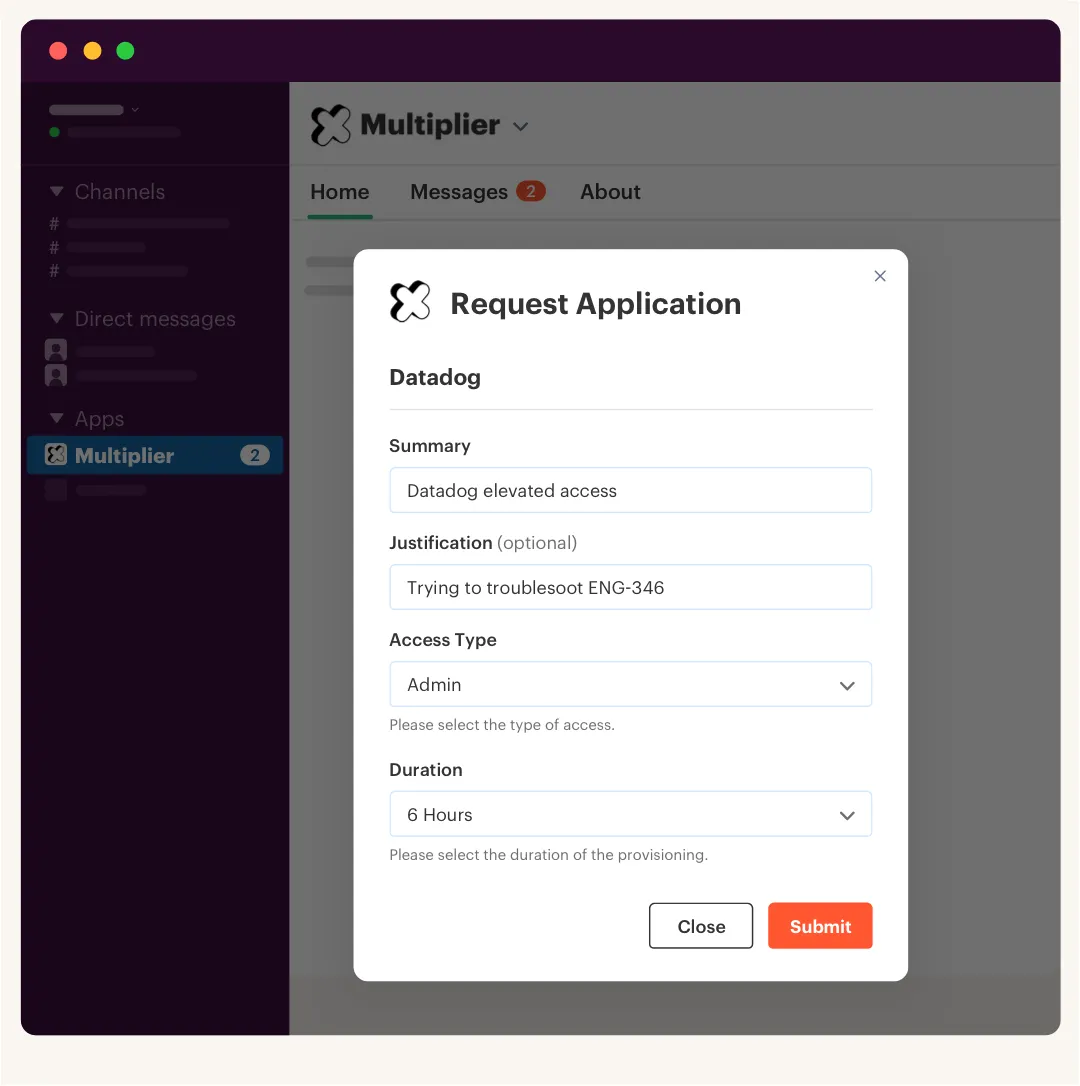
The mistake isn’t choosing a quarterly schedule. Quarterly reviews are reasonable for a lot of normal SaaS access, and they create a predictable compliance rhythm. The mistake is expecting that schedule to catch role changes, manager changes, departures, and new acquisitions. Once those events happen, the old approval context is gone.
Spreadsheet Reviews Rebuild Evidence After the Work
Audit problems rarely begin with the auditor. They begin when the request sits in Jira, the approval happens in Slack, the change happens in Okta or Entra, and the reviewer records their answer in a spreadsheet. Each tool has part of the story. Nobody has the whole thing.
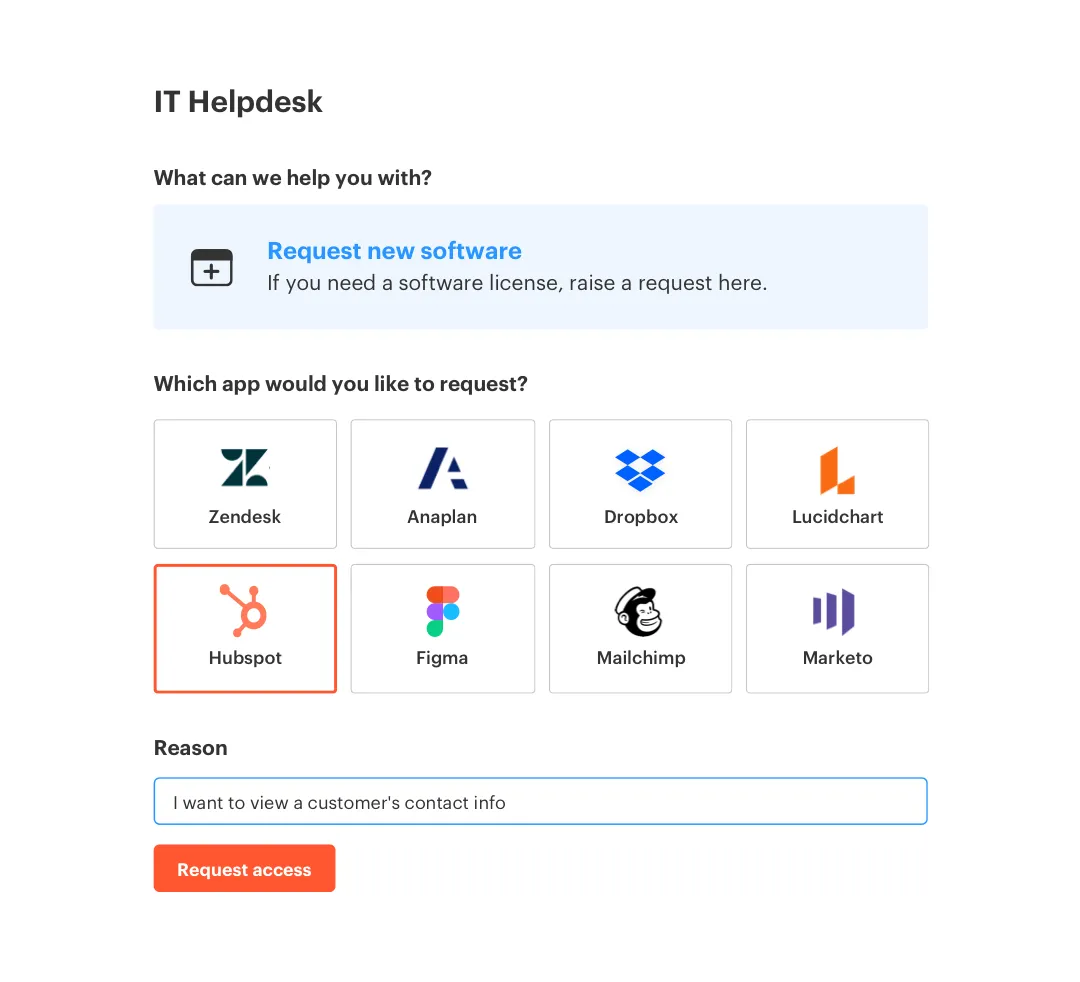
A Jira issue should work like a receipt for the full access decision. It should show what was requested, who approved it, what changed in the identity provider, and whether the access was later removed. When those records stay connected, the review is mostly verification. When they’re split apart, IT has to reconstruct months of activity under a deadline.
I think that reconstruction work is the real cost most teams miss. It’s not just annoying. It also makes it harder to prove that a “Revoke” decision led to an actual change. If you want to compare that Jira-first record against your current handoffs, a short Jira-native governance walkthrough shows what changes.
Growth Turns Small Gaps Into Standing Access
Four times the headcount doesn’t create four times the access complexity. New departments appear, employees move between roles, app ownership changes, and exceptions become normal. Access that made sense six months ago keeps hanging around because everyone assumes the next review will catch it.
One AI company grew from 100 to more than 400 employees in two years. Its four-person IT team eventually processed more than 3,800 access requests in a year, with 75% fully automated. Before automation, requests were tracked through Slack and Notion, which meant missed notifications and constant chasing. At that volume, manual reviews aren’t just slow. They force IT to choose between employee access and governance.
Living inside that process gets exhausting. You know some access is probably wrong, but proving which access is wrong means another export, another owner lookup, and another round of follow-ups. The question isn’t whether to review access. It’s which access needs attention now, and which can wait.
How Often IT Should Review Different Access Types
IT should review privileged access monthly, standard SaaS access quarterly, and low-risk access every six to twelve months. Those intervals are starting points, not policy carved in stone. Add immediate event-based checks when someone changes roles, leaves, joins through an acquisition, or stops using an application.
Sort Access by Consequence Before Choosing a Date
Before you choose a review date, figure out what can go wrong if the access stays. An admin role that can change production settings deserves a different cycle than a viewer account for a design tool. Treating them the same creates extra work in low-risk areas while serious access sits untouched for too long.
Start with the consequence of a bad decision. Then look at how quickly you can detect and reverse it. Reliable identity provider data, automatic offboarding, and clear ownership can support a longer cycle. Missing usage data or manual revocation should shorten it.
Ask four questions for every access type:
- Can the user change sensitive settings or data? If yes, start with monthly reviews.
- Would a role or manager change invalidate the access? If yes, add event-based reviews.
- Can IT enforce revocation through an identity provider group? If no, use a shorter cycle and track the manual task.
- Can the reviewer see reliable usage data? If no, don’t assume inactivity means the access is safe.
If the first two answers are yes, a quarterly review is too slow. If the access is low impact and the last two controls work well, six or twelve months may be enough. Simple.
Review Privileged Access Every 30 Days
Thirty days is a sensible ceiling for admin roles, production systems, finance tools, and sensitive data. When someone can alter configurations or expose protected information, the cost of stale access rises fast. Monthly checks limit how long an old decision can survive. They also force owners to stay current.
Monthly reviews do create more work. That’s a fair criticism, especially when each campaign depends on CSV exports and manual reminders. The answer isn’t to accept a 90-day exposure window. Reduce the review scope, keep the context attached to each decision, and automate the revocation wherever group-based access allows it.
A fintech company used time-bound access to cut privileged access by 85%. More than 1,300 requests were automatically revoked when their approved windows ended. That matters because monthly certification wasn’t carrying the whole burden anymore. Access expired on its own, while reviews checked the remaining exceptions.
Keep Standard SaaS Access on a Quarterly Cycle
Admin access can change your risk in an hour. A normal viewer or editor role usually can’t. For common business applications, a 90-day review gives managers enough chances to catch transfers, abandoned accounts, and access that no longer fits the person’s work.
Quarterly only works when lifecycle processes are reliable between campaigns. If departures wait for manual cleanup, or managers rarely report role changes, shorten the cycle. I’d also run a targeted review when headcount changes by more than 10% in one quarter. Fast hiring and acquisitions can make a clean entitlement list outdated very quickly.
How often should IT review standard SaaS access when the company is stable? Quarterly is usually enough. Keep the scope focused on sanctioned apps, active users, and roles with meaningful permissions. Reviewing every minor account with equal effort just creates rubber-stamping.
The review should also keep the decision tied to the record that triggered it. If your process separates reviewer context from Jira, see the review workflow in Jira and compare it against the steps you’re using now.
Use Six or Twelve Months for Low-Risk Applications
How often should IT review low-risk access? Every six months works when the app has broad internal use, limited permissions, and some business data. Annual reviews can work for tools with little sensitive information, no admin capability, reliable offboarding, and a clear owner.
Annual access reviews have a real upside. They reduce review fatigue, which means managers may pay more attention when a decision actually matters. Nobody needs a monthly certification campaign for the lunch-ordering app. That’s process for the sake of process.
Longer cycles stop making sense when one of the supporting controls breaks. If an app lacks login data, has no owner, or requires manual offboarding, bring it back to quarterly. The interval should reflect how much uncertainty you’re carrying, not how harmless the app’s name sounds.
Trigger Reviews When the Business Changes
A role change on Tuesday can invalidate access long before the next campaign. Event-based reviews catch that gap by looking at the people and applications affected by a specific change. They don’t replace scheduled campaigns. They keep the scheduled campaign from becoming your only control.
Useful triggers include department transfers, manager changes, departures, acquisitions, app ownership changes, and prolonged inactivity. Not every trigger needs a company-wide review. A transfer should open a targeted check of the user’s existing groups. An acquisition should trigger a broader review because ownership and role assumptions are changing at once.
A practical event-driven process looks like this:
- Detect the change in HR, the identity provider, or Jira.
- Pull current access for the affected user or application.
- Route decisions to the manager or application owner.
- Enforce removals and record the completed change.
- Track exceptions with an owner and due date.
What I like about event-based reviews is the focus. You’re not asking 40 managers to reconfirm thousands of unchanged accounts. You’re reviewing the access most likely to be wrong because something meaningful just happened.
Set the Evidence Standard Before Launching the Review
A completed review without enforced revocation isn’t complete. “Revoke” in a spreadsheet is only an opinion until someone removes the group membership or closes the manual task. Access review frequency matters, but execution determines whether the control actually works.
Set the standard before the campaign starts. High-risk revocations should happen the same day. Standard removals can have a three-business-day deadline, assuming the application doesn’t expose sensitive systems. Any exception should include a reason, owner, and expiry date.
Every reviewed entitlement should leave behind:
- Scope evidence: The users, groups, and applications included in the campaign.
- Decision evidence: The reviewer, answer, reason, and decision time.
- Context evidence: The job title, department, group membership, and available login activity.
- Enforcement evidence: Confirmation that the identity provider change succeeded.
- Exception evidence: The owner and deadline for anything that couldn’t be removed.
A 100% response rate isn’t the same as 100% completion. If 15 revocations are still waiting in an admin queue, the review is still open. Once the frequency and evidence rules are clear, the remaining problem is executing them without rebuilding the process every quarter.
How Multiplier Runs Access Reviews Inside Jira
Multiplier puts the review, decision, enforced change, and audit evidence into Jira Service Management. Reviewers see user and usage context before choosing Keep or Revoke. Approved removals can be executed through mapped identity provider groups, while Jira records what happened and keeps the evidence attached to the workflow.
In-Jira Reviews Connect Context to Revocation
A spreadsheet can collect answers. It can’t enforce them. Multiplier’s access review campaigns show user attributes, group memberships, job titles, departments, last-login dates, and recommendations inside JSM. Reviewers make Keep or Revoke decisions from that context, instead of flipping between an export and several admin consoles.

With Multiplier, a Revoke decision can remove the user from the relevant identity provider group and create the Jira record documenting the change. That closes the gap between certification and enforcement. App ownership is individual-only today, so teams needing group owners will need a workaround. Fair limitation. The main point still holds: the review decision and the access change stay connected.
Jira Issues Produce Audit Evidence During Normal Work
Multiplier creates the audit trail while people do the work. Requests, approvals, review decisions, revocations, and identity provider changes stay tied to Jira issues. Admins can export campaign results as CSV or push evidence to Vanta, rather than collecting screenshots after the auditor asks.
Time-based access can cover the gap between campaigns as well. Approved access is granted through mapped identity provider groups, then removed when the selected duration expires. The change is recorded in Jira. Automatic expiry only works for access provisioned through those group memberships, which is why manual and non-SSO grants still need a tracked removal process.
In my view, that’s the difference between audit preparation and audit readiness. One asks IT to rebuild history. The other leaves a usable record as the work happens. If you want the review decision and enforced change on one Jira record, get started with Multiplier.
Build Audit Readiness Into Every Access Decision
The right access review frequency is based on risk, change, and the strength of your controls. Review privileged access monthly, standard SaaS access quarterly, and low-risk access every six or twelve months. Then add targeted reviews when the business changes.
The schedule matters. The evidence matters more. When every approval, decision, revocation, and exception lives in Jira, you don’t need to rebuild the audit from old spreadsheets and screenshots. You’re already ready.
Frequently asked questions
- How do I set up access reviews in Multiplier?
To set up access reviews in Multiplier, start by creating a campaign in the Access Reviews section. You'll need to name your campaign, select the applications included (only those marked as Approved), and assign reviewers. Once you have everything in place, launch the campaign. Reviewers will receive notifications and can mark access as 'Keep' or 'Revoke' based on user activity. This process helps ensure that access is regularly verified and documented within Jira, making audits much easier.
- What if I need to review access after a role change?
If there's a role change, it's crucial to trigger an immediate access review. You can do this by pulling the current access for the affected user and routing the review to the appropriate manager or application owner. This ensures that any access that may no longer be valid is quickly addressed. Using Multiplier, you can automate these reviews so they happen seamlessly whenever a role change is detected, keeping your access management up to date.
- Can I automate access revocation with Multiplier?
Yes, you can automate access revocation using Multiplier's Time-Based Access feature. When requesting access, users can select a duration for which they need access. Once the time expires, Multiplier automatically removes the user from the relevant identity provider group without any manual intervention. This helps maintain least privilege and reduces the risk of stale access. Just ensure that the access is provisioned via identity provider groups for this automation to work effectively.
- When should I conduct targeted access reviews?
You should conduct targeted access reviews whenever there are significant business changes, such as role transfers, manager changes, or employee departures. These events can invalidate existing access, so it's important to review them promptly. Using Multiplier, you can set up event-based reviews that automatically trigger when such changes occur, ensuring that your access controls remain effective and up to date.
- Why does Multiplier integrate with Jira for access management?
Multiplier integrates with Jira to streamline access management processes. By keeping requests, approvals, and user changes within Jira, it eliminates the need for separate systems, reducing context switching and ensuring that all audit evidence is captured in one place. This integration allows teams to manage access efficiently, maintain compliance, and prepare for audits without the hassle of rebuilding history from spreadsheets.
Frequently Asked Questions
How do I set up access reviews in Multiplier?
To set up access reviews in Multiplier, start by creating a campaign in the Access Reviews section. You'll need to name your campaign, select the applications included (only those marked as Approved), and assign reviewers. Once you have everything in place, launch the campaign. Reviewers will receive notifications and can mark access as 'Keep' or 'Revoke' based on user activity. This process helps ensure that access is regularly verified and documented within Jira, making audits much easier.
What if I need to review access after a role change?
If there's a role change, you need to trigger an immediate access review. You can do this by pulling the current access for the affected user and routing the review to the appropriate manager or application owner. This ensures that any access that may no longer be valid is quickly addressed. Using Multiplier, you can automate these reviews so they happen seamlessly whenever a role change is detected, keeping your access management up to date.
Can I automate access revocation with Multiplier?
Yes, you can automate access revocation using Multiplier's Time-Based Access feature. When requesting access, users can select a duration for which they need access. Once the time expires, Multiplier automatically removes the user from the relevant identity provider group without any manual intervention. This helps maintain least privilege and reduces the risk of stale access. Just ensure that the access is provisioned via identity provider groups for this automation to work effectively.
When should I conduct targeted access reviews?
You should conduct targeted access reviews whenever there are significant business changes, such as role transfers, manager changes, or employee departures. These events can invalidate existing access, so it's important to review them promptly. Using Multiplier, you can set up event-based reviews that automatically trigger when such changes occur, ensuring that your access controls remain effective and up to date.
Why does Multiplier integrate with Jira for access management?
Multiplier integrates with Jira to streamline access management processes. By keeping requests, approvals, and user changes within Jira, it eliminates the need for separate systems, reducing context switching and ensuring that all audit evidence is captured in one place. This integration allows teams to manage access efficiently, maintain compliance, and prepare for audits without the hassle of rebuilding history from spreadsheets.


