

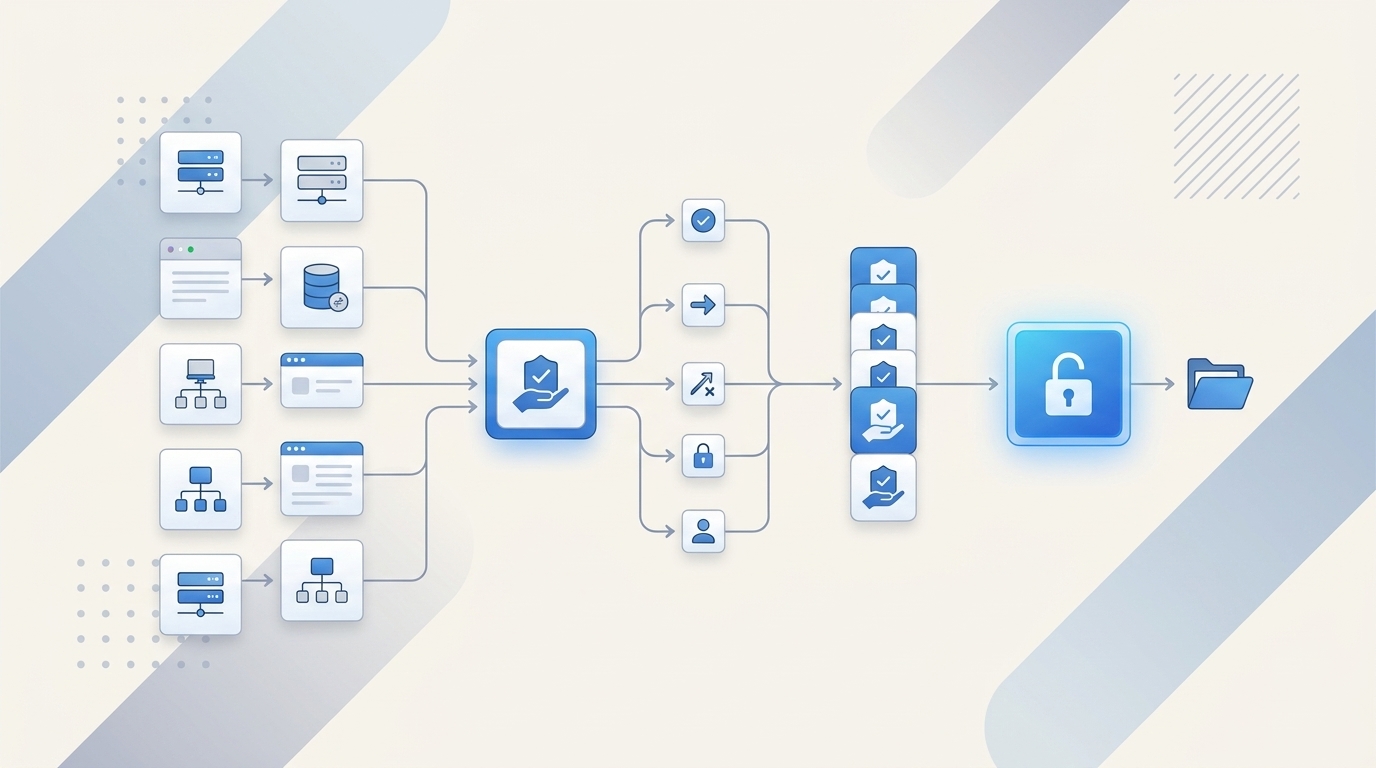
72% of access delays are self-inflicted. Not because teams lack an approval workflow, but because they implement approval workflows in the wrong place and then wonder why provisioning, revocation, and audit evidence still break.
If you're trying to implement approval workflows in a separate IGA portal while your real work already happens in Jira and Slack, you're adding drag to a process that was already too slow. I’ve seen this pattern a lot. The team thinks they’re buying control. What they really buy is one more handoff.
Key Takeaways:
- If you want to implement approval workflows in a way that actually speeds access up, the approval has to trigger provisioning through your identity provider
- Approval workflows break when the approver is right but the system of record is wrong
- If access expires in policy but not in the workflow, you still have standing privilege
- Teams processing hundreds of requests a month should treat Jira as the work layer and the identity provider as the execution layer
- Separate IGA portals usually create more evidence work, not less, because the audit trail gets split across tools
- The best approval workflows are boring: right approver, right group mapping, right evidence, automatic cleanup
Why Most Approval Workflows Slow Access Down
Approval workflows should reduce risk and speed up access. In practice, most of them do one of those badly and the other not at all. The problem usually starts when teams design the workflow around approval screens instead of around the full access change.
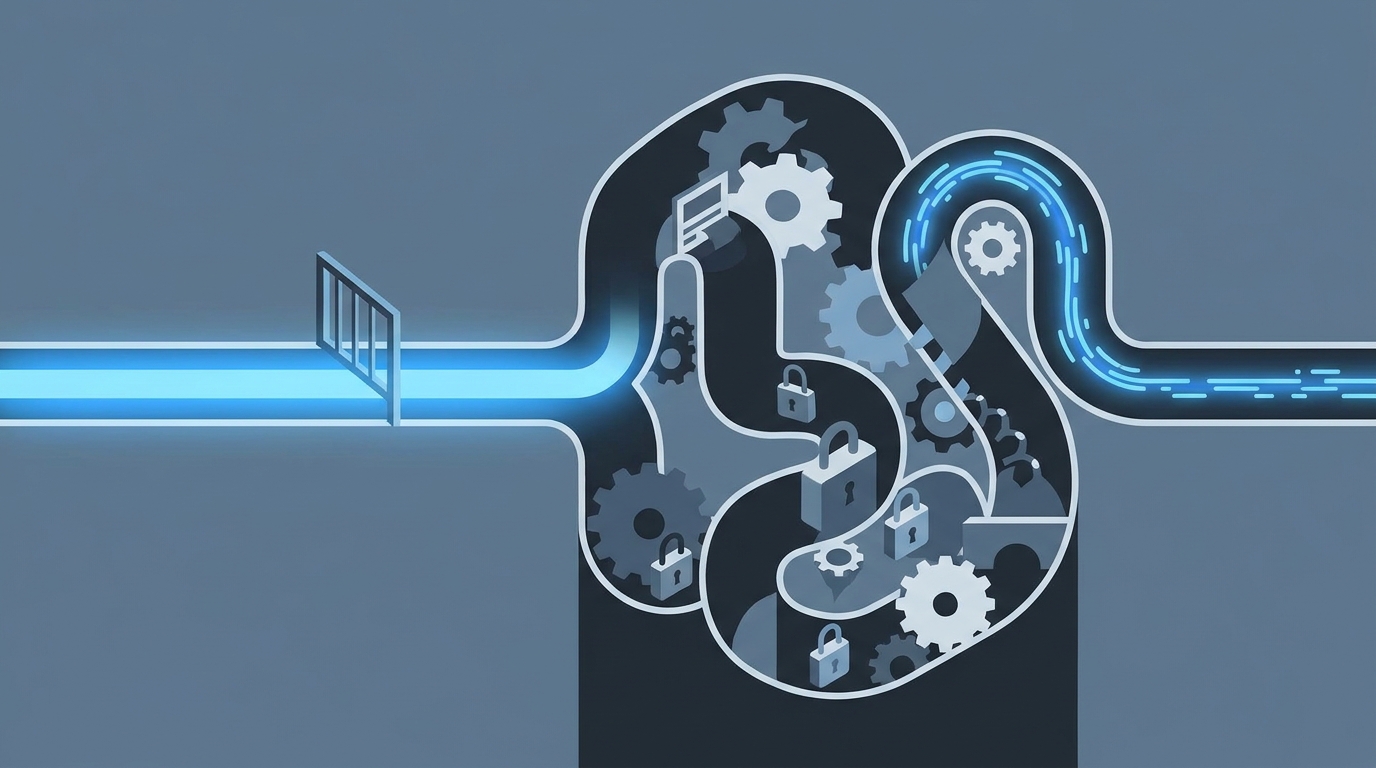
The bottleneck usually starts after approval
A lot of teams think the workflow ends when a manager clicks Approve. It doesn’t. That’s just the middle. The real job is getting the right person into the right identity provider group, on time, with evidence attached to the same record.

Picture a pretty normal day. An employee asks for Figma admin, GitHub access, or a finance tool. The request lands in Jira. Approval happens in email or Slack. Then somebody from IT opens Okta or Entra, looks up the right group, makes the change, maybe leaves a comment, maybe forgets, maybe takes a screenshot for the audit trail later. That’s not an approval workflow. That’s a manual relay race.
This is where most teams go wrong. They think they need better approval logic. Often they just need the approval to do something real. If your approval doesn’t trigger the actual change in your identity provider within the same workflow, you haven’t finished the job. You’ve just created a nicer waiting room.
A fintech team in the KB had hundreds of routine access requests coming in manually. Managers had to approve, then IT had to log into Okta and do group assignment by hand. That’s the hidden tax. Not the click. The gap after the click.
You can Learn more about Multiplier if you want to see what this looks like when the approval is connected to execution instead of separated from it.
Separate portals create split accountability
The common belief is that a separate governance portal gives you cleaner control. Fair point. In very large environments, dedicated suites can give you deep policy layers and broad control models. That part is real.

But for teams already running Jira Service Management, that split often creates a worse operating model. Requests start in one place, approvals happen in another, provisioning happens in the identity provider, and audit evidence gets rebuilt later in a spreadsheet or ticket comment trail. Now nobody fully owns the flow. IT owns part of it. Security owns part of it. Managers own part of it. The auditor sees fragments.
That fragmentation has a very predictable cost:
- More follow-up between teams
- More manual reconciliation between tickets and identity changes
- More standing access because nobody owns expiry
- More audit prep because evidence is scattered
The contrarian take here is pretty simple. Identity governance belongs in Jira, not another portal. Not because portals are useless. Because work already lives in Jira for most of these teams, and splitting it out makes the process weaker, not stronger.
Slow approvals are often a workflow design problem, not an approver problem
Most teams blame approvers. They say managers are slow. App owners ignore requests. People miss notifications. Some of that is true. People are busy.
Still, if your review cycle regularly runs longer than 24 hours for low-risk app access, stop blaming the humans first. Check the design. Are approvals going to one named person with no fallback? Are app owners unclear? Are notifications stuck in email instead of Slack? Is the request missing role context, so the approver has to ask follow-up questions before they can decide?
Use a simple check before you implement approval workflows in Jira or anywhere else:
- Can the request route to a manager, app owner, or named approver automatically?
- Does the request include the app, role, and duration up front?
- Does approval trigger provisioning without another human step?
- Does the record capture evidence without screenshots?
If you answer no to even one of those, the workflow is incomplete. And incomplete workflows are what create backlogs, shadow access, and ugly audits. That’s the real problem the next section needs to fix.
The Real Problem Is Where the Workflow Ends
Approval workflows fail when they stop at decision instead of carrying through to execution. That’s the reframe. The issue isn’t “how do we get better approvals.” It’s “how do we make approval the start of an authoritative change.”
Approval without IDP execution is just permission theater
If you implement approval workflows in Jira but the actual provisioning still happens by hand in Okta, Entra, or Google Workspace, you haven’t automated access. You’ve automated consent.
That distinction matters more than most teams realize. When the change happens outside the workflow, you introduce 3 risks right away. First, the wrong group can get assigned. Second, the change can happen late or not at all. Third, the evidence chain breaks because the ticket says approved, but the identity event lives somewhere else.
The better model is straightforward. Keep the request and approval in Jira or Slack, then make the identity provider do the actual execution. That way the identity provider remains authoritative, and Jira remains the operating record. One system for work. One system for identity enforcement. Clean.
Honestly, this is the piece a lot of teams miss the first time around.
Least privilege fails when expiry lives outside the workflow
A policy that says “temporary access only” sounds great. A workflow that actually removes access at expiry is what counts. Big difference.
A lot of orgs still handle elevated access with a manager approval and a vague reminder to remove it later. That works at 5 requests a month. At 50, it slips. At 500, it breaks. Badly. One customer story in the KB showed 1,300 plus access requests automatically revoked after approved windows. That’s not a nice-to-have metric. That’s the difference between enforced least privilege and hoping someone remembers cleanup.
Use this rule. If elevated access lasts longer than 24 hours, force a duration field in the request. If the system can’t revoke automatically at expiry through identity provider group membership, treat that access path as manual and higher risk. Route it differently. Review it faster. Don’t pretend it’s covered.
The status quo has merits here. Manual exceptions are sometimes unavoidable, especially for non-SSO or edge-case systems. That’s valid. But once teams start treating those exceptions like the default path, standing privilege creeps back in. Quietly.
Audits get messy because evidence is recreated, not produced
Most audit pain is process debt. Teams think their audit problem starts when the auditor asks for proof. It usually starts three months earlier when someone approved access in Slack, provisioned it in the identity provider, and never tied the full record back to the original ticket.
This is why separate tooling feels fine in the moment and expensive later. The request moved. The access got granted. Everyone got what they needed. Then the audit shows up and somebody has to reconstruct the story from screenshots, exports, comments, and memory. That’s not governance. That’s archaeology.
A good diagnostic test: pull 20 recent access requests and check how many have these four things in one place:
- original request
- approver identity
- provisioning result
- revocation or current state
If fewer than 15 of the 20 are complete, your audit trail is weaker than it looks. And if fewer than 10 are complete, stop adding approval rules. Fix the workflow architecture first. Because now we’re not talking about approval anymore. We’re talking about operating model.
What Bad Approval Workflows Really Cost
Bad approval workflows cost more than delay. They create license waste, security exposure, and team drag that compounds as headcount grows. That’s why teams feel like access management gets heavier every quarter, even after they “standardize” it.
The time cost compounds faster than teams expect
One manual provisioning step might take 3 minutes. Maybe 5 if the request is clean. Maybe 12 if the approver is unclear, the role mapping is fuzzy, or the admin has to chase context. That doesn’t sound awful until you multiply it.
Take a team processing 300 access requests a month. If 75% of those still need a human to provision after approval, and each one takes even 5 minutes, that’s 1,125 minutes a month. Almost 19 hours. And that’s just the execution step, not the waiting, reminders, rework, or audit cleanup.
Now add growth. Synthesia processed 3,800 plus access requests in a year and automated 75% of them, while a 4-person IT Ops team supported 420 plus employees. That number tells you something important. Lean teams don’t win this by hiring their way out. They win by removing the post-approval manual work.
It’s a bit like airport security with only one lane open. The line problem doesn’t come from people showing up. It comes from the checkpoint design. Fix the checkpoint, and the same team handles a lot more volume.
Waiting for access pushes teams into bad behavior
When access takes too long, people work around the process. They borrow credentials. They ask for broad access “just in case.” Managers pre-approve too much because they don’t want their team blocked later. IT keeps extra licenses assigned because removing and re-adding them is annoying.
That’s how poor workflow design turns into both security risk and waste.
A good threshold here: if low-risk app requests take more than 4 business hours end to end, users start looking for shortcuts. If privileged or time-bound access takes more than 30 minutes during incidents, engineers start pushing for standing access. And once standing access becomes the convenience layer, least privilege is dead in practice.
You know the feeling. Tickets pile up. Slack pings come in. Someone asks if you can “just do this one quickly.” Then another. Then another. By Friday, the process exists on paper but the real work is happening in side channels.
Audit cleanup steals the time you thought you saved
This is the part teams rarely budget for. They think manual approval plus manual provisioning is good enough because the request volume feels manageable. Then the audit cycle starts and suddenly two people are exporting tickets, checking IDP logs, matching names, and proving that access actually got revoked when it was supposed to.
According to the NIST guidance on least privilege, access should be limited to authorized actions and only for the time needed. That sounds obvious. The problem is operationalizing it. Most teams have the policy language. Few have the workflow discipline.
And the compliance pressure isn’t getting lighter. The Okta Businesses at Work report keeps showing the scale of SaaS sprawl most companies are dealing with. More apps means more group mappings, more approvals, more review cycles, more chances to miss cleanup.
That’s why this can’t be solved with one more approval screen. You need a different way to implement approval workflows in Jira native operations.
How to Implement Approval Workflows in Jira So They Actually Work
Approval workflows work when four things line up: intake, routing, execution, and cleanup. Miss one, and the whole thing gets shaky. Get all four right, and access starts moving fast without becoming sloppy.
Start with a routing test before you build anything
Before you implement approval workflows in Jira, sort your apps into three buckets. This takes an hour or two. Saves months.
Bucket one is low-risk, common apps. Think standard collaboration tools where role mappings are clear. Bucket two is medium-risk apps that need a real approver, usually a manager or app owner. Bucket three is high-risk or privileged access, where time limits and stronger review matter.
Ask these questions for each app:
- Is there a clear owner?
- Is there a clear IDP group for each role?
- Can the request include role and duration up front?
- Should this be auto-approved, manager-approved, or app-owner-approved?
- Does this access need an expiry by default?
If you can’t answer those questions for an app, don’t automate that app yet. Clean up ownership and mappings first. That’s not glamorous work. It matters a lot.
This is also where a lot of projects get stuck. People want to model the perfect universal workflow. Don’t. Start with the 20 apps that drive 80% of requests. That’s usually enough to change the operating burden fast.
Build the request around role mapping, not free text
Free-text request forms are where governance goes to die. “Need access to finance thing for project” is not a workflow input. It’s a future clarification thread.
The request needs structure. App. Role. Approver path. Duration if relevant. That’s it. If you implement approval workflows in a way that depends on admins interpreting messy requests, your throughput drops and your error rate goes up.
A good decision rule:
- If an app has 3 or fewer common roles, show those roles directly in the request
- If an app has no stable role mapping to identity provider groups, keep it in a tracked manual path until it does
- If elevated access is involved, require a duration selection at submission
A mid-market team in the KB moved from Slack channels and Notion boards to a cleaner catalog-style intake and got rid of a lot of the back-and-forth because the request arrived with the right context. That’s the point. Good workflows reduce interpretation.
If you want to See how Multiplier works, this is the operational piece worth focusing on first: structured intake tied to authoritative group mappings.
Make approval trigger the identity change
This is the heart of it. If the Jira status changes to Approved, something real should happen next without a human logging into the identity provider and doing copy-paste group work.
Provision through your identity provider. That’s the primary message for this whole article because it changes everything:
- the IDP stays authoritative
- provisioning is fast
- revocation is possible
- evidence is linked
- mistakes are easier to trace and reverse
Use this implementation rule. If access can be represented as an IDP group assignment, automate it. If it can’t, document the exception clearly and keep it in a separate monitored path. Don’t blur the two. Mixed models are where teams get confused.
Not everyone agrees with pushing so much through the identity provider. Some teams prefer direct app-by-app administration for edge cases, and I get the logic. But once you’re dealing with recurring app access at any real volume, authoritative group-based execution is the cleaner model. Fewer judgment calls. Fewer gaps.
Add expiry and review at the start, not as phase two
A lot of teams say they’ll add just-in-time access and access reviews later. They almost never do it fast enough. By then, the workflow is already live, people are used to permanent grants, and changing behavior gets harder.
So build two controls in early:
- Time-bound access for privileged or elevated roles
- Review readiness for apps that matter in audits
If an app is sensitive, force durations like 1, 6, or 24 hours. If an app is in scope for certification, make sure the access record is clean enough to review later with user and login context. Don’t wait.
A good threshold here is quarterly. If an app would make your auditor ask questions every quarter, bake reviewability into the workflow from day one. That means consistent role naming, clear app status, and one record of what happened.
Use Slack for speed, but keep Jira as the record
Chat is where people respond fastest. Jira is where records stay intact. You need both.
This is one of those surprising connections teams don’t always make. Faster approvals are often not a policy problem. They’re a notification problem. Move approvals into Slack and cycle times drop because that’s where managers actually are. Keep Jira as the system of record and your evidence stays complete.
The split should be simple:
- Slack for action
- Jira for record
- identity provider for execution
That operating model is a lot cleaner than trying to make a separate portal become the center of gravity. And once you see it, it’s hard to unsee.
How Multiplier Automates the Workflow Inside Jira
Multiplier fits this model because it doesn’t ask your team to work in a separate governance portal. It keeps the request and approval flow inside Jira Service Management and Slack, then executes the change through your identity provider.
Multiplier connects intake, approval, and provisioning
Multiplier’s Application Catalog gives employees a Jira-native self-service place to request approved apps and roles. Those roles map to identity provider groups, which matters because it removes guesswork at the exact point where most approval workflows break.

Then the Approval Workflows route the request to the right person, whether that’s a manager, app owner, or specific user. Once the Jira issue reaches the configured approved state, Multiplier can trigger Automated Provisioning via Identity Provider Groups. That means the change happens through Okta, Entra ID, or Google Workspace, and the ticket gets updated with the result for audit and troubleshooting.
That closes the loop a lot of teams leave open. The approval isn’t just a decision anymore. It becomes an authoritative access change tied back to the original Jira issue. For teams trying to implement approval workflows in Jira without adding another portal, that’s the core value.
Multiplier also handles the parts teams usually bolt on later
This is where the operating model gets stronger. Multiplier can enforce Time-Based Access by granting access for a selected duration, then removing the mapped group membership when the window expires. That helps reduce standing privilege without relying on reminders or cleanup tickets.
It also supports Access Reviews in JSM, so certifications can run in the same environment where the original request and approvals lived. Reviewers see user details, groups, last login, and recommendations, then mark Keep or Revoke. When revocation happens through the mapped identity provider groups, the evidence stays linked.
And for teams that want faster response times, the Slack App lets employees submit requests and approvers approve or deny from chat, while Jira remains the system of record underneath. If your current process has people bouncing between tickets, email, chat, and spreadsheets, that simplification matters.
You can Get started with Multiplier if you want to see how this works in a Jira-native setup.
Approval Workflows Only Work When the System Does the Last Mile
If you want to implement approval workflows in a way that actually holds up, don’t stop at approval. Make the approval trigger the identity change, make expiry automatic where it should be, and make evidence a byproduct of the workflow instead of a cleanup project later.
That’s really the whole thing. Separate portals promise control, but for Jira-centered teams they often add drag right where you can least afford it. The cleaner model is simpler: Jira for work, Slack for speed, identity provider for execution. Once those three line up, approval workflows stop being admin theater and start becoming real governance.
Frequently Asked Questions
How do I set up automated provisioning with Multiplier?
To set up automated provisioning with Multiplier, follow these steps: 1) Ensure your identity provider (like Okta or Azure AD) is integrated with Multiplier. 2) In Jira Service Management, create an access request type that uses the Application Catalog. 3) When a request is approved, Multiplier will automatically call your identity provider to provision access based on the mapped groups. This way, you eliminate manual steps and ensure your audit trail is complete, as all actions are logged in Jira.
What if I need to revoke access after a specific time?
If you need to revoke access after a specific time, use Multiplier's Time-Based Access feature. When submitting a request, users can select a duration (like 1, 6, or 24 hours). Once approved, Multiplier will automatically remove the user from the mapped group when the time expires. This helps enforce least privilege and reduces the risk of standing access, ensuring that users only have access when they truly need it.
Can I track access requests and approvals in one place?
Yes, you can track access requests and approvals in one place using Multiplier within Jira Service Management. All requests create a Jira ticket that logs the original request, approver identity, provisioning results, and revocation status. This unified record simplifies audits and ensures that all evidence is linked, making it easier for teams to manage access effectively without jumping between different tools.
When should I use Slack for approvals?
You should use Slack for approvals when you want to speed up the decision-making process. With Multiplier's Slack integration, approvers receive notifications directly in Slack, allowing them to approve or deny requests with just one click. This reduces the time spent on email threads and keeps the workflow moving quickly, while still maintaining Jira as the system of record for all actions taken.


