

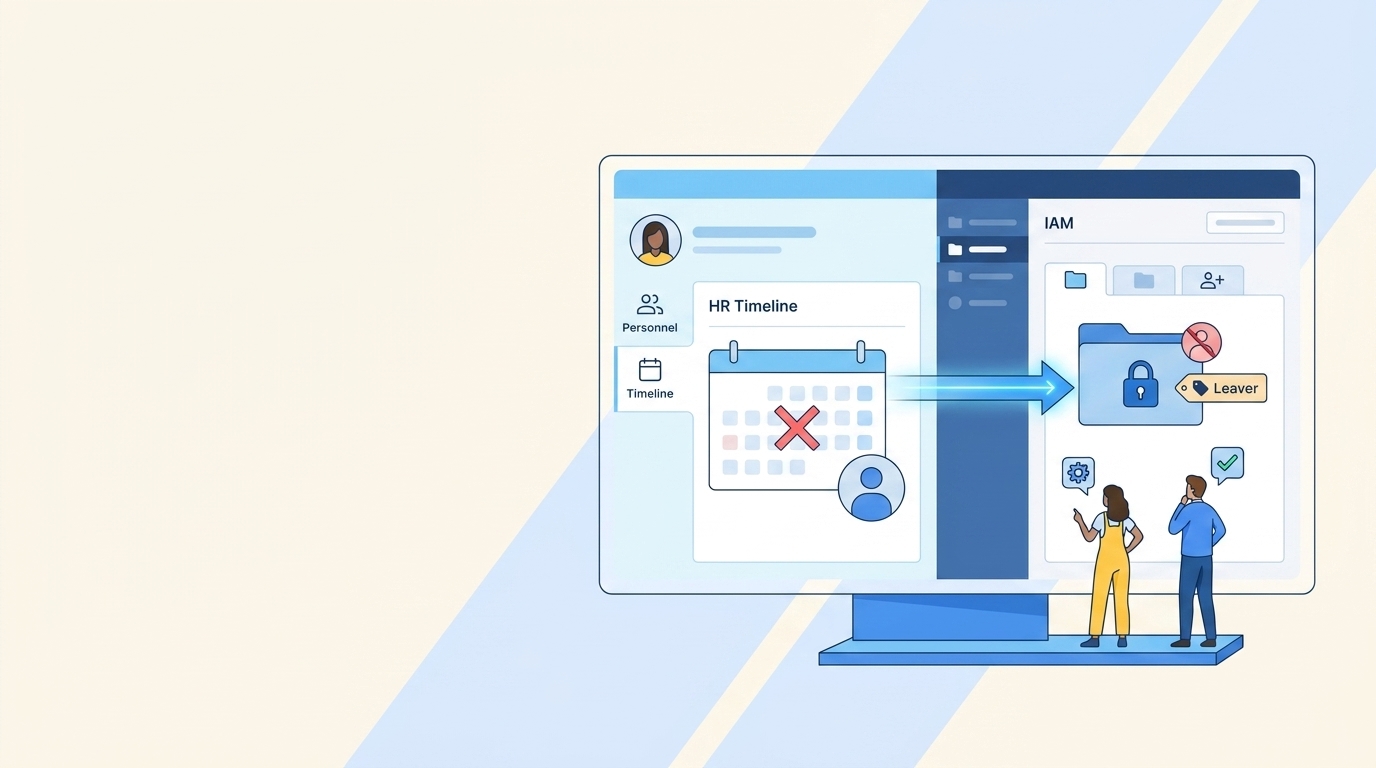
At 4:47 PM on a Friday, an HR admin marks a sales manager as transferred in Workday, and their Okta access still looks active everywhere else. Your HR-integrated inactivity rules for leaver accounts flag 30 days without a login, but they can't tell whether the person changed roles, went on parental leave, or runs the app through an API key. Same login report. Five completely different people.
A login date is useful, but it isn't enough to make a good access decision. You also need employment status, role context, entitlement risk, and a record of what happened. Without those pieces, inactivity automation becomes a faster way to make bad revocation decisions. And someone in IT gets to clean it up on Monday.
Key Takeaways:
- Combine inactivity data with HR events before removing access.
- Treat termination, leave, and role changes as different events.
- Set thresholds by application and entitlement risk, not one global number.
- Keep approvals, actions, and evidence on the Jira issue.
- Use notifications and grace periods where a wrong revocation would interrupt work.
- Make the identity provider execute the final access change.
Why HR-Integrated Inactivity Rules Fail Outside Jira
Inactivity automation fails when the employment event, access decision, and actual revocation live in three different systems. HR knows the person changed roles. The identity provider knows their last login. Jira knows who requested or approved access. Nobody holds the complete record, so every audit turns into a scavenger hunt across tools that don't talk to each other.
One 30-Day Threshold Can Misread Five Different Situations
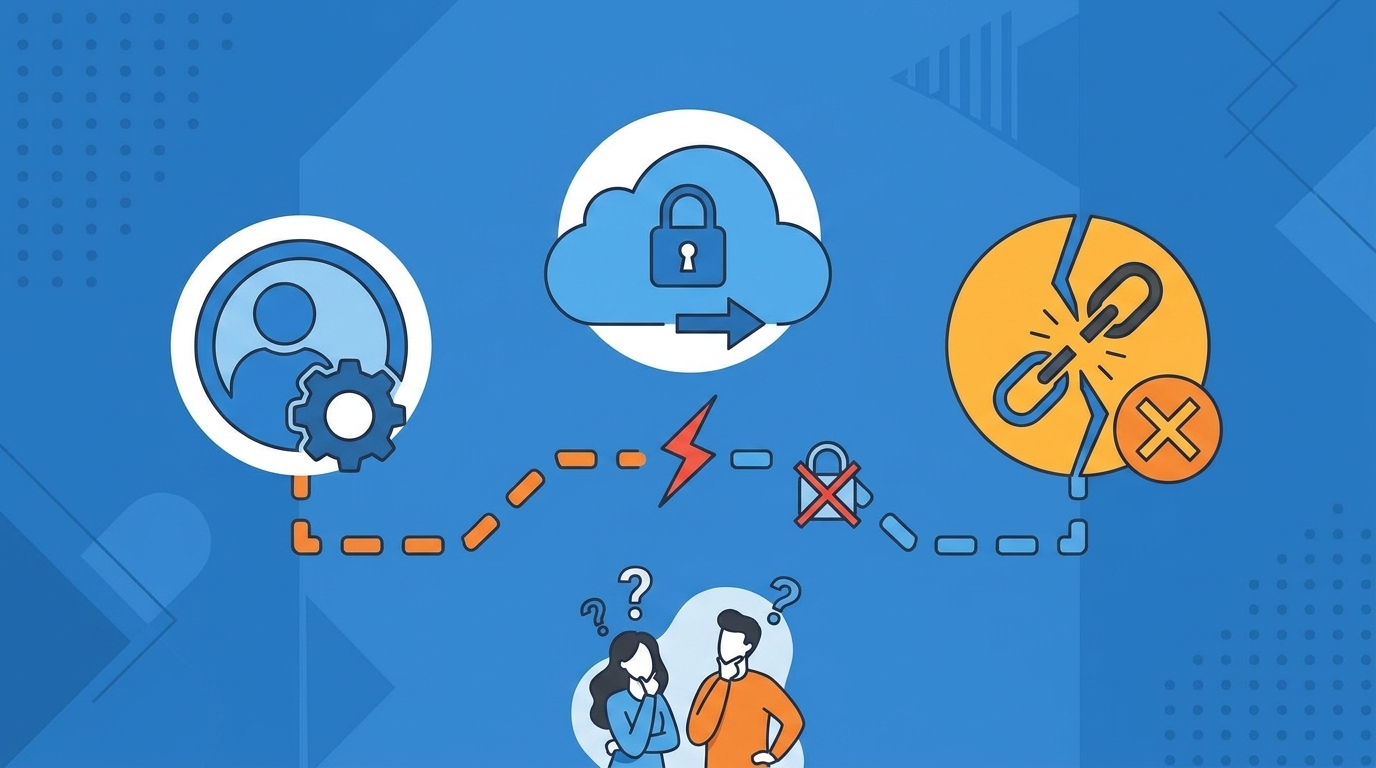
One 30-day threshold can flag a terminated employee, someone on parental leave, a seasonal worker, an API-only user, or an employee who no longer needs the app. Those five cases look identical in a login report. Operationally, they're not even close.
A single threshold does have a place. For a low-risk app with clean login data, 30 days plus a grace period may be enough. The mistake is applying that same rule to finance access, admin roles, and shared operational tools where usage patterns differ wildly. Speed doesn't fix missing context. It just gets you to the wrong answer sooner.
Growth Turns Small Gaps Into a Daily Queue
At an advertising company growing from 100 to 500 employees, Tuesdays became a repeatable mess. Monday onboarding created a surge of access tickets the next morning, often without enough detail for IT to act on. Ownership was unclear, so the team spent the morning chasing people before it could grant anything. Frustrating rework, every single week.
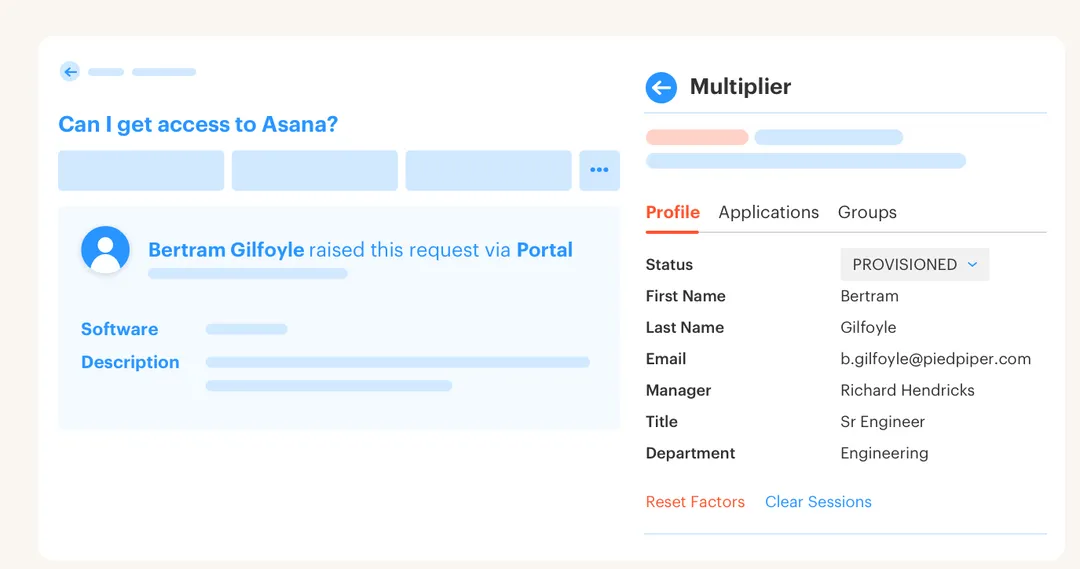
Over six months, that company processed more than 500 app requests through a Jira-based catalog and saved over 70 hours of IT work. The interesting part wasn't the automation. It was that intake, approval, and access evidence stopped bouncing between channels. A cleaner front door removed work from every step behind it.
Chat Approvals Can Make a Bad Rule Move Faster
Chat approvals are convenient. A manager sees a Slack message, clicks approve, and gets on with their day. But chat alone doesn't decide whether access should expire, whether the approver had enough context, or whether the identity change actually happened. You get a green checkmark and no proof.
SaaS management tools have a similar gap. They surface unused licenses, which is genuinely useful. They rarely own the full chain from employment event to policy decision to enforced revocation to audit evidence. You end up with a smart alert and a manual Jira task sitting next to it. A dedicated IGA suite can offer deep controls, and for a complex global enterprise that may be the right call. The operating problem shows up when employees live in Jira, approvers live in Slack, provisioning happens somewhere else, and auditors get a spreadsheet. When the request, identity change, and evidence need to sit on one Jira record, Learn more about Multiplier shows what that model looks like.
The next move is defining what an inactivity rule must actually know before it revokes anything.
How to Build Inactivity Rules Around Employment Context
Good inactivity rules combine three inputs: employment state, application usage, and entitlement risk. Each input answers a different question. Together, they tell you whether to revoke now, ask for confirmation, delay the action, or leave the access alone.
Can Your Current Rule Explain Why Access Was Removed?
Can your current policy explain why a specific person lost a specific entitlement? If the only answer is "30 days inactive," you have a usage rule. You don't have an HR-integrated inactivity rule yet.
The explanation should survive a basic audit question six months later. Who was the user? What employment or usage signal triggered the decision? Which policy applied, and what system executed the change? If your team needs three CSV exports and an old Slack thread to answer that, the workflow is still fragmented. Run these five checks against your current setup:
- Can it separate termination from leave?
- Can it detect a role or department change?
- Can it distinguish an app license from an admin entitlement?
- Can it show who approved an exception?
- Can it prove the identity provider removed access?
Three or more "no" answers means the rule is making decisions with partial context. And partial context is how a person on approved leave comes back to find their access gone.
Different HR Events Need Different Access Responses
A terminated employee and an employee on leave may both stop logging in on the same Friday. One needs prompt removal. The other may need access preserved, suspended, or reviewed based on company policy. Treating both as generic inactivity creates avoidable failures, and the person on leave is the one who pays for it.
Role changes are even trickier. Someone can stay fully active while moving from Finance to Sales, so a login-based rule sees nothing wrong at all. Their old Finance entitlements are the actual risk. In my view, transfers deserve the same attention as offboarding, because stale access loves to hide behind an active account. Use a simple order of operations:
- Termination: Remove access according to the offboarding policy.
- Transfer: Review entitlements tied to the former role.
- Leave: Apply the approved leave policy instead of guessing from inactivity.
- No HR event: Use app inactivity, risk, and a grace period to decide.
The HR event comes first because it explains the lack of usage. Login data comes second because it shows what happened inside the app. Get that order backwards and you're revoking access from people who never left.
Set Thresholds by App and Entitlement Risk
A 30-day inactivity threshold makes sense for some paid SaaS licenses. It makes much less sense for an emergency admin role used twice a year. Same data, completely different risk. Here's a rule you can apply today: if an entitlement grants privileged access, don't wait for inactivity at all. Time-box it instead, so it expires when the approved work ends.
Start by separating ordinary licenses from privileged entitlements. For a collaboration app, you might notify after 30 days and revoke after a grace period. For production admin access, waiting 30 days leaves standing privilege in place for a month you didn't need. That's the gap attackers and audits both find.
Broad access hides usage in a way login reports never catch. Someone might sign into an app every week while holding an admin role they haven't touched in a year. App-level activity says "active." Entitlement-level context says "review." That's exactly why HR-integrated inactivity rules for SaaS access need role data, not only app login dates.
Keep the Decision and Evidence on One Jira Issue
The Jira issue should be the control record, because it's where the work already starts. A request enters Jira, an approver makes a decision, and the resulting identity change should come back to that same issue. Nobody should have to rebuild the story from memory later.
Treat revocation like a production deployment. You wouldn't ship a code change with no ticket, no owner, and no record of whether it succeeded. Access removal deserves the same discipline, especially when the change hits a real employee mid-transfer or mid-leave. A complete issue should capture:
- The user and affected application
- The entitlement or identity provider group
- The inactivity and HR context used
- Any notification, grace period, or exception
- The resulting access change and its status
The ticket becomes useful to IT, Security, and the auditor at the same moment. Not bad for work you already had to record somewhere.
Make the Identity Provider Execute the Decision
At nearly 1,200 employees, one fintech company had hundreds of routine access requests arriving through Slack, email, and Jira all at once. IT staff chased approvals, opened Okta, and manually assigned groups by hand. Each request took between 5 and 30 minutes, depending on what detail was missing.
After moving the workflow into Jira with automated group-based provisioning, the company cut IT workload on access requests by 80%. The mechanism is the part worth copying. Approval alone didn't create the saving. The approved ticket triggered the identity change, while the action stayed connected to the request that started it. The same execution path should apply to inactivity rules:
- Detect the employment or usage signal.
- Apply the app-specific policy.
- Notify the user or reviewer when required.
- Remove the mapped identity provider group.
- Write the outcome back to Jira.
Once you've mapped that execution path, See how Multiplier works and compare it with where your current Jira ticket stops. That stopping point is usually the exact spot where manual work begins.
Build Exceptions Without Turning Them Into Loopholes
What happens when the data is incomplete? HR feeds lag. Identity provider login data can miss usage for apps that aren't connected or don't return reliable telemetry. Automatic revocation shouldn't pretend those gaps don't exist.
HR data isn't perfect either. That's a reasonable read. A documented employment event is still a stronger signal than an isolated login date, but the rule needs a fallback when sources disagree. Route uncertain cases for review, and keep the reason visible on the Jira issue. I prefer narrow exceptions with owners and end dates. A permanent exclusion list becomes the place stale access goes to hide, which is the opposite of what you were trying to fix. A better exception records who approved it, why it exists, and when it must be checked again. Use manual review when:
- The app lacks reliable login data
- The account is shared or non-human
- The employee is on approved leave
- The entitlement supports emergency access
- HR and identity records disagree
Once those rules are clear, the remaining question is whether Jira can enforce them without spinning up another queue.
How Multiplier Enforces Inactivity Rules in Jira
Multiplier keeps the access workflow in Jira while executing supported changes through Okta, Microsoft Entra ID, or Google Workspace. Auto Reclaim uses real-time login telemetry from the identity provider for license policies, while Jira workflows carry the request and the evidence. HR context still needs to enter through your existing Jira process rather than an assumed direct HR integration.
Auto Reclaim Turns Inactivity Into an Enforced Policy
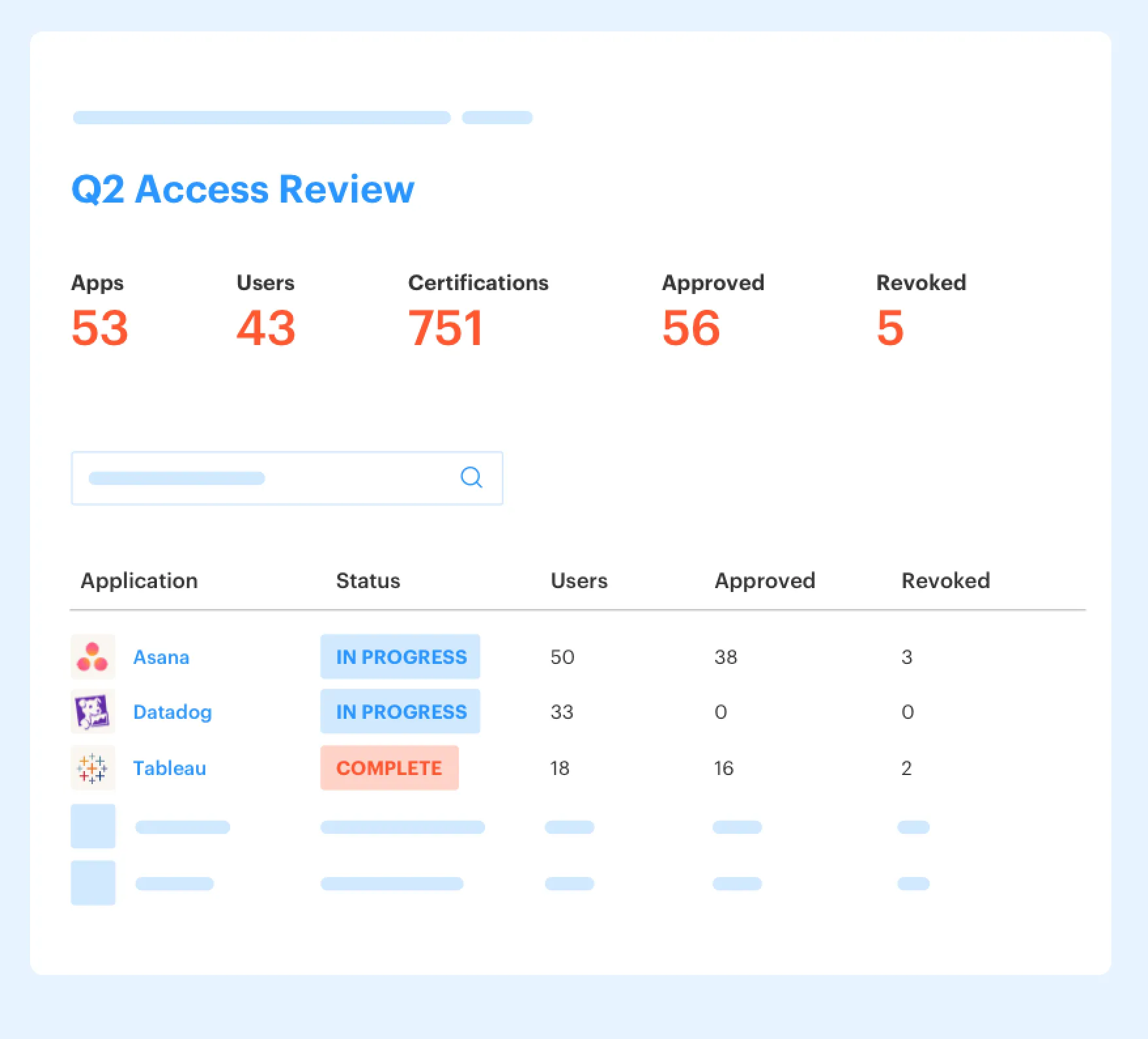
Auto Reclaim uses last-login data from connected identity providers to identify inactive users for reclamation. Admins can define inactivity thresholds, grace periods, and group exclusions. When a user crosses the threshold, they get a warning and have time to log in before access is removed.
If inactivity continues, Multiplier revokes access via identity provider group changes and generates a Jira ticket documenting the removal. Accuracy still depends on login telemetry from the identity provider, and apps without that data can't support reliable automatic reclamation. Auto Reclaim is also limited to the Advanced edition. The policy has four practical controls:
- Application-specific inactivity thresholds
- A warning before revocation
- Grace periods for user response
- Group exclusions for approved cases
That covers the usage side of the equation without pretending every inactive account means the same thing.
Jira Workflows Handle Employment Changes and Review
A transfer, onboarding event, or offboarding action can start from a Jira workflow transition. Post Functions can use mapped JSM form fields to trigger supported identity lifecycle actions in Entra, Okta, or Google Workspace. Success or error details return to the Jira ticket, so the record writes itself as the work happens.

Access Reviews cover the cases that still need human judgment. Reviewers see user details, group memberships, job information, and last-login dates in JSM, then choose Keep or Revoke. Revocations trigger identity provider updates and create documentation tickets. The split is clean. Usage-based rules handle the obvious inactivity cases, while Jira workflows and access reviews handle employment context or exceptions. If those are the two gaps in your current flow, Get started with Multiplier and map one application from inactivity signal through revocation.
The value comes from a rule that changes access and leaves proof behind, not from a smarter inactivity score.
Make Inactivity Rules Part of Normal IT Work
Inactivity automation works when employment events, usage data, policy decisions, and revocations connect inside the normal IT workflow. Jira holds the record. The identity provider executes the change. Slack can carry the approval, without becoming the system of record.
Start with one paid application and one high-risk entitlement. Define what termination, transfer, leave, and inactivity each mean for those two things specifically. Then test whether your Jira issue can explain every action without a spreadsheet or a side-channel message.
A policy isn't finished when it detects stale access. It's finished when the access changes and the evidence is already sitting there waiting for you.
Frequently asked questions
- How do I set up inactivity rules in Multiplier?
To set up inactivity rules in Multiplier, follow these steps: 1) Define your inactivity threshold based on application risk; for example, 30 days for low-risk apps. 2) Configure grace periods to allow users to log in before access is revoked. 3) Use the Auto Reclaim feature to automatically notify users when they approach the inactivity threshold, and set it to revoke access if they remain inactive after the grace period. This way, you can manage licenses effectively while ensuring users are aware of their access status.
- What if an employee is on leave and their access is flagged?
If an employee is on leave and their access is flagged due to inactivity, you should: 1) Review your HR policies to ensure they align with your access management rules. 2) Use Multiplier's capabilities to set exceptions for users on approved leave, ensuring their access remains intact during their absence. 3) Document the leave in the Jira ticket to provide context for any future audits. This helps prevent accidental revocation of access for employees who are temporarily away.
- Can I automate access reviews with Multiplier?
Yes, you can automate access reviews using Multiplier's Access Review feature. Start by creating a review campaign in Jira Service Management. 1) Select the applications to include, ensuring they are marked as 'Approved.' 2) Assign reviewers who will assess user access based on last login data and other relevant factors. 3) Once the review is complete, Multiplier automatically processes any revocations and documents the changes in Jira, streamlining your compliance efforts.
- When should I consider time-based access for my team?
Consider implementing time-based access when dealing with elevated privileges or sensitive applications. 1) Set a duration for access requests, allowing users to have temporary access (e.g., for 1, 6, or 24 hours). 2) This helps minimize the risk of standing privileges and ensures that users only have access when they need it. 3) Use Multiplier to automate the revocation of access once the time window expires, ensuring compliance and security without manual follow-up.
- Why does my team need to integrate HR events with access management?
Integrating HR events with access management is important because it grounds access decisions in actual employment status. 1) Without this integration, you risk making revocation decisions based solely on inactivity, which can lead to errors, such as removing access from employees on leave. 2) Multiplier helps bridge this gap by allowing HR events to inform access decisions, ensuring that your team maintains compliance and minimizes disruptions for employees.
Frequently Asked Questions
How do I set up inactivity rules in Multiplier?
To set up inactivity rules in Multiplier, follow these steps: 1) Define your inactivity threshold based on application risk; for example, 30 days for low-risk apps. 2) Configure grace periods to allow users to log in before access is revoked. 3) Use the Auto Reclaim feature to automatically notify users when they approach the inactivity threshold, and set it to revoke access if they remain inactive after the grace period. This way, you can manage licenses effectively while ensuring users are aware of their access status.
What if an employee is on leave and their access is flagged?
If an employee is on leave and their access is flagged due to inactivity, you should: 1) Review your HR policies to ensure they align with your access management rules. 2) Use Multiplier's capabilities to set exceptions for users on approved leave, ensuring their access remains intact during their absence. 3) Document the leave in the Jira ticket to provide context for any future audits. This helps prevent accidental revocation of access for employees who are temporarily away.
Can I automate access reviews with Multiplier?
Yes, you can automate access reviews using Multiplier's Access Review feature. Start by creating a review campaign in Jira Service Management. 1) Select the applications to include, ensuring they are marked as 'Approved.' 2) Assign reviewers who will assess user access based on last login data and other relevant factors. 3) Once the review is complete, Multiplier automatically processes any revocations and documents the changes in Jira, streamlining your compliance efforts.
When should I consider time-based access for my team?
Consider implementing time-based access when dealing with elevated privileges or sensitive applications. 1) Set a duration for access requests, allowing users to have temporary access (e.g., for 1, 6, or 24 hours). 2) This helps minimize the risk of standing privileges and ensures that users only have access when they need it. 3) Use Multiplier to automate the revocation of access once the time window expires, ensuring compliance and security without manual follow-up.
Why does my team need to integrate HR events with access management?
Integrating HR events with access management is important because it grounds access decisions in actual employment status. 1) Without this integration, you risk making revocation decisions based solely on inactivity, which can lead to errors, such as removing access from employees on leave. 2) Multiplier helps bridge this gap by allowing HR events to inform access decisions, ensuring that your team maintains compliance and minimizes disruptions for employees.


