


A reviewer clicks Revoke at 4:47 on Friday afternoon. By Monday morning, the user still has access because someone had to open another ticket, find the right group in Okta, and remove them manually. Your access review finished. The access change didn't.
Integrating access reviews with Jira Service Management closes that weekend gap. The review decision, identity change, and evidence need to live in one connected workflow. Otherwise, you're running a certification exercise that produces answers, not outcomes. And those are very different things.
Key Takeaways:
- Treat access reviews as an enforcement workflow, not a reporting exercise.
- Keep review decisions connected to Jira requests and identity provider changes.
- Give reviewers enough context to make a real Keep or Revoke decision.
- Make every revocation traceable from decision through execution.
- Connect time-based access to reviews so temporary access doesn't become standing access.
- Store audit evidence inside the work record instead of rebuilding it later.
Why Access Reviews Break Outside Jira
Access reviews break when the decision happens in one system and the enforcement happens somewhere else entirely. Reviewers mark access for removal, then IT translates those decisions into tickets and identity provider changes. Every manual handoff creates another place for delays, mistakes, and missing evidence. Integrating access reviews with the systems that actually change access is the difference between a report and a result.

A Completed Review Can Still Leave Access Active
At 2:00 PM, an app owner finishes reviewing 84 user entitlements in a spreadsheet. They flag 11 people for removal, email the file to IT, and consider the task done. IT now has to interpret each row, identify the right identity provider group, create work records, and confirm the removals. Nothing is actually revoked when the reviewer clicks Revoke. The reviewer feels finished. The risk is still wide open.

That gap matters. A review decision is only useful when it changes access or creates a controlled manual task. If the reviewer can't see whether a revocation ran, they don't know whether the risk was addressed. And if IT has to rebuild the decision inside Jira, the review isn't integrated with operations at all.
A Jira issue can carry the reviewer, decision, execution status, and evidence together. If you want to see how governance can stay attached to that work record, Learn more about Multiplier.
Fragmented Intake Creates Bad Review Data
One high-growth AI company grew from 100 to more than 400 employees in two years. Access requests lived in Slack channels and Notion boards, where missed notifications created delays and manual provisioning work. After moving requests into Jira Service Management and automating the connected workflow, its four-person IT team supported more than 420 employees and processed over 3,800 requests in one year. About 75% were fully automated.
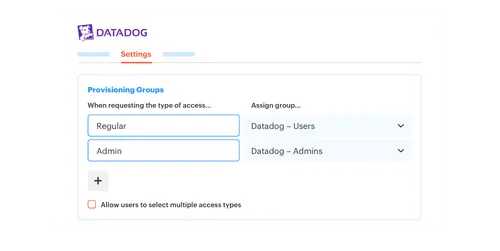
The lesson isn't just about ticket volume. Access reviews depend on the quality of the work that happened before the campaign ever started. When requests, approvals, and grants are scattered across chat and spreadsheets, reviewers inherit incomplete data. Integrating access reviews with the original access requests gives them the reason, approver, role, and change history instead of a flat list of names.
Disconnected access work creates three recurring problems:
- Weak context: Reviewers see a group name but not why access was granted.
- Manual enforcement: Revoke decisions become another queue for IT.
- Broken evidence: Auditors get spreadsheets, screenshots, and Jira comments that need to be reconciled.
Chat Approvals Aren't Governance by Themselves
Chat is great for getting a fast answer. A manager sees a request, clicks Approve, and gets on with their day. Fair enough. People already live in Slack, and forcing them into another portal usually slows the decision down. I don't want to fight that instinct.
Speed alone doesn't create control. The approval needs to map to an access change, an expiry rule, and a durable record. A chat bot without that connection is like an inspection report that never reaches the repair crew. The problem got flagged, the paperwork exists, but nothing forces the fix.
Living inside that split is exhausting. IT keeps chasing the same approvals and checking the same groups, while Security still can't prove that every Revoke decision became an actual removal. The better model starts by connecting the review to the full access lifecycle, which is exactly where the next section picks up.
How to Connect Access Reviews to Everyday Access Work
Access reviews become useful when they share data and execution paths with requests, approvals, provisioning, and revocation. Start with the decision you need to enforce, then work backward through the required context. The goal is simple: one review action should produce one traceable access outcome. Integrating access reviews with the rest of your access work is what makes that possible.
Check Whether Your Review Can Enforce a Decision
Can a reviewer remove access without starting a second process? If the answer is no, your campaign is collecting opinions, not enforcing anything. Someone still has to translate each decision into operational work, which is where access review integration usually falls apart.
I prefer starting with four blunt questions. They expose the problem faster than reviewing a long feature list. You don't need a mature identity program to answer them, either. You just need to follow one entitlement from request to removal, and watch where it stalls.
Ask:
- Can the reviewer identify the exact app, role, or group?
- Can they see useful context such as department and last login?
- Does Revoke trigger an identity change or a tracked manual task?
- Can an auditor trace the decision to completed enforcement?
If any single answer is no, the review is still disconnected. Fix that break before you add a single new campaign.
Define Scope Around Enforceable Access
A clean campaign scope isn't the same as a large campaign scope. Reviewing every application may sound thorough, but it creates noise when half the decisions can't be enforced through a known process. Start with sanctioned apps whose roles and identity provider groups are already understood.
Spreadsheets have a valid use here, and I won't pretend otherwise. For a one-time review of a small, manually managed app, they may be faster than building any automation. The trouble starts when the spreadsheet becomes the permanent control for recurring reviews across dozens of apps. At that point, every cycle repeats the same matching, cleanup, and evidence work you swore you'd never do again.
Use a clear rule. If access is controlled through an identity provider group, connect Revoke to group removal. If the app is manual or non-SSO, create a Jira task with an owner and a completion status. Never mix automated and manual revocations without labeling which path applies, because a hidden manual step is how a Revoke decision goes stale for three weeks.
Give Reviewers Five Pieces of Context
Five fields usually separate a real decision from rubber-stamping: user, entitlement, business context, recent use, and original reason. A reviewer who only sees a username and application will often keep access because removing it feels risky. More context flips that instinct. Show a login date of 214 days ago and the same reviewer revokes without hesitating.
Integrating access reviews with identity provider data gives you the technical side. Jira adds the operational story, including who requested access, who approved it, and why it was needed. Combined, those records let the reviewer judge both current use and original intent. Honestly, that pairing matters more than a polished campaign dashboard ever will.
For each entitlement, show:
- The user: Name, department, title, and manager.
- The access: Application, role, or identity provider group.
- The usage: Last login or another available activity signal.
- The history: Request reason, approver, and grant date.
- The action path: What happens after Keep or Revoke.
Those five fields are easier to understand when you can see them attached to a working Jira process. See how Multiplier works when review context and identity changes share the same record.
Turn Keep and Revoke Into Executable Outcomes
A review isn't complete when every row has a decision. Completion means each Revoke action either removed access or produced a tracked task for manual removal. No mystery queue. No emailed spreadsheet waiting for someone to notice it three days later.
The sequence should be deterministic. Before: the reviewer marks Revoke, IT copies the row into Jira, and an admin removes the group whenever they get to it. After integrating access reviews with enforcement, the decision triggers the right path immediately and writes the outcome back to the record.
Build the flow in this order:
- Record the reviewer and their Keep or Revoke decision.
- Identify the mapped entitlement or identity provider group.
- Execute removal when the entitlement supports automation.
- Create assigned Jira work when removal must stay manual.
- Record success, failure, or the need for follow-up.
- Close the item only after enforcement is confirmed.
Automation has a real downside worth naming. A bad group mapping can execute a bad decision very efficiently, and speed makes the mistake bigger, not smaller. That concern is completely valid, which is exactly why mappings should be tested with low-risk applications before you connect them to broad campaigns.
Use Expiry Before the Next Review Cycle
A developer gets production access for an incident expected to last six hours. If the grant has no expiry, the next quarterly review becomes the cleanup mechanism. The person keeps elevated production access for weeks because the control only ever looks backward.
Integrating access reviews with time-based access changes the entire job of the campaign. Temporary entitlements expire on schedule, while reviewers focus on access that still has a valid long-term reason. The review becomes a check on exceptions and standing privileges, not a giant cleanup of grants that should have ended on their own.
Time limits aren't right for every entitlement, and pretending otherwise causes its own mess. Baseline tools tied to someone's permanent role may need long-lived access. Elevated administration, production support, and short projects are a different animal. If a grant has a known end date, capture the duration when access is requested and make expiry the default rather than the exception.
Build Audit Evidence During Normal Work
One connected Jira record should explain what happened from request through removal. The request shows intent, the approval shows authority, the identity change shows execution, and the review shows ongoing validation. Nobody has to reconstruct the chain three months later under audit pressure.
Audit prep often becomes expensive because evidence gets treated as a separate deliverable. Someone exports data, hunts for screenshots, checks identity provider logs, and tries to match everything back to tickets. I get why teams do it. Their systems were never designed to produce evidence together in the first place.
A practical rollout looks like this:
- Pick one application with clear group mappings.
- Connect requests and approvals to the Jira record.
- Run a limited review with the app owner.
- Test Keep, automated Revoke, and manual Revoke paths.
- Confirm the ticket records each outcome.
- Add more applications only after the full chain works.
Integrating access reviews with Jira-based evidence means the audit trail comes from normal access work, not a scramble. Once that loop works for one app, expansion becomes a repeatable mapping exercise instead of another compliance project you dread every quarter.
How Multiplier Runs Governance Inside Jira
Multiplier keeps access requests, reviews, enforcement, and evidence inside Jira Service Management while using the identity provider for authoritative changes. Reviewers work with user and usage context in JSM, and supported revocations remove mapped group access. Each decision stays attached to a Jira record instead of disappearing into a spreadsheet nobody opens again.
Jira-Native Reviews That Execute Revocations
Multiplier runs access review campaigns in JSM for applications marked as Approved. Admins select the apps, assign reviewers, and launch the campaign. Reviewers see user attributes, group memberships, job details, last login data, and recommendations before choosing Keep or Revoke.

A Revoke decision can remove the user from the relevant identity provider group and create Jira evidence for the change. That closes the gap from the Friday afternoon example we started with. The reviewer makes the decision, the platform executes the supported removal, and the work record captures what happened.
The connected workflow gives you:
- Review context: User details, groups, job information, and last login.
- Enforced decisions: Keep or Revoke actions tied to identity provider groups.
- Jira evidence: Tickets documenting the change and campaign progress.
- Exportable results: Campaign data can be exported as CSV for audit use.
Requests, Approvals, and Expiry Feed Better Reviews
The same operating model starts before the review even begins. Employees request sanctioned applications through a JSM catalog or Slack, while managers, app owners, or named users approve through JSM or Slack. Approved requests can add users to mapped groups in Okta, Entra ID, or Google Workspace, keeping the original request tied to the access change.
Time-based access adds another control. Requesters can choose a supported duration such as 1, 6, or 24 hours, and group membership is removed when the timer expires. Automatic removal depends on access being provisioned through identity provider groups, so manual and non-SSO grants still need a tracked manual path. That limitation is real, and documenting it up front prevents the kind of false confidence that bites you during an audit.
The combined workflow connects intake, approval, provisioning, expiry, review, and evidence without introducing another employee portal. If you want to run that process inside the tools your IT team already uses, Get started with Multiplier and map one sanctioned application first.
Make Every Access Review Decision Executable
Good access review integration connects each decision to a known enforcement path. Jira carries the operational record, the identity provider handles supported access changes, and reviewers get enough context to judge the entitlement. Evidence comes from the same workflow rather than a separate audit project you build from scratch every time.
Start small. Pick one application, map its roles, test both automated and manual revocation, then follow the evidence from request to removal. A completed review shouldn't tell you what someone ought to do next. It should show you what was already done.
Frequently asked questions
- How do I set up access reviews in Multiplier?
To set up access reviews in Multiplier, follow these steps: 1) Navigate to the Access Reviews section in Jira Service Management. 2) Click on 'New Review' and fill out the necessary details, including the name, applications in scope, start and end dates, and the reviewers. 3) Once you've reviewed the campaign details, click 'Start Campaign' to notify your reviewers. This process allows you to manage user access efficiently and ensures that decisions are documented within Jira.
- What if I need to revoke access but it’s a manual process?
If revoking access requires a manual process, you can still use Multiplier effectively. First, create a Jira task for the manual revocation and assign it to the appropriate IT agent. Ensure that the task includes all necessary details from the access review, such as the user’s role and access history. Once the revocation is completed, document the outcome in the Jira ticket to maintain a clear audit trail.
- Can I automate access requests using Multiplier?
Yes, you can automate access requests with Multiplier. Start by integrating your identity provider (like Okta or Azure AD) with Jira Service Management. Then, set up the Application Catalog in Multiplier, allowing employees to request access to sanctioned applications directly through Jira or Slack. This streamlines the approval process and ensures that access is provisioned automatically based on the roles selected.
- When should I use time-based access in Multiplier?
You should use time-based access in Multiplier when granting elevated permissions for temporary tasks or projects. For example, if a developer needs access for a specific incident that will last only a few hours, set the access duration during the request process. This helps enforce least privilege by automatically revoking access when it's no longer needed, reducing the risk of over-provisioned access.
- Why does my access review data seem incomplete?
Incomplete access review data can occur when requests and approvals are scattered across different platforms. To resolve this, ensure that all access requests are funneled through the Multiplier-integrated Jira Service Management. This way, you capture all necessary context, such as the request reason and approval history, directly linked to the access review, providing reviewers with complete information.
Frequently Asked Questions
How do I set up access reviews in Multiplier?
To set up access reviews in Multiplier, follow these steps: 1) Navigate to the Access Reviews section in Jira Service Management. 2) Click on 'New Review' and fill out the necessary details, including the name, applications in scope, start and end dates, and the reviewers. 3) Once you've reviewed the campaign details, click 'Start Campaign' to notify your reviewers. This process allows you to manage user access efficiently and ensures that decisions are documented within Jira.
What if I need to revoke access but it’s a manual process?
If revoking access requires a manual process, you can still use Multiplier effectively. First, create a Jira task for the manual revocation and assign it to the appropriate IT agent. Ensure that the task includes all necessary details from the access review, such as the user’s role and access history. Once the revocation is completed, document the outcome in the Jira ticket to maintain a clear audit trail.
Can I automate access requests using Multiplier?
Yes, you can automate access requests with Multiplier. Start by integrating your identity provider (like Okta or Azure AD) with Jira Service Management. Then, set up the Application Catalog in Multiplier, allowing employees to request access to sanctioned applications directly through Jira or Slack. This streamlines the approval process and ensures that access is provisioned automatically based on the roles selected.
When should I use time-based access in Multiplier?
You should use time-based access in Multiplier when granting elevated permissions for temporary tasks or projects. For example, if a developer needs access for a specific incident that will last only a few hours, set the access duration during the request process. This helps enforce least privilege by automatically revoking access when it's no longer needed, reducing the risk of over-provisioned access.
Why does my access review data seem incomplete?
Incomplete access review data can occur when requests and approvals are scattered across different platforms. To resolve this, ensure that all access requests are funneled through the Multiplier-integrated Jira Service Management. This way, you capture all necessary context, such as the request reason and approval history, directly linked to the access review, providing reviewers with complete information.


