

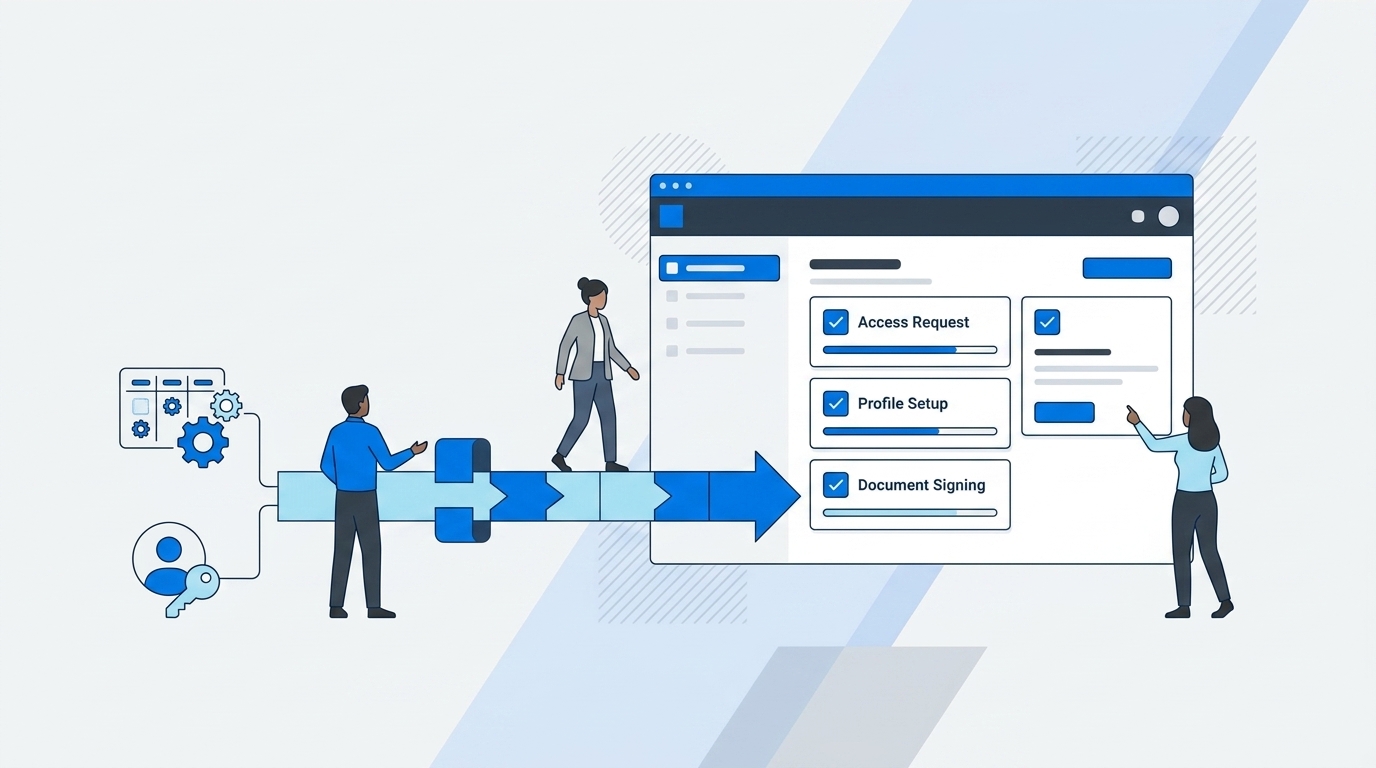
At Luno, 387 new hires in 8 months turned onboarding into an access bottleneck. The issue showed up in Jira tickets, Slack messages, and Okta group changes that needed to line up before people could work. That's where integrating onboarding workflows with your identity provider matters, because the handoff can't depend on someone remembering the right group at 4 PM. Miss that handoff, and your clean onboarding plan becomes another queue IT has to babysit.
Most companies don't notice the problem at 50 employees. At 200, they start feeling it. At 500, onboarding becomes a weekly access tax, where IT is chasing managers, checking groups, granting apps, taking screenshots, and hoping someone remembers to clean it all up later.
Key Takeaways:
- Onboarding breaks when Jira, Slack, and your identity provider all hold different pieces of the access workflow.
- Chat bots can make requests faster, but they don't enforce governance, expiry, or audit evidence by themselves.
- The identity provider should execute access changes, because that's where group membership and app entitlements actually live.
- Jira should be the system of record for onboarding access, not a side note after provisioning happens somewhere else.
- Time-bound access should be the default for higher-risk onboarding requests, especially admin roles and sensitive tools.
- Access evidence should be created during the workflow, not rebuilt later in spreadsheets before an audit.
- The better model is simple: request in Jira or Slack, approve in the same flow, provision through the identity provider, and write evidence back to Jira.
Why Onboarding Breaks Between Jira and Identity Systems
Onboarding breaks when requests, approvals, provisioning, and evidence live in separate systems. Jira handles the ticket, Slack handles the conversation, the identity provider handles access, and spreadsheets often handle the audit trail. The work moves, but the control doesn't move with it.

The ticket isn't the workflow
A Jira ticket feels like a workflow because it has statuses, comments, assignees, and SLAs. Fair enough. Jira is very good at intake and service delivery, which is why IT and Workplace teams run so much employee support through it. The problem starts when the ticket is only tracking the work, while the actual access change happens somewhere else.

Picture a Workplace Tech manager at 9:17 AM on a Monday. A new hire needs Slack, Google Workspace, Figma, Notion, Salesforce, and access to 2 internal Jira projects. The onboarding ticket exists in JSM, but the approval is buried in Slack, the group mapping lives in someone's head, and the actual provisioning happens in Okta or Entra. By 2 PM, everyone thinks the process is moving, but nobody can say with confidence which access was approved, which access was granted, and which access should expire.

That creates a weird operational lie. The ticket says "done," but the system of record for access may tell a different story. I've seen this pattern a lot, and honestly, it's usually not because the IT team is disorganized. It's because the workflow was never designed around where authority actually sits.
Chat makes the request faster, not safer
Slack is great for speed. Someone asks for access, the manager replies "approved," and IT can move. For low-risk work, that feels fine. It gets the request out of email, and nobody wants another portal if they can avoid it.

The catch is that chat alone doesn't know whether the requester should get Admin instead of Viewer. It doesn't know whether access should expire in 1 hour or 24 hours. It doesn't know whether the Jira ticket, identity provider group change, and approval record all match. So you get speed without governance, which is a dangerous trade when onboarding volume increases.
A chat bot can take the order, but it can't run the kitchen unless it's connected to the actual system that cooks the meal. That's the best analogy I can think of. The front counter can be beautiful, fast, and friendly, but if the kitchen is still writing orders on sticky notes, you're going to miss things when the lunch rush hits.
If your team is already feeling that gap between request speed and access control, the useful question is where governance should actually live. A Jira-native model is worth looking at when you want the ticket, approval, and identity change tied together in one motion, and you can Learn more about Multiplier if that sounds close to the mess you're trying to clean up.
The spreadsheet shows up when the system fails
Spreadsheets usually enter the picture after the real workflow has already failed. Nobody wakes up excited to maintain an access review spreadsheet. They do it because the ticketing system, chat history, and identity provider don't produce a clean enough record on their own.
A mid-market fintech team hit this problem after growing to nearly 1,200 employees. Access requests were coming through Slack, email, and Jira, and IT had to chase approvals before manually assigning Okta groups. That meant hundreds of routine requests created both operational drag and audit work. After moving to a self-service app store in Jira with automated provisioning, they reduced IT workload on access requests by 80%.
That's the part most teams miss. The audit problem isn't really an audit problem. It's an onboarding workflow problem that finally becomes visible when someone asks for proof.
How to Connect Onboarding Workflows to Access Governance
The better approach is to connect onboarding workflows to the systems that already own work and identity. Jira should capture the request and evidence, Slack can handle fast approvals, and the identity provider should make the access change. Done well, onboarding access becomes repeatable instead of heroic.
Start by separating intake from authority
Most onboarding workflows fail because the request path and the authority path are treated as the same thing. They aren't. An employee or hiring manager can request access from Jira or Slack, but the authoritative access change should happen through Okta, Entra ID, or Google Workspace. Otherwise you're just copying information from one place to another and hoping it stays clean.
Before integrating onboarding workflows with identity systems, map every app to the group or role that actually grants access. Not the app name people use in conversation. The exact group. Viewer, Editor, Admin, Finance, Contractor, whatever matters in your environment. If you can't map a requested role to a group, automation will either fail or create a risky shortcut.
The simple diagnostic is this: pick 10 apps used in onboarding and ask where the correct access level is documented. If the answer is "ask Sarah" for more than 2 of them, you're not ready to automate provisioning yet. That's not a criticism. That's the work. You need the access model clean before the workflow can be fast.
A good first pass looks like this: 1. List the 20 apps most often requested during onboarding. 2. Identify the identity provider group tied to each role. 3. Mark which roles need approval and which can be auto-approved. 4, Decide which roles should expire by default, and 5. Confirm where the evidence needs to live for audit.
Build the app catalog around sanctioned access
The onboarding app catalog matters more than people think. A free-form request field looks flexible, but it creates garbage inputs. Someone asks for "HubSpot access," and IT has to ask which role, which team, which region, whether it's permanent, and whether a manager approved it. Multiply that by 30 new hires in a month and your queue turns into a guessing game.
A catalog forces clarity up front. Employees see sanctioned apps, select the right role, choose the right duration if needed, and submit a request that already contains the context IT needs. In my experience, that one shift removes a surprising amount of back-and-forth. Not all of it. But enough that the team starts trusting the process.
Videoamp is a good example. As they grew from 100 to 500 employees, Tuesdays became the day IT got hit with access requests after Monday onboarding. The requests often lacked enough information to act on, and ownership wasn't always clear. After launching a self-service app catalog inside Jira Service Management, they made 20 sanctioned apps available and processed 500+ app requests in 6 months, saving 70+ hours of IT productivity.
The rule I'd use: if an app is requested more than 5 times per month, it belongs in the catalog. If a role creates security or compliance risk, it needs a named approver. If a request can't be mapped to a role, keep it manual until the access model is clear.
Make approvals happen where people already work
Approvals die when they ask busy people to leave their normal flow. Managers miss email, App owners ignore portal notifications, and Security reviewers get pulled into meetings. Then IT is stuck chasing people for a decision they don't own.
Slack-based approvals fix part of that because managers can approve from the place they're already checking all day. Still, speed only matters if the decision writes back to the ticket and triggers the next step. Otherwise you just moved the rubber stamp into chat. Better, but not enough.
When integrating onboarding workflows with approval steps, define the approval owner by risk. Low-risk, common apps can often go to the manager or even be auto-approved. Higher-risk tools should go to the app owner or a specific security reviewer. Admin roles should almost always require a clearer gate, and often a shorter duration.
I'd set the policy like this:
- Low-risk employee apps: manager approval or auto-approval.
- Department tools: app owner approval.
- Finance, production, customer data, or admin roles: named approver plus time limit.
- Contractor access: manager approval plus expiry date.
- Break-glass access: short duration, fast approval, full evidence in Jira.
Provision through the identity provider
The identity provider should execute the access change because that's where the access relationship is authoritative. Jira can track the request. Slack can speed up the decision. But Okta, Entra ID, or Google Workspace should add the user to the mapped group, because that group is what actually grants access downstream.
Without this, IT ends up doing swivel chair work. Approve in Jira, switch to Okta, search the user, find the group, add the group, go back to Jira, comment, maybe close the ticket. It's not hard once. It's painful at volume. And it's exactly the kind of repeatable work that creates mistakes when the queue is full.
The decision rule is pretty straightforward. If access is granted through an identity provider group, automate it. If the app isn't connected to SSO or the grant is purely manual, keep the request in the same workflow but don't pretend it can be auto-revoked. That's a real limitation, and it's worth saying out loud. Automation is only as good as the system it can actually control.
For teams building this inside Jira, the model is request, approve, group change, ticket update. That sequence matters. If you want to see that flow in a real Jira-native setup, See how Multiplier works and pay close attention to how the identity provider group change ties back to the original issue.
Treat time-bound access as the default for risky work
Permanent access is often just forgotten temporary access. Someone needed Admin for a migration, Finance access for a close process, or production access during an incident. The request was valid, the approval was valid, and the mistake was letting that access live forever.
Time-bound access changes the default. Instead of asking IT to remember cleanup later, the requester chooses a duration during submission, the approver makes a decision, and the system removes access when the window ends. For onboarding, this is especially useful for elevated setup tasks, contractor access, and tools where new hires only need temporary rights during ramp.
A strong policy doesn't need to be complicated. Start with 3 durations: 1 hour, 6 hours, and 24 hours. Use 1 hour for sensitive admin tasks, 6 hours for setup work, and 24 hours when the work may span a full day. Anything longer should require a better reason or a different access path.
Some teams will argue that time limits create friction. They're not wrong. If your onboarding process is already messy, adding expiry rules can feel like one more thing to manage. The sharper point is that time limits reduce cleanup work later, and cleanup is where least privilege usually fails.
Make audit evidence a byproduct
Audit evidence should be produced while the work happens. If your team has to rebuild the story later, the workflow isn't complete. You want the request, approval, provisioning action, access duration, and revocation all tied to the same Jira issue.
The practical test is simple. Pick one employee onboarded 60 days ago and try to answer 5 questions in under 10 minutes: what did they request, who approved it, what group granted access, when did it start, and was anything revoked? If you need Slack search, spreadsheet filters, and identity provider screenshots, you don't have an evidence trail. You have a scavenger hunt.
Access reviews become much easier when onboarding evidence is already clean. Reviewers can see who has access, when they last used it, and whether it still makes sense. Revocation can become an action, not a follow-up ticket someone may forget to close.
That matters because onboarding isn't isolated. Every access decision becomes part of your next access review. If the front door is messy, the quarterly review will be messy too.
How Multiplier Automates Jira-Native Provisioning
Multiplier connects Jira Service Management, Slack, and your identity provider so onboarding access can move through one governed workflow. Employees request from a Jira-native catalog or Slack, approvers decide in JSM or Slack, and approved access is provisioned through identity provider groups with evidence written back to Jira.
Jira-native catalog and approval flow
Multiplier's Application Catalog gives employees a sanctioned app store inside Jira Service Management. They can browse approved apps, choose roles like Viewer, Editor, or Admin, and submit requests without guessing which form to use. The catalog syncs apps and groups from Okta, Entra ID, and Google Workspace, so role-to-group mapping doesn't live in a side spreadsheet.
Approval Workflows route each request to the right manager, app owner, or specific user. Approvers can act in JSM or Slack, and the decision stays tied to the Jira issue. After approval, Multiplier provisions through the mapped identity provider group and updates the ticket with the outcome, which addresses the earlier problem of access changes happening outside the record.
That difference matters for onboarding: the employee gets a clear request path, IT gets consistent inputs, and Security gets evidence connected to the actual change. And the identity provider remains the place where access is granted, which is the only way the process stays authoritative.
Time-bound access and review evidence
Multiplier also supports Time-Based Access for temporary grants. Requesters can choose durations like 1, 6, or 24 hours, and after approval, access is added through the mapped identity provider group. When the timer expires, Multiplier removes the group membership and records the change in Jira.
Access Reviews bring certification work into JSM as well. Reviewers can see user attributes, groups, last login, and recommendations, then choose Keep or Revoke. Revocations execute through the identity provider group where supported, and the campaign evidence stays connected to Jira instead of being rebuilt in spreadsheets later.
The important boundary is that automatic revocation depends on access being managed through identity provider group membership. Purely manual grants can't magically clean themselves up. That limitation is actually useful, because it forces the right architecture: if you want integrating onboarding workflows with least privilege to work at scale, the identity provider has to be in the execution path.
For teams that already run employee service through Jira, that makes the path pretty clear. Keep intake and evidence in JSM, let Slack speed up decisions, and use the identity provider to make the access change. When you're ready to standardize that workflow, Get started with Multiplier.
Make Onboarding Access Boring Again
Onboarding access should be boring. A person starts, requests the apps they need, the right approver makes a decision, the identity provider grants the right group, and Jira keeps the record. No Slack archaeology, no spreadsheet cleanup, and no guessing who approved what 3 months later.
The mistake is treating onboarding as a ticketing problem. It's really an identity governance problem that happens to start in Jira. Once you see that, the system becomes much clearer: Jira for the work, Slack for the decision, identity provider for the change, and evidence created as part of the flow.
That's how you get faster access without giving up control.
Frequently Asked Questions
How do I set up time-based access for new hires?
To set up time-based access for new hires using Multiplier, follow these steps: 1) When a new hire requests access through the Application Catalog in Jira, ensure they select a duration for their access (options typically include 1, 6, or 24 hours). 2) After the request is approved, Multiplier will automatically provision access and set a timer to revoke it when the duration expires. 3) This approach minimizes the risk of long-lived access and helps maintain security by ensuring that access is only granted for the necessary time frame.
What if I need to approve access requests quickly?
If you need to approve access requests quickly, consider using the Slack App integrated with Multiplier. 1) Employees can submit access requests directly through Slack, which creates a Jira ticket automatically. 2) Approvers receive notifications in Slack with one-click options to approve or deny the request, streamlining the decision-making process. 3) This keeps approvals fast and ensures that all actions are documented in Jira, maintaining a clear audit trail.
Can I customize the application catalog for my team?
Yes, you can customize the Application Catalog in Multiplier to fit your team's needs. 1) Admins can add or remove applications from the catalog, ensuring that only sanctioned apps are visible to employees. 2) You can also set specific roles for each application (like Viewer, Editor, or Admin) to guide users in their requests. 3) This customization helps reduce confusion and ensures that requests are clear and context-rich, making it easier for IT to manage access.
When should I conduct access reviews?
You should conduct access reviews regularly to ensure compliance and security. 1) Use Multiplier's Access Review feature to create campaigns that can be scheduled quarterly or bi-annually. 2) During these reviews, assign reviewers to specific applications and gather feedback on user access. 3) This process helps identify inactive users and allows you to revoke unnecessary access, keeping your system secure and compliant.


