


The Role of Automation in Access Governance: What Actually Breaks, and What Fixes It
Manual access management breaks way earlier than most teams want to admit. That’s the role of automation in access governance. Not replacing judgment. Not taking humans out of the loop. Just removing the repetitive, messy, error-prone work that piles up across Jira queues, Slack threads, email chains, and audit spreadsheets until the whole thing starts creaking.
A lot of IT and security teams assume the issue is pure volume. More employees. More apps. More requests. Sure, that matters. But usually that’s not the first thing to snap. The operating model snaps first. Requests live in one system, approvals in another, provisioning in the identity provider, and evidence gets stitched together later like a bad group project. Work still gets done. Control gets worse.
Key Takeaways:
- The role of automation in access governance is to remove manual handoffs, not human oversight
- Most access issues come from fragmented workflows across Jira, Slack, email, and identity tools
- Fast access and least privilege can work together when provisioning and revocation run through the identity provider
- Time-bound access, Jira-based reviews, and automatic evidence creation reduce both risk and audit pain
- Governance works better when it lives in Jira, where requests and approvals already happen
Why Teams Get the Role of Automation Wrong
The role of automation in access governance gets misunderstood all the time because people frame it like a policy problem. It’s usually not. It’s an operations problem first. If access still depends on people chasing approvals, updating groups by hand, and collecting screenshots later, you don’t really have governance. You’ve got busywork wearing a security costume.
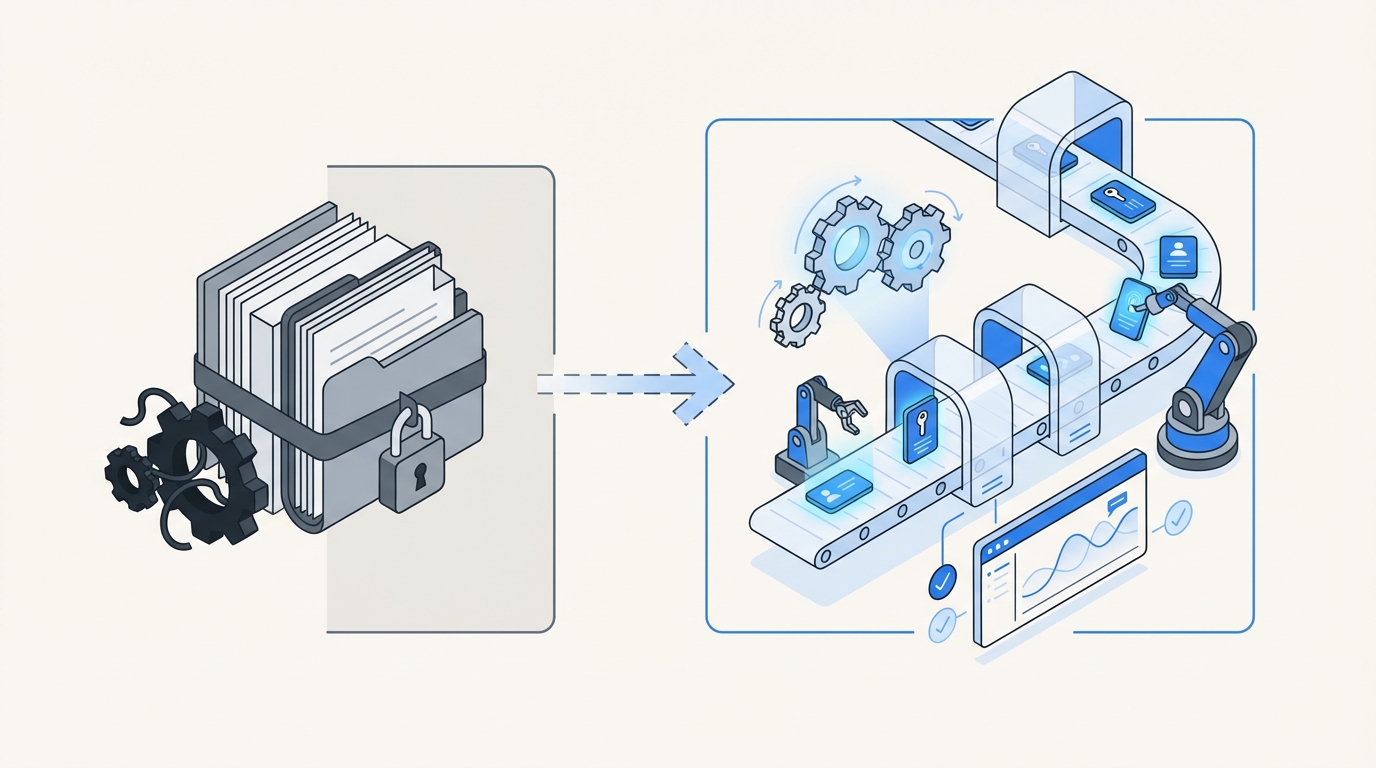
Most teams start from the wrong premise. They think access governance means buying a separate IGA layer and pushing everyone into one more portal. On paper, that sounds neat. In the real world, it falls apart fast. Employees already request things in Jira. Approvers already live in Slack and email. IT already works in the service desk. So when governance sits outside that flow, friction shows up almost immediately.
The real bottleneck isn’t request volume
A growing company can absorb a surprising amount of request volume. What it usually can’t absorb is fragmented decision-making. One person submits in Jira. Another approves in Slack. Somebody else provisions in Okta or Entra. Then three months later an auditor asks for proof and now the team is digging through comments, screenshots, and half-remembered context. That’s the actual waste.
We’ve seen this pattern over and over. A company grows from 100 people to 400 and suddenly the Monday onboarding motion turns Tuesday into chaos. VideoAmp described that exact feeling. New hires started Monday, then Tuesday became a flood of access requests, follow-ups, and missing context. The issue wasn’t demand. The issue was that every repetitive task still needed human glue.
And human glue is expensive. According to the IBM Cost of a Data Breach report, credential and access-related issues remain a major source of exposure. Mix that with the drag of manual access changes and you get a system that is both slow and risky. Bad combo.
Separate governance systems create hidden failure points
A separate governance portal looks clean in a diagram. In practice, it often becomes a second system people forget exists. Employees ignore it. Approvers miss it. IT ends up translating work between systems. Then audit time hits and everyone acts surprised that the evidence is incomplete.
That split between ITSM and IGA is where a lot of the pain starts. Jira is good at intake and workflow. Identity providers are good at group-based provisioning. But when you bolt on a third layer outside the daily flow, you create more handoffs, more delay, and more chances to mess it up.
If you’ve lived through this, you know the feeling. The request itself is usually simple. The process around it is what hurts. People wait. Admin rights linger. Audits become archaeology. It wears teams down.
What automation should actually do
The role of automation in access governance is pretty straightforward when you strip away the buzzwords. Make the right path the easy path. Approved requests should trigger the right change through the identity provider. Temporary access should expire without someone remembering to clean it up. Reviews should happen where the record already exists. Evidence should get created as the workflow runs.
That’s very different from saying, “let’s write policies and hope everyone follows them.” Policy without enforcement is intention. And intention doesn’t revoke access.
Where Manual Access Governance Breaks Down
Manual access governance breaks down when approvals, provisioning, and proof are treated like separate jobs. The more systems involved, the more likely you are to end up with slow access, standing privilege, and messy evidence. That’s where the role of automation in access governance becomes obvious, especially once a team starts scaling.
The visible symptom is backlog. The root cause is disconnected execution. People think they need more admins. A lot of the time, they really need fewer handoffs and cleaner rules.
Approval chains get slow fast
Manual approval routing is one of those things that looks manageable until it suddenly isn’t. At 20 requests a week, people keep up. At 200, notifications get missed, app owners change, managers don’t respond, and requests stall in weird corners of the process.
Synthesia ran into that when requests were handled in Slack and tracked in Notion. As they grew from 100 employees to over 400, the process got tiring fast. Their Head of IT talked openly about the constant chasing and missed notifications. Honestly, that story is pretty normal. Most teams just don’t say it out loud.
The problem is not that approvals exist. The problem is when approval logic sits outside the system of record. Then every request turns into a mini coordination project.
Provisioning by hand creates delay and errors
Provisioning sounds simple until you watch someone do it 40 times a day. Open the ticket. Check approval. Confirm the app. Find the right group. Add the user. Leave a comment. Maybe grab a screenshot. Maybe forget. Then do it again. And again.
This is where the role of automation in access governance gets painfully clear. The work is repetitive. It is rules-based. It belongs in a system. Yet a lot of teams still burn human time on it because the process was never wired into the identity provider.
Luno saw this when hundreds of routine requests came in manually across Slack, email, and Jira. Their team had to ask managers for approval and then manually log into Okta for group assignment. That’s a lot of moving pieces for something that should be deterministic.
Evidence gets rebuilt after the fact
This one gets overlooked all the time. Teams think the hard part is granting access. In a lot of environments, the audit burden is actually worse than the request burden. If approvals happen in chat, provisioning happens in the IDP, and reviews happen in spreadsheets, nobody has a clean chain of evidence.
So what happens? Screenshots. CSV exports. Comments pasted into tickets. People trying to remember why an exception was approved two quarters ago. It’s messy because the process was messy.
The NIST guidance on least privilege is clear enough. Users should have only the access needed to perform authorized tasks. But that principle falls apart operationally when no system is enforcing duration, revocation, or consistent records. That’s where teams lose control. And that’s another place where the role of automation in governance matters more than most people realize.
A Better Operating Model for Access Governance
A better model puts requests, approvals, provisioning, and evidence into one operating flow. That’s the role of automation in access governance when it’s done well. Connect the steps. Standardize the execution. Keep human judgment where it matters. Stop spending expensive people time on tasks that are repetitive and predictable.
This is the shift. Least privilege is not hard to understand. It’s hard to sustain manually. Big difference.
Start with one intake path
First move is simple. Pick one front door for access requests. If people can request access in email, Slack, hallway conversations, and random Jira issues, you’re never going to get control. One intake path creates structure.
That front door should capture enough context up front:
- What app is being requested
- What role is needed
- Who should approve it
- Whether access should expire
- Whether the request is tied to onboarding, a role change, or a temporary task
Once intake is standardized, the rest of the flow gets easier. Now the system can route the right approver, trigger the right change, and leave a clean record. Before that, everything is interpretation.
Route approvals inside daily work
Approvals need to happen where approvers already are. Not where you wish they were. Usually that means Jira and Slack. If managers or app owners have to log into some secondary tool they barely use, approval speed drops and request aging climbs.
A better model keeps approval decisions close to the ticket and close to the channel where people already work. That doesn’t just make things faster. It makes the process more visible too. You can see who approved, when they approved, and what happened next.
Some teams still make email-heavy approval flows work at smaller scale. Fair enough. But once growth hits, chat and service desk workflows usually hold up better because they stay tied to the actual request record.
Discover how teams streamline access workflows inside Jira and Slack.
Provision through the identity provider, not around it
This is a big one. If your identity provider is the source of truth, provisioning should run through it. Otherwise you end up with drift between what the ticket says happened and what actually happened in the app stack.
That means mapping app roles to IDP groups and letting approved requests trigger group changes automatically. It’s cleaner. Faster. Easier to audit. If you’re still doing direct one-off changes outside the IDP for routine access, you’re basically creating future cleanup work for yourself.
What tends to work best is pretty straightforward:
- Map roles to groups clearly
- Separate low-risk from high-risk approvals
- Automate common grants through the IDP
- Keep exceptions visible and reviewable
- Log every change back to the originating record
That’s the heart of the role of automation in access governance. Fewer improvisations. More consistency.
Make temporary access the default for elevated permissions
Most teams know standing privilege is risky. The problem isn’t awareness. The problem is execution. Removing admin access manually is annoying, so it stays. Then six months pass and nobody’s thrilled about it, but there it is.
Temporary access fixes that. If elevated permissions can be requested for a defined duration and revoked automatically at expiry, least privilege becomes practical instead of aspirational. Stavvy used this kind of model to cut privileged access by 85%, which tells you something. When the process is easy enough, teams will actually use it.
That’s why time-bound access matters. Not because the idea is new. Because the enforcement is real.
Run reviews where the work already lives
Quarterly access reviews are where a lot of governance programs quietly lose the plot. People export data, build spreadsheets, send reminders, and hope reviewers take it seriously. Many don’t. They rubber-stamp or ignore the whole thing because the process feels disconnected from actual work.
A better model brings reviews into the same operational system as requests and provisioning. Reviewers need context. Last login. Role. Department. Current group membership. A direct option to keep or revoke. Without that, reviews become theater.
And if revocation after review still requires a separate manual step, the process is half broken. The decision and the enforcement need to stay connected. Otherwise you get certified access on paper and stale access in production.
If you want to see how teams are approaching this inside service management, the Atlassian write-up on employee lifecycle workflows in Jira Service Management is worth a read.
How Multiplier Puts Automation to Work Inside Jira
This is where the theory becomes operational. Multiplier puts the role of automation in access governance into the system your team already uses: Jira Service Management. Instead of splitting requests, approvals, provisioning, and evidence across disconnected tools, it keeps the workflow in Jira and Slack, then executes the change through your identity provider. Less swivel-chair work. Less chasing. More control.
That matters because governance works best when it becomes part of normal operations, not some extra destination people ignore.
Requests and approvals stay tied to the Jira issue
Multiplier’s Application Catalog gives employees a Jira-native self-service path to request access. They can browse approved apps, choose a role, and submit through JSM or Slack. Behind the scenes, roles map to identity provider groups, which makes downstream changes cleaner and more consistent.

Then Approval Workflows route the request to the right person. That could be the requester’s manager, an app owner, or a specific user, depending on how the app is configured. Approvers can act in Jira or Slack, and the decision stays tied to the issue. No hunting through email threads later.
That alone cleans up a lot:
- one request path
- one record
- visible approval status
- less chasing
- cleaner audit history
Provisioning and revocation happen through the identity provider
Once approved, Multiplier can use Automated Provisioning via Identity Provider Groups to add or remove users from mapped groups in Okta, Entra ID, or Google Workspace. That matters because the provisioning action runs through the authoritative identity layer, not some side process somebody has to remember.

For elevated access, Time-Based Access makes the grant temporary by default. A user can request 1 hour, 6 hours, or 24 hours, then Multiplier adds the user to the mapped group and removes that membership automatically at expiry. If your goal is actual least privilege, not just nice policy language, this is where things get real.
For lifecycle work, Post Functions let teams trigger actions from Jira workflow transitions. That means onboarding, transfers, and offboarding can drive identity changes from the same issue flow. This is where a lot of teams stop living in brittle scripts and manual checklists.
Start automating access governance in Jira with Multiplier.
Reviews, chat approvals, and license cleanup close the loop
Multiplier also helps with the back half of governance. Access Reviews run in Jira with reviewer context like user attributes, groups, last login, and recommendations. Reviewers can mark Keep or Revoke, and revocations can execute automatically through the identity provider group path, with Jira tickets documenting the change.

The Slack App brings requests and approvals into chat without turning Slack into a loose side channel. Jira stays the system of record. Slack just makes the decision faster.
Then there’s Auto Reclaim, which uses identity provider login data to spot inactive users, notify them, and revoke access after a grace period if they stay inactive. That helps cut license waste without the usual spreadsheet ritual. It’s available on the Advanced edition, so teams should factor that into planning.
Put it all together and you get what the role of automation in access governance is supposed to deliver: faster access, fewer standing privileges, cleaner evidence, and less manual cleanup.
Ready to transform access governance without adding another portal? Get started with Multiplier.
Why the Role of Automation in Access Governance Is Bigger Than Speed
The role of automation in access governance is bigger than speed. Speed matters, obviously. But the bigger win is consistency. Consistent approvals. Consistent provisioning. Consistent revocation. Consistent evidence. That’s what most teams are actually missing.
If governance still lives across Jira tickets, chat messages, identity tools, and spreadsheets, the process will keep breaking in the same places. Requests slow down. Access sticks around too long. Audits become archaeology. None of that gets fixed by writing better policy.
What does fix it is putting governance where the work already happens, then letting automation handle the repetitive parts with clear rules and clean records. That’s the shift. Once you see it, it’s hard to unsee.
Frequently Asked Questions
How do I set up automated access requests with Multiplier?
To set up automated access requests using Multiplier, follow these steps: 1) Install the Multiplier app within your Jira Service Management (JSM) instance. 2) Use the Application Catalog to display approved applications for employees to request access. This catalog allows users to select roles and submit requests directly through JSM or Slack. 3) Configure Approval Workflows to route requests to the appropriate approvers, ensuring decisions are made quickly and are tied to the Jira issue for easy tracking. This setup streamlines the entire process, reducing manual overhead and improving efficiency.
What if I need to revoke access for inactive users?
If you need to revoke access for inactive users, you can utilize the Auto Reclaim feature in Multiplier. First, set up inactivity thresholds and grace periods for your applications. When a user exceeds the inactivity threshold, Multiplier will automatically notify them via email. If they remain inactive after the grace period, Multiplier will revoke their access and generate a Jira ticket documenting the removal. This process helps manage licenses effectively and ensures that only active users retain access.
Can I manage access reviews in Jira with Multiplier?
Yes, you can manage access reviews directly in Jira using Multiplier's Access Review feature. Start by creating an access review campaign in Jira, selecting the applications you want to include and assigning reviewers. Reviewers will receive notifications and can easily mark users to 'Keep' or 'Revoke' access based on the provided context, such as last login and group memberships. Once decisions are made, Multiplier will automatically execute revocations and document the changes in Jira, ensuring a streamlined and auditable process.
When should I implement time-based access?
Implement time-based access when you want to enforce least privilege for elevated permissions. This is particularly useful for temporary roles or projects. With Multiplier, users can request access for specific durations (e.g., 1, 6, or 24 hours). After approval, access is provisioned automatically and will expire at the end of the set duration without needing manual follow-up. This approach minimizes security risks associated with standing privileges and ensures that access is only granted when necessary.
Why does Multiplier integrate with identity providers?
Multiplier integrates with identity providers like Okta, Azure AD, and Google Workspace to streamline provisioning and revocation processes. This integration allows Multiplier to automatically manage user group memberships based on access requests and approvals, ensuring that changes are logged and consistent with the identity provider's records. By anchoring provisioning actions to the Jira issue, Multiplier helps maintain a single source of truth for access governance, reducing errors and improving audit readiness.


