


55 days. That’s the average shelf life of a SaaS license before it quietly turns into waste if nobody checks whether the person is still using it. And if your access process lives across Jira, Slack, your IDP, and a spreadsheet somebody updates before audits, you’re not really governing access. You’re babysitting it.
A lot of teams think the answer is another identity portal. I’d argue that’s usually the mistake. The more places your access workflow lives, the more licenses you keep around “just in case,” the slower approvals get, and the uglier your audit story becomes.
If you’re using forms well for access requests, that’s a good start. But the form itself isn’t the win. The real win is what happens after the form gets submitted.
Key Takeaways:
- Forms only create efficiency if they collect the right context and trigger the right workflow after submission
- If access approvals happen outside Jira, you create delay, extra license spend, and messy audit evidence
- If an app has no last-login data, don’t use inactivity policies on it. Review it manually instead
- A good access request form should capture app, role, duration, approver path, and revocation conditions up front
- Teams with heavy onboarding volume usually don’t need more admins. They need fewer handoffs
- Usage-based license reclamation works best when paired with in-Jira access reviews and automatic revocation
- Identity governance belongs in Jira if Jira is already where your work happens
Want to see what this looks like inside a real Jira workflow? Learn more about Multiplier
Why Most Access Request Forms Still Create Waste
Access request forms should reduce work. In practice, a lot of them just move work around. The employee fills out a form, then IT still has to chase for approval, figure out which group maps to which role, provision access manually, and remember to remove it later.
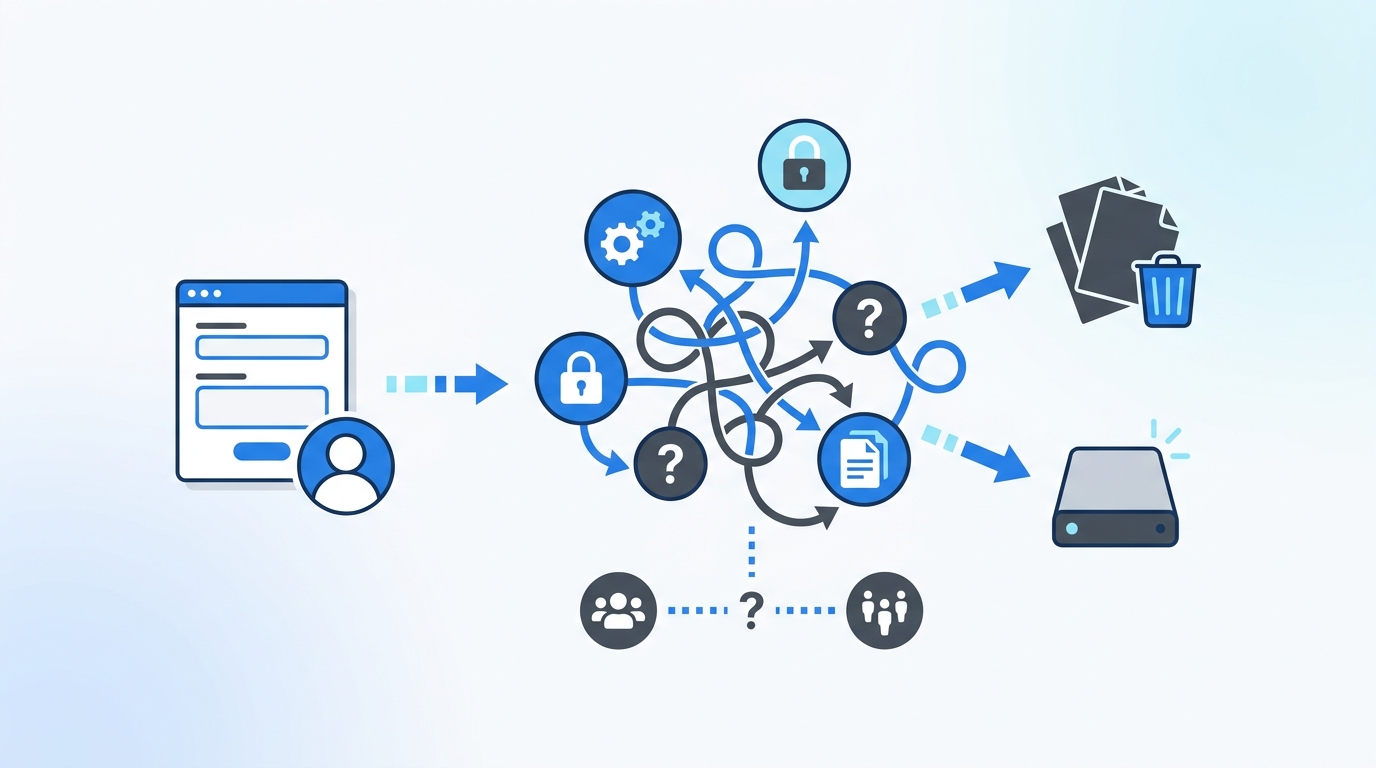
A form is only useful if it removes a decision later
Picture a Tuesday morning at a 500-person company. New hires started on Monday. By 9:30 AM, the IT queue is full of “Need access to Figma,” “Need access to GitLab,” “Need admin in Jira,” and half the tickets are missing context. No role. No manager confirmation. No duration. No clue whether this is standard access or elevated access. So the team starts playing detective.

That’s the hidden problem with utilizing forms for efficient intake. Most forms are optimized for submission, not execution. They make it easy to ask. They don’t make it easy to act.
I’ve seen this a bunch. Teams celebrate that they “standardized requests,” but if the form doesn’t collect enough information to route approval and trigger the right group assignment, you’ve just wrapped a manual process in a nicer UI. Same mess. Better wrapper.
The old split between ITSM and IGA is what slows everything down
The operational drag isn’t just bad form design. It’s the split system behind it. Request in Jira. Approval in email. Provisioning in Okta or Entra. Evidence in spreadsheets. Review cycle in another portal. That setup looks controlled on paper. In real life, it’s slow.

According to the Verizon Data Breach Investigations Report, credential abuse continues to be one of the most common breach patterns because access control breaks down operationally, not just technically (Verizon DBIR). And NIST has been blunt for years that least privilege only works when access is limited, reviewed, and revoked in practice, not just policy (NIST least privilege guidance).
That’s why the “separate portal for governance” story falls apart. You add one more system that needs feeding. One more place where context gets lost. One more place where somebody says, “I thought that had been removed already.”
The cost doesn’t look dramatic until you add it up
One manual access task might take 5 to 30 minutes. That doesn’t sound like much. Then do the math. If your team handles 300 routine requests a month, and each one burns even 12 minutes of human time between triage, approval chasing, provisioning, and evidence logging, that’s 60 hours gone. Every month.
A fintech team using Multiplier cut IT workload on access requests by 80% after replacing multi-channel intake and manual Okta group assignments with a Jira-native flow. Another team processed 500 plus app requests in six months and saved 70 plus hours of IT time after moving to a self-service app catalog in JSM. Those numbers matter. But the thing people miss is the second-order cost. When requests are annoying, teams overgrant. When revocation is manual, licenses linger. When evidence is fragmented, audits turn into cleanup projects.
And that’s the real tax: waste hiding inside routine work. The next question is obvious. If the form itself isn’t enough, what should a good access process actually look like?
What Efficient Access Forms Really Need to Capture
An efficient form captures enough context to make the next step automatic or close to it. That means not just who wants access, but what role they need, how long they need it, who should approve it, and what should happen when the access is no longer needed.
Start by diagnosing whether your forms are intake forms or workflow forms
Before you change anything, ask five questions.
- Does the request specify the application and exact role, not just the app name?
- Does it capture whether access should expire after a set window?
- Can the ticket route to the right approver without IT manually reassigning it?
- Can the granted role map to an identity provider group?
- Can you tell from the ticket alone who approved, what changed, and when it should be reviewed again?
If you answered no to two or more, your form is an intake form. Not a workflow form.
That distinction matters. Intake forms create queues. Workflow forms create outcomes.
Some teams will push back here and say, “We don’t want forms to get too long.” Fair. Nobody wants a 19-field monster. But there’s a tradeoff. If the form takes 20 seconds less to submit and 15 minutes more to process, you didn’t save time. You shifted it from the requester to the admin.
The right fields depend on the access type
A marketing app seat and a privileged production role should not use the same request logic. This is where most generic forms go wrong.
If the access is low-risk, repeatable, and tied to a known role, the form should capture:
- app name
- role level
- business reason
- requester identity
- default approver path
If the access is privileged or temporary, add:
- duration selected at request time
- expiry behavior
- justification tied to task or incident
- elevated approver path
If the access is for onboarding or lifecycle changes, don’t rely on a generic access form at all. Tie the workflow to the employee lifecycle ticket. New hire, transfer, offboarding. Different motion.
That’s why making forms work for your operations really means utilizing the right form for the right access path. One request type for everything sounds simple. It usually creates more manual branching later.
Good forms reduce license waste before reclamation even starts
This is the overlooked part. People talk about license reclamation like it starts with inactivity data. It starts earlier than that.
If your form asks for duration on elevated or occasional access, you prevent some waste before the license ever becomes shelfware. If your form maps roles cleanly to identity provider groups, you reduce bad grants. If your approval path is clear, you stop “temporary” access from becoming permanent because nobody wanted to hold up work.
A security team at a fintech company cut privileged access by 85% using time-bound access with automatic expiry. That’s not just a security story. It’s also a waste story. Every standing entitlement you don’t create is one less thing to review, revoke, and pay for later.
Honestly, this is where the conversation gets more interesting. Because once your forms are collecting the right info, you can stop treating access like ticket admin work and start treating it like a system.
Why Usage Data Changes the License Reclamation Conversation
License waste doesn’t come from bad intent. It comes from uncertainty. If nobody knows whether a user still needs a license, teams keep it active. Safer politically. Worse financially.
Real login activity beats guessing every time
The cleanest way to reclaim a license is simple. Check whether the person is actually using the app. If they haven’t logged in for 30, 45, or 90 days, warn them. Give them a grace period. Then remove access if nothing changes.
That sounds obvious. Still, a lot of teams don’t run it that way. They export a report once a quarter. They email managers. They wait. They follow up. They forget. Then six months later they’re still paying for dormant seats.
Forrester has pointed out for years that SaaS spend gets inflated by low visibility and weak controls over assignment and renewal. Same pattern, over and over (Forrester SaaS management research). What changes the game is tying reclamation to actual login telemetry instead of opinion.
This is also where you need one hard rule: if the app doesn’t provide reliable last-login data through your identity provider, don’t automate inactivity-based revocation for it. Review it manually. That’s the kind of conditional rule teams actually need. Not generic “assess your environment” advice.
Reviews and reclamation solve different problems
A lot of teams mash these together. They shouldn’t.
Usage-based reclamation answers: “Is this license being used?” Access review answers: “Should this person still have this access?”
Not the same thing.
A finance tool might be used once every two months and still be valid. A privileged admin role might be used yesterday and still be inappropriate. That’s why the strongest setups pair both motions. Reclaim obvious waste automatically from inactivity. Review sensitive access with context, including last login, department, title, and group membership.
That combination matters because it stops two different mistakes:
- paying for licenses nobody uses
- keeping access nobody should retain
You need both. One protects spend. One protects control.
There’s a case to be made for doing reviews only once or twice a year if your environment is small and stable. Totally fair. But once headcount moves fast, or app count gets past 75, annual review cycles alone won’t catch enough waste. At that point, usage-based cleanup needs to run in the background.
CFO conversations get easier when you use thresholds
If you want budget support for license optimization, don’t pitch “better governance.” Pitch thresholds.
Show this:
- apps with 30 plus days of inactivity and high per-seat cost should be first in scope
- apps under 20 seats usually aren’t the first place to automate unless they’re expensive
- privileged roles should default to time-bound access before you chase long-tail reclamation
- if more than 10% of paid seats in a core app haven’t logged in for 45 days, you have a process problem, not a procurement problem
That kind of framing lands. Because it connects operations to dollars.
If you want a practical example of how Jira-native governance ties this together, See how Multiplier works
A Better System for Access, Reviews, and Reclamation
The better system is not “a better form tool.” It’s one operating model. Requests, approvals, provisioning, review, expiry, and evidence all tied to the same source of truth.
Put governance where the work already happens
If your company already runs employee requests through Jira Service Management, putting governance somewhere else is like building a second front desk in a different building. People will still walk up to the first one. Then your team gets stuck carrying notes back and forth.
That’s the real reason identity governance belongs in Jira. Not because Jira should do everything in the world. Because access work already starts there. And when the request, approval, execution, and audit evidence live on the same record, you remove the handoff tax.
A clean model looks like this:
- user requests access in JSM or Slack
- request captures app, role, and duration if needed
- approver gets routed automatically
- provisioning runs through the identity provider group mapping
- expiry or review logic gets enforced later without side spreadsheets
That flow matters because it turns “using forms effectively for access management” into something real. The form is now the front door to an enforceable workflow.
Build different lanes for different risk levels
Not all access should move at the same speed. That’s another place teams get stuck.
A simple rule set works well:
- low-risk, standard app access: auto-approve or single approver
- higher-risk business apps: manager or app owner approval
- privileged access: time-bound by default
- lifecycle events like onboarding and offboarding: orchestrated from the workflow transition, not ad hoc request forms
- expensive SaaS with reliable telemetry: reclaim based on inactivity thresholds plus grace periods
I prefer this approach because it matches how work actually happens. People don’t need more policy docs. They need lanes. Fast lane, controlled lane, temporary lane, lifecycle lane. Clear enough that admins don’t have to improvise every time.
And yes, the status quo has a real advantage here. Manual handling gives teams flexibility. You can make exceptions easily. That’s true. The problem is you end up making exceptions as the default. Once that happens, least privilege becomes a slide in the audit deck, not an operating reality.
Measure the health of the workflow, not just ticket volume
Most teams track request count and maybe SLA. Fine. Not enough.
Track these instead:
- median approval time by app category
- percent of requests completed with no manual provisioning
- percent of elevated access that expires automatically
- percent of paid seats inactive for 30, 45, and 90 days
- percent of review decisions that execute revocation within 24 hours
If revocations lag decisions by more than a day, your review process is cosmetic. If more than 15% of your expensive SaaS licenses are inactive past policy threshold, your forms and approvals are too loose. If more than 25% of access tickets need manual clarification after submission, your forms are under-specified.
That’s the heartbeat of the system. Not “we have a form.” The better question is whether the form is producing fast, correct, enforceable outcomes.
How Multiplier Keeps Access Governance Inside Jira
Multiplier is built for teams that already live in Jira Service Management and don’t want access governance split across another portal, Slack threads, spreadsheets, and manual identity work. The point isn’t to add another layer of process. It’s to collapse the messy parts into one record.
The request, approval, and provisioning flow stays connected
Multiplier gives you a Jira-native Application Catalog inside JSM, with the same request experience also available through the Slack app. Employees can request sanctioned apps and roles, and those submissions create Jira issues tied to the workflow. Approval Workflows route the decision to the right person, whether that’s a manager, app owner, or a specific user, and approvers can act in Jira or Slack.

Once approved, Multiplier can use Automated Provisioning via Identity Provider Groups to add or remove users from the mapped group in Okta, Entra ID, or Google Workspace. That matters because it removes the copy-paste step and writes the result back to the Jira issue for audit and troubleshooting. For teams using forms for access handling that actually works, this is the missing piece. The form isn’t just intake anymore. It becomes the trigger for execution.
Reviews and reclamation happen with context, not guesswork
This is where Multiplier gets especially interesting for cost control. Access Reviews run in JSM, not in a separate governance portal, and reviewers see context like user attributes, groups, department, title, last login, and recommendations before deciding to keep or revoke access. If they choose revoke, the change can be executed automatically through the identity provider group removal and documented in Jira.
On the SaaS waste side, Auto Reclaim monitors last-login telemetry from the connected identity provider for in-scope apps, applies inactivity thresholds and grace periods, emails the user, and then automatically revokes access if the user stays inactive. It also creates a Jira ticket documenting the removal. So the finance story and the governance story finally connect. You’re not just spotting waste. You’re removing it with evidence.
For temporary access, Multiplier also supports Time-Based Access, which provisions the mapped group membership after approval and removes it automatically when the selected duration ends. That helps reduce standing privilege and cuts the cleanup work that usually gets ignored.
If your team wants to stop rebuilding audit proof and paying for dormant licenses, Get started with Multiplier
Why Efficient Forms Matter Less Than the System Behind Them
Using forms effectively for access management is worth doing. Just don’t stop there. The form is the start of the workflow, not the workflow itself.
The teams that get this right usually make one big shift. They stop treating access as a ticketing problem and start treating it as an operating system problem. One place to request. One place to approve. One place to prove what happened. That’s how you cut waste, move faster, and keep least privilege real instead of theoretical.
And if your company already works in Jira, that’s where governance should live too.
Frequently Asked Questions
How do I create an effective access request form?
To create an effective access request form, ensure it captures essential details like the application name, role, duration needed, and the approver's path. Use Multiplier's Application Catalog to streamline this process by providing a user-friendly interface where employees can select from approved applications and roles. This helps ensure that requests are complete and routed correctly, reducing delays in approval and provisioning.
What if I need to revoke access for multiple users?
If you need to revoke access for multiple users, consider using Multiplier's Access Review feature. This allows you to conduct a campaign where you can select in-scope applications and assign reviewers. Reviewers can then easily mark users for revocation based on their access history and last login data. This approach centralizes the review process and ensures that revocations are documented and executed efficiently.
Can I automate access provisioning for new hires?
Yes, you can automate access provisioning for new hires by using Multiplier's Automated Provisioning feature. When a new hire submits an access request through the Jira Service Management portal or Slack, Multiplier can automatically provision access based on the approved roles and identity provider groups. This eliminates manual steps and speeds up the onboarding process, ensuring new employees get the access they need without delays.
When should I use time-based access?
You should use time-based access when granting elevated permissions that are only needed temporarily. With Multiplier's Time-Based Access feature, requesters can specify a duration for access during submission. This ensures that access is automatically revoked after the specified time, reducing the risk of long-lived privileges and helping maintain least privilege principles within your organization.
Why does my access request process seem slow?
Your access request process may be slow due to fragmented workflows and lack of automation. If approvals happen in emails or separate tools, it can lead to delays. To streamline this, integrate Multiplier within Jira Service Management to handle requests, approvals, and provisioning all in one place. This reduces context switching and ensures that every step is logged and managed efficiently, speeding up the overall process.


