

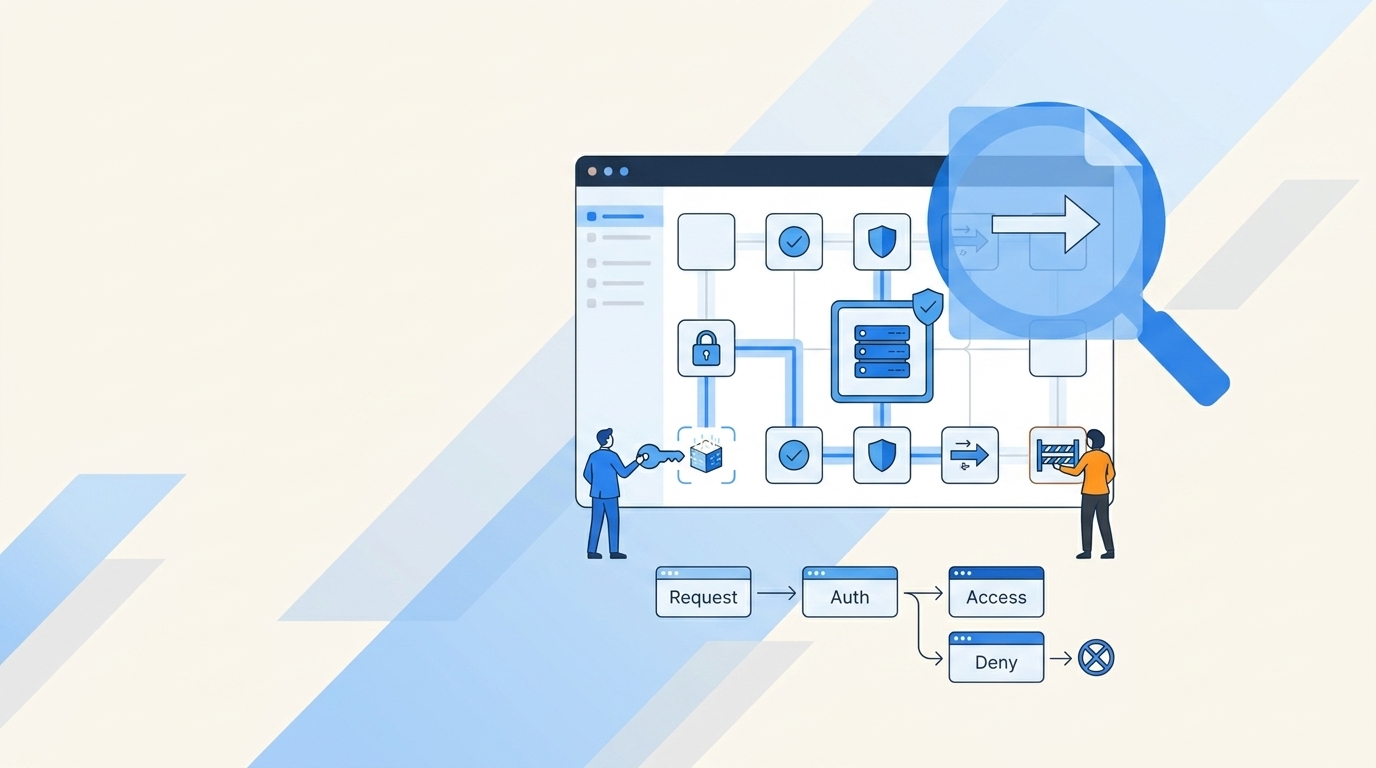
NIST 800-53 has 20 control families, and somewhere around control family number three, most teams stop reading and start building a spreadsheet. That's the moment the control dies. When someone asks what are NIST controls, the useful answer isn't a definition — it's a way to decide who gets access, for how long, and what proof survives the audit.
Here's where IT and security teams trip up. They read the control, build a spreadsheet, assign an owner, call it done. Then the real work happens somewhere else — Jira tickets, Slack approvals, Okta groups, Entra changes, screenshots pasted three weeks later. Not ideal.
Key Takeaways:
- NIST controls are practical security and privacy requirements, not just audit language.
- Access control is where NIST controls usually become messy, because requests, approvals, provisioning, and evidence live in different places.
- If you can't prove who approved access, who granted it, when it changed, and when it ended, your control is weaker than it looks.
- The fastest way to make NIST controls real is to turn each control into a repeatable workflow with a clear owner and evidence trail.
- Access reviews need usage context, like last login and group membership, or reviewers will rubber-stamp decisions.
- Time-bound access is one of the cleanest ways to reduce standing privilege without slowing everyone down.
What NIST Controls Actually Mean for Access Work
NIST controls are security and privacy requirements used to manage risk across systems, people, and processes. For IT teams, they become practical when you map them to daily access decisions. The mistake is treating them like policy text instead of workflow rules.
Controls Aren't the Work, the Workflow Is
Pick any NIST control — manage accounts, enforce least privilege, review access, keep audit records. Fair enough on paper. None of that happens inside the PDF. The actual control lives in the request, approval, provisioning step, access review, and revocation record.

I've watched teams spend three weeks polishing control language and still have no idea whether access is actually being removed. The control looked mature in the binder. The workflow was broken. When a new hire gets access through Slack, the approval happens in email, the group change happens in Okta, and the proof gets copied into a spreadsheet later, you don't really have one control. You have five fragments pretending to be one system.
The practical test is simple: pick one access request from the last 30 days and trace it start to finish. Can you see who requested it, who approved it, what group changed, when access started, and whether it ever expired? If you can't answer those five questions in under 5 minutes, the control is not operating cleanly.
NIST Control Families Create the Map
NIST controls are grouped into families, and that grouping is the most useful part of the standard. Each family points to a different operational job. Access Control tells you how users get permissions. Audit and Accountability tells you what evidence needs to exist. Identification and Authentication covers who the user is. Configuration Management touches how systems and groups change.

This is where people overcomplicate it. You don't need to memorize every control to make progress. You need to know which control families touch your access process and where each one shows up in the day-to-day workflow. For most Jira-based IT teams, the first pass looks like this:
- Access Control: Who gets access, what role they get, and whether it's least privilege.
- Audit and Accountability: What record proves the request, approval, change, and revocation happened.
- Identification and Authentication: Which identity provider is authoritative for the user.
- Configuration Management: Which groups, roles, or entitlements changed.
- Personnel Security: What happens during onboarding, transfers, and offboarding.
The hidden advantage here is focus. Instead of asking, "Are we NIST compliant?" ask, "Which access control family fails when someone requests admin access for 24 hours?" That question gets you much closer to real risk.
The First Failure Usually Shows Up in Evidence
Friday, 4:47 PM. An IT admin gets pinged in Slack: "Audit tomorrow, can you pull the approval chain for Maria's Salesforce admin grant from August?" Forty minutes later, they're scrolling through Jira comments, a Slack thread that got archived, Okta's system log, and a spreadsheet titled Access_Reviews_v4_FINAL_USE_THIS_ONE.xlsx. The approval happened. The group change happened. The revocation happened. Proving it took two hours and a prayer.
That sounds harmless until audit week. Then everyone starts rebuilding history. Who approved this? Was it the manager or the app owner? Did the user actually need admin access? Did anyone remove it? You lose hours because the control wasn't designed to produce proof while the work happened.
If your team already lives in Jira for access work, the obvious move is to make Jira the control record instead of rebuilding it later. The request is already there. The approval belongs there. The group change should write back there. If that's the workflow you're trying to pull into one place, Learn more about Multiplier while you're thinking through where your evidence should live.
Why NIST Access Controls Break in Real Companies
NIST access controls break when policy lives in one place and access work happens somewhere else. The gap looks small at first, especially under 100 employees. Once hiring, app sprawl, and compliance pressure ramp up, the manual process starts leaking risk.

Manual Access Requests Don't Scale Past Routine Volume
At 20 access requests a week, manual handling feels fine. At 200, it turns into a tax. IT starts chasing managers, approvers miss Slack messages, someone forgets to remove temporary access, and the same question gets asked again next quarter.
Luno is a clean example. As the company grew to nearly 1,200 employees, access requests came in through Slack, email, and Jira. Hundreds of routine requests needed manager approval and manual Okta group assignment. Each one might only take 5 to 30 minutes, which sounds small. Run the math: 100 requests at 15 minutes each is 25 hours of work. Gone.
The decision rule I like is blunt. If more than 25% of your access requests are repeatable, they should not be handled manually. "Repeatable" means the requester selects an approved app, chooses a known role, routes to a known approver, and maps to a known group. All four true? Workflow it.
Standing Privilege Is Usually a Process Problem
A lot of security teams talk about least privilege like it's a policy problem. I don't buy that. Most teams already agree with least privilege. The real issue is that permanent access is easier to grant than temporary access.
That's how standing privilege creeps in. Someone needs admin access for an incident, and they get it. No expiry is set because the manual cleanup step is annoying. Two months later, they still have it. The mistake wasn't the approval. The mistake was treating revocation as a separate task instead of part of the original request.
A useful threshold: if access is privileged, production-facing, or sensitive, default the duration to 1, 6, or 24 hours. Anything longer requires a written reason. That one shift changes the conversation from "should we remove access later?" to "how long should this access exist?" Much better.
Reviews Without Context Become Rubber Stamps
Picture a director with 47 access lines to review by EOD. Each line shows a username and an app name. Nothing else. What do you think happens? They approve everything. Not because they're careless — because the system gave them nothing to work with.
The minimum useful access review needs four pieces of context: user role, department, group membership, and last login. Missing last login? Reviewers can't tell whether access is active or stale. Missing group membership? They can't tell what the person actually has. Missing department or role? They can't judge business need.
My rule: don't launch a review campaign until reviewers can make a keep-or-revoke decision in under 30 seconds for normal users. Edge cases can take longer. Normal users shouldn't. If every line item requires investigation, the review design is broken before it starts.
How to Turn NIST Controls Into Daily Access Habits
The better approach is to translate NIST controls into daily access habits that are visible, repeatable, and provable. Start with the workflow, not the audit form. Then make the right action easier than the risky shortcut.
Where Are You on the Access Maturity Spectrum?
Before you build anything, figure out which level you're actually at. Mapping every NIST control sounds mature, but it usually becomes a giant spreadsheet no one trusts. Start with one observable control — access approval for sanctioned applications — and run it cleanly.
Five questions to ask before you touch any tool: where does the request start, who approves it, what system grants access, where does evidence land, and how does access end? If you can't answer one of them, stop. That's your starting line.
A simple maturity test works well here:
- Level 1: Requests arrive in Slack or email, and IT manually updates groups.
- Level 2: Requests start in Jira, but approvals and provisioning still happen elsewhere.
- Level 3: Requests, approvals, group changes, and evidence connect to the same ticket.
- Level 4: Low-risk requests are automated, privileged access expires, and reviews include usage context.
Now, the honest concession: some teams genuinely need a heavyweight identity governance suite. If you're a 5,000-person bank with twelve regulatory frameworks, a Jira-native workflow won't cover everything. Fair. The catch is that those teams still need the workflow fix first — the suite without the workflow just gives you expensive reports about broken processes. If you're at Level 2, fix the workflow path before you buy more software.
Convert Policy Language Into If-Then Rules
NIST controls become easier when you rewrite them as if-then rules. Not forever — just long enough to make them operational. "Enforce least privilege" is hard to execute. "If the role is Admin, then require app owner approval and set a 24-hour expiry" is much easier.
This is where access governance starts to feel less abstract. The control becomes a routing decision, a group mapping, a timer, or a review action. And because it's tied to a workflow, you can test it. Did the approver get notified? Did the right group change? Did access expire? Did the evidence write back?
A few useful examples:
- If the request is for a standard role, route it to the manager.
- If the request is for an admin role, route it to the app owner.
- If the role touches production or sensitive data, require time-bound access.
- If the user hasn't logged in for 90 days, flag the account for revoke review.
- If access is granted manually outside the identity provider, document the limitation on the ticket.
That last one matters. Some teams pretend every app can be governed the same way. Not true. Manual or non-SSO apps need a different evidence pattern because automatic revocation may not work.
Make Jira the Record, Not the Afterthought
Jira is already where a lot of access work starts. The problem is that teams treat it as intake only. The request gets logged there, then the real action happens somewhere else. That creates the classic audit scramble.
Think of Jira like the receiving dock of a warehouse. If every shipment comes in through the front door but half the inventory gets moved through side doors that don't update the log, your count will always be wrong. Counting harder doesn't fix it — closing the side doors does. Access works the same way. Jira can't be the front desk only; it needs to be the inventory record for who got what, when, and why. Approval status lives there. Provisioning results write back there. Revocation gets recorded there. When access reviews happen, the review decision connects back to the actual change.
Want a fast diagnostic? Pull 10 closed access tickets from last month. If fewer than 8 show the approval, the entitlement change, and the final state, your evidence model is too weak. Not your policy. Your evidence model.
Use Time as a Control, Not a Cleanup Task
Time is one of the most underrated access controls. It's also one of the easiest to explain to business users. You need access for a reason and a window. After the window closes, access should go away.
Stavvy made this real by reducing privileged access by 85% and automatically revoking more than 1,300 approved access requests after their windows ended. That's the point. Least privilege wasn't a policy anymore. It had a timer attached to the access request.
The rule I'd use is simple: if access creates meaningful risk, it needs a default expiry. Admin role? Expiry. Production database? Expiry. Sensitive finance system? Expiry. Customer data export? Expiry. If someone argues for permanent access, ask what job requires it every week. If the answer is fuzzy, the access probably shouldn't be standing.
Give Reviewers Evidence They Can Act On
Access reviews fail when they ask busy managers to become investigators. Nobody has time for that. Give them enough context to make a decision, then make the decision enforceable.
The review screen should answer three questions fast: does this person still work in the right role, have they used the app recently, and does the entitlement match their job? If the answer is no, the reviewer should be able to revoke without opening five other tools. Otherwise the review becomes a suggestion box.
For teams trying to make NIST controls practical inside Jira, the important part is not launching a review. It's making the review decision executable and tied to evidence. If that's the gap you're closing, See how Multiplier works in the context of Jira-native access reviews and enforced revocations.
Measure the Work Like an Operator
Controls need metrics. Not vanity metrics. Real operating numbers. How many requests were automated? How many privileged grants expired on time? How many access review revocations were actually executed? How many tickets had complete evidence?
Four numbers to track each month: request volume, automation rate, average approval time, and revocation completion rate. If automation is below 50% for standard app access, you probably still have too much manual routing. If approval time is over 24 hours for low-risk apps, the approver path is probably wrong. If revocation completion is under 95%, your review process is creating decisions without enforcement.
That last one is the killer. A review that says "revoke" but doesn't actually revoke is not a control. It's a note.
How Multiplier Makes Jira the Control Record
Multiplier makes Jira the operating record for access governance by connecting requests, approvals, provisioning, reviews, and evidence inside Jira Service Management. It doesn't replace your identity provider. It uses Okta, Entra ID, or Google Workspace groups as the authoritative path for access changes.
Access Requests Become Structured Jira Workflows
Multiplier starts with the Application Catalog inside JSM and Slack. Employees request approved apps, choose roles like Viewer or Admin, and submit through the same place they already use for service requests. Behind the scenes, each role maps to identity provider groups, so the request has structure before IT touches it.

That matters for NIST controls because vague intake creates weak controls. "Need Figma" is not enough. Which role? Which approver? Which group? Does it need an expiry? Multiplier turns those details into the request flow instead of asking IT to chase them later. Approvals route to managers, app owners, or specific users through Jira and Slack, which keeps the approval tied to the ticket.
For teams trying to automate 75%+ of access requests, the win is direct. Standard access requests stop being custom work. They become repeatable workflow paths.
Reviews Carry Context and Execute Revocations
Multiplier's Access Reviews run inside JSM with reviewer dashboards that show user attributes, groups, last login, and recommendations like revoking inactive access. Reviewers choose Keep or Revoke, provide a reason when needed, and the action ties back to Jira.
The important part is enforcement. Multiplier can remove users from relevant identity provider groups when reviewers choose revoke, then create Jira tickets documenting the change. That closes the loop most spreadsheet reviews leave open. A reviewer decision becomes an access change, not just another cell in a quarterly file.
And because the evidence lives with the Jira issue, audit prep becomes less about rebuilding history and more about pulling the record. For access controls, that's a very different operating model.
Time-Bound Access Reduces Standing Privilege
Multiplier's Time-Based Access lets requesters choose a duration — 1, 6, or 24 hours — when they submit a request. After approval, Multiplier adds the user to the mapped identity provider group and starts the timer. When the window ends, it removes the group membership and records the change in Jira.
That's exactly how time becomes a control instead of a follow-up task. It also has a real boundary worth naming: automatic revocation depends on access being provisioned through identity provider group membership. If a tool is manual or non-SSO, you still need a manual process and clear evidence. No tool fully closes that gap.
For teams already running access through Jira and Slack, that's the practical path. Standard apps go through catalog and approval workflows. Higher-risk access gets time limits. Reviews happen with usage context. Revocations write back to Jira. If you want to see that control record in action, Get started with Multiplier and look specifically at access reviews, time-based access, and identity provider group provisioning.
Make NIST Controls Boring Before Audit Week
The best NIST controls are boring because the proof is created while the work happens. Access gets requested, approved, granted, reviewed, and revoked through a workflow people actually use. No heroics. No spreadsheet archaeology. No last-minute hunt for screenshots.
If you're starting from scratch, don't try to boil the ocean. Pick one access workflow with high volume and clear risk. Map the request, approval, group change, expiry, review, and evidence path. Then ask the hard question: can we prove this control worked without rebuilding the story later?
That's the bar. Not perfect documentation. A working control.
Frequently Asked Questions
How do I set up time-based access requests?
In Multiplier, time-based access is built into the request flow. When an employee submits a request, they pick a duration — 1, 6, or 24 hours. After the approver signs off, Multiplier provisions the user into the mapped identity provider group and starts the clock. When the window closes, it removes the group membership automatically and writes the change back to Jira. No manual cleanup step required.
What if I need to revoke access quickly?
Use Multiplier's Access Reviews. Each reviewer sees user attributes, last login dates, and current group memberships — enough context to make a real decision. Mark access as Keep or Revoke directly from the dashboard. When a revocation goes through, Multiplier removes the user from the relevant identity provider groups and creates a Jira ticket with the change record. The decision becomes an actual access change, not just a note in a spreadsheet.
Can I automate access requests for multiple applications?
Yes. Multiplier's Application Catalog lives inside Jira Service Management. Employees browse approved apps, pick a role, and submit a request — no Slack messages, no email threads. Each app has predefined roles mapped to identity provider groups, and approvals route automatically to the right manager or app owner. Standard access requests stop being custom work.
When should I conduct access reviews?
Quarterly is the standard baseline. Run them sooner after big org changes — new hires in bulk, role changes, or a department restructure. With Multiplier, you create a review campaign, pick the in-scope applications, and assign reviewers. Each reviewer sees who has access and whether they've actually used it recently, which makes the keep-or-revoke call faster and more defensible.
Why does my access request process feel fragmented?
Usually because requests, approvals, and provisioning are happening in three different places. Someone asks in Slack, the manager approves in email, IT updates the group in Okta, and the evidence ends up in a spreadsheet no one can find at audit time. The fix is making one system — Jira — the record for all of it. Multiplier connects those steps so the evidence is created while the work happens, not reconstructed after.


