


Why does a low-risk app request get the same 24-hour SLA as production admin access? One should move fast, while the other needs tighter approval and automatic expiry. If your Jira queue treats both requests the same, the SLA is measuring ticket speed while ignoring access risk. That's how employees wait too long for basic tools and privileged access sticks around after the work is done.
Access has at least four clocks: request intake, approval, provisioning, and removal. Most teams measure one or two. Then they wonder why employees wait for basic tools while old admin access hangs around for months. Fast tickets don't always create least privilege.
Key Takeaways:
- Set different access request SLAs based on risk, urgency, and reversibility.
- Measure approval, provisioning, and revocation as separate clocks.
- Give low-risk access a fast path instead of making every request wait.
- Treat expiry as part of fulfillment, not optional cleanup.
- Track why SLA breaches happen so you can remove the actual bottleneck.
Why One Access Request SLA Breaks Least Privilege
One access request SLA breaks because it treats every request as equal and ticket closure as the finish line. Neither is true. Access to a basic collaboration tool isn't the same as production admin access, and granting permission isn't the same as governing its full life.
Ticket Closure Measures the Wrong Finish Line
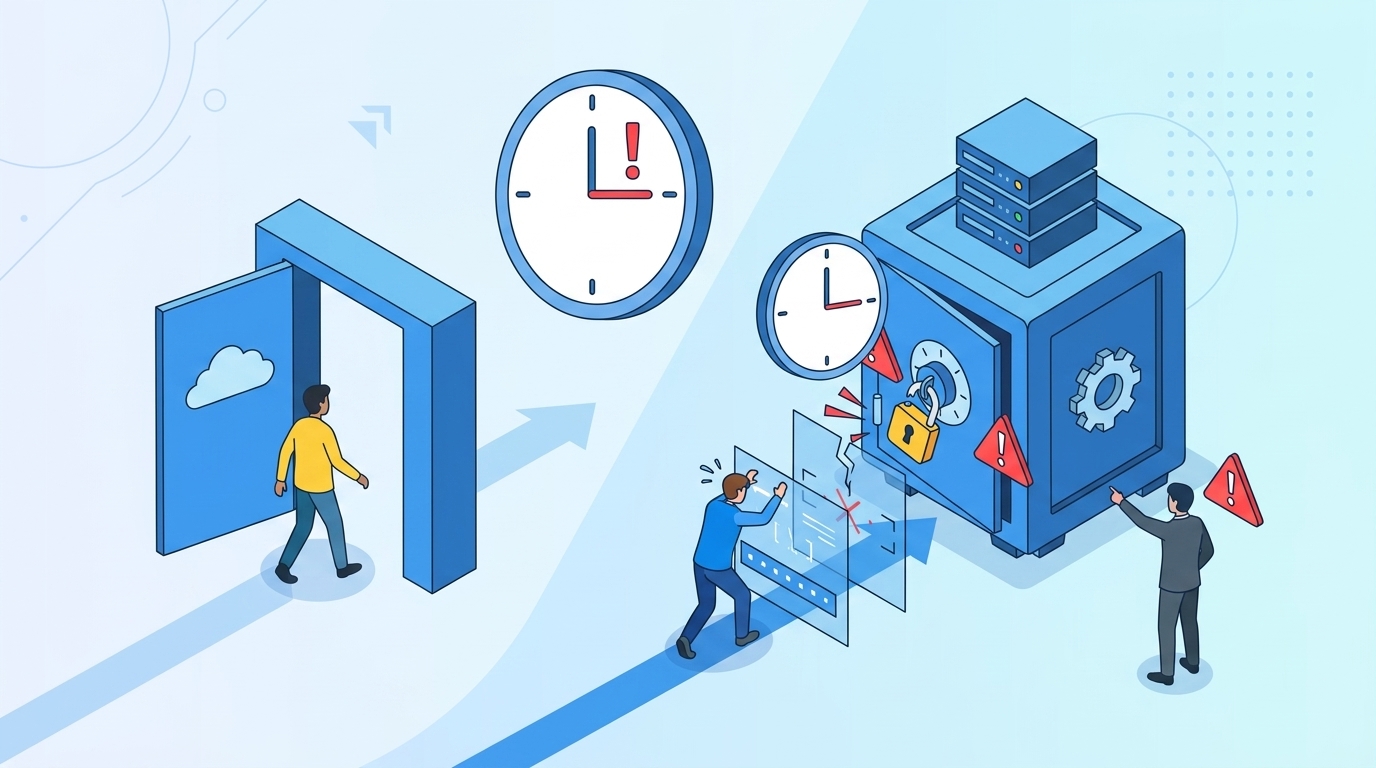
A ticket can hit its SLA while the employee still waits. The manager approved in 20 minutes, but IT didn't add the right identity provider group until the next afternoon. Jira shows green. The employee sees a blocked screen.

The reverse happens too. IT provisions access quickly and closes the issue, but nobody records when the grant should end. Three months later, the access review owner has to work out whether the user still needs it. The ticket was fast, but the control failed.
Access SLAs work more like split times in a relay race. The final time matters, but you still need to know who dropped the baton. One combined number hides the exact handoff that broke.
One Target Rewards the Wrong Behavior
A single four-hour SLA looks simple on a dashboard. I get why teams start there. It's easy to explain, easy to report, and may work when request volume is low and every app carries similar risk.

Growth ruins that simplicity. A low-risk request for a standard role sits beside an urgent production request, while both wait for the same approval flow. People start bypassing the queue because the official path feels disconnected from the work.
A fintech company with nearly 1,200 employees had hundreds of routine requests arriving through Slack, email, and Jira. IT chased approvers and manually assigned Okta groups. After centralizing the process and automating standard requests, the workload tied to access requests dropped by 80%.
If your approvals already begin in JSM, a Jira-native access governance walkthrough shows how the request, decision, identity change, and evidence can remain attached to one record.
Slow Revocation Creates Standing Privilege
The most important access SLA may be the one few teams publish: how fast permission disappears. Approval speed gets attention because employees complain when access is late. Nobody opens a ticket because their old admin role still works.
That missing complaint creates risk. A developer needs elevated access during an incident, gets it within 10 minutes, and finishes the work an hour later. If the grant has no enforced expiry, a successful request becomes standing privilege.
Automation-first least privilege fixes the operational gap. A policy that says "remove temporary access promptly" leaves room for interpretation. A system that starts a timer at approval and revokes the mapped group membership at expiry produces a clear outcome.
The question isn't only what SLAs should apply to granting access. You need an equally firm answer for removal.
What SLAs Should Apply to Access Requests
Access request SLAs should cover four separate stages and change according to risk. Start with intake, approval, provisioning, and revocation. Then set faster paths for standard access and tighter expiry rules for elevated roles.
Diagnose Which Access Clock Is Actually Failing
You can't fix access request SLAs from one average resolution number. Pull 20 recent requests across low-risk apps, sensitive roles, and temporary access. For each ticket, write down when the request arrived, when someone approved it, when access worked, and when it ended.
Patterns show up fast. If approvals consume most of the elapsed time, adding provisioning automation won't solve the main problem. If approval takes five minutes but group assignment takes six hours, the handoff into the identity provider is broken.
Ask these questions before changing targets:
- Did the request include the app, role, reason, and duration?
- How long did it wait for an approver?
- How long passed between approval and working access?
- Was an expiry recorded and enforced?
- Could you prove removal from the same ticket?
A missing timestamp is also an answer. It tells you the process can't yet support the SLA you want to claim.
Split the SLA Into Four Measurable Commitments
Four clocks give IT and security something they can actually manage. The first measures request completeness. The second covers the decision. The third measures fulfillment, while the fourth covers revocation or expiry.
I prefer separate targets because they stop teams from arguing over one vague "resolution time." Security can own the approval policy. IT can own provisioning. The system can own expiry when access is delivered through mapped identity provider groups.
A useful access SLA record includes:
- Intake SLA: Time to confirm that the request contains the required context.
- Decision SLA: Time for the correct manager or app owner to approve or deny.
- Fulfillment SLA: Time between approval and working access.
- Removal SLA: Time between expiry, denial, role change, or termination and access removal.
Don't let ticket closure replace the fourth clock. Closing a request proves the grant happened. It says nothing about whether the permission ended when it should.
Set Default SLA Tiers by Access Risk
What SLAs should apply depends mostly on the damage a grant could cause and how easily it can be reversed. Requester seniority shouldn't set the target. Neither should whoever complains the loudest in Slack.
For a starting policy, use four tiers. These aren't universal laws. They're practical defaults you can test against your staffing model, application owners, and identity stack.
[Table: Access type] — See "Table Embed Codes" in Oleno to copy the HTML for this table.
The exact minutes can change. The ordering shouldn't. Higher-risk access needs a faster decision, shorter duration, and stricter removal target because exposure grows while the permission remains active.
For a concrete look at the approval-to-provisioning handoff, the access workflow demo follows the Jira issue through approval and the identity provider change.
Make Expiry Part of Fulfillment
Temporary access isn't fully provisioned until its removal condition exists. If a user receives admin access at 2:00 p.m. for a one-hour task, fulfillment includes a 3:00 p.m. expiry. Without that, the request is incomplete.
A 160-person fintech company used time-bound access to reduce privileged access by 85%. The important change wasn't another written policy. Elevated grants were segmented by risk and given time limits, so permission didn't depend on someone remembering to clean it up later.
The workflow should capture five things before the grant starts:
- The exact role or group being granted.
- The person who approved it.
- The reason for access.
- The approved duration.
- The event that removes access.
There's a real limitation here. Automatic revocation only works when access can be removed through the identity system or another supported control. Manual and non-SSO grants need a named owner, a shorter removal SLA, and proof that someone completed the change.
Create an Exception Lane Without Losing Evidence
Emergency access deserves a faster path, but it doesn't deserve a blank cheque. During an incident, asking five people to approve a one-hour production grant can make the control more harmful than the risk it's meant to reduce.
Use a narrow exception lane instead. One approved responder requests a predefined role, one accountable approver makes the decision, and the grant expires after a short window. The request, reason, approval, group change, and removal still belong on the same record.
A sensible emergency flow looks like this:
- Acknowledge the request within five minutes.
- Approve or deny within 10 minutes.
- Provision within five minutes after approval.
- Default the grant to one hour.
- Review any extension after the incident.
Fast doesn't mean informal. It means you removed unnecessary handoffs while keeping the control.
Measure Breach Causes Instead of Average Resolution
Average resolution time can improve while your riskiest requests get worse. Ten automated app requests completed in two minutes can hide one admin request that waited six hours. The dashboard looks healthy. The exposure doesn't.
Break SLA reporting down by access tier and workflow stage. Count how many requests breached because information was missing, the approver didn't respond, provisioning failed, or revocation needed manual work. Each cause points to a different fix.
Review these measures every month:
- Median and 90th-percentile decision time by risk tier.
- Median fulfillment time after approval.
- Percentage of elevated grants with an enforced expiry.
- Percentage of expired grants removed on time.
- Number of emergency extensions and their reasons.
- SLA breaches grouped by approval, provisioning, or removal.
Automation has a downside too. A bad group mapping can grant the wrong permission faster than a human process would. Check role-to-group mappings before enabling automatic approval, and keep sensitive roles behind an explicit decision gate.
Good access request SLAs don't just show how fast the queue moves. They show whether access started and ended as intended.
How Multiplier Enforces Access SLAs in Jira
Multiplier connects the four access clocks inside Jira Service Management. Requests start in the JSM application catalog or Slack, approvals stay tied to the Jira issue, and approved changes run through Okta, Entra ID, or Google Workspace group mappings.
Jira and Slack Keep the Decision Clock Visible
Employees can choose an approved application and role from the JSM Application Catalog. The submission creates a Jira issue with the request context, which removes the first delay caused by vague Slack messages. Multiplier then routes the decision to a manager, app owner, or specific user through JSM and Slack.
Approvers can act from Slack, while Jira remains the system of record. That matters because the approval doesn't become a separate chat event that somebody must copy back into the ticket. The request and decision stay connected.
The Slack experience doesn't support every portal option, so JSM remains important for requests requiring fields that aren't available in chat. That's a fair constraint. The useful part is that Slack speeds the decision without replacing the governed Jira workflow.
Identity Provider Groups Enforce Fulfillment and Expiry
Once the Jira issue reaches the configured approved status, Multiplier can add the requester to mapped identity provider groups. The same issue receives the outcome of that action, which makes fulfillment easier to measure and audit.

For elevated roles, time-based access adds a duration such as 1, 6, or 24 hours. At expiry, the system calls the identity provider to remove the mapped group membership and records the change in Jira. Multiplier only auto-removes access provisioned through those group mappings, so manual grants still need a separate removal process.
The practical setup covers the whole access cycle:
- Application Catalog: Captures the approved app and role in JSM.
- Approval Workflows: Routes decisions to the right person in Jira or Slack.
- Automated Provisioning: Adds or removes mapped identity provider groups.
- Time-Based Access: Starts a duration timer and removes group membership at expiry.
- Access Reviews: Brings periodic keep-or-revoke decisions into JSM.
I like this model because the SLA isn't sitting in a policy document hoping people follow it. The workflow carries the control. If you want to compare it with your current JSM queue, a working session on the Jira-native setup can map the request, decision, fulfillment, and expiry stages.
Make Access SLAs Enforce the Right Outcome
The answer to what SLAs should apply isn't one resolution target. Standard access can move through a fast path, sensitive access needs accountable approval, and elevated access should expire automatically after a short window.
Start by splitting your current SLA into four clocks. Then sort requests by risk, give each tier a clear target, and measure removal with the same care you measure approval. A fast grant with no expiry is only half a control.
Frequently asked questions
- How do I set different SLAs for access requests?
To set different SLAs for access requests, start by categorizing requests based on risk and urgency. You can define tiers, such as standard, sensitive, elevated, and emergency access. For instance, use Multiplier to automate the approval process through Jira Service Management, allowing you to streamline intake and set specific SLA targets for each category. This way, standard requests can have quicker SLAs, while elevated access requires tighter controls and shorter time frames for approval and revocation.
- What if my team struggles with approval delays?
If your team is facing approval delays, consider using Multiplier's automated approval workflows. This feature routes requests to the right approvers directly within Jira or Slack, minimizing the risk of lost approvals in email threads. Ensure that the approval process is well-defined, and set reminders for approvers to act quickly. Also, analyze past requests to identify bottlenecks in the approval process, allowing you to address specific issues causing delays.
- Can I automate access revocation after a project ends?
Yes, you can automate access revocation using Multiplier's time-based access feature. When setting up access requests, specify a duration for how long the access should last. Once the duration expires, Multiplier will automatically remove the user from the mapped identity provider groups, ensuring that access is revoked without manual intervention. This helps maintain least privilege and reduces the risk of standing privileges after project completion.
- When should I conduct access reviews?
Conduct access reviews regularly, ideally every quarter, to ensure that user access remains appropriate. Use Multiplier's Access Review feature to streamline this process within Jira. Set up campaigns to review access for specific applications, and assign reviewers to assess user permissions. This not only helps in maintaining compliance but also allows you to revoke access for inactive users efficiently, keeping your system secure.
Frequently Asked Questions
How do I set different SLAs for access requests?
To set different SLAs for access requests, start by categorizing requests based on risk and urgency. You can define tiers, such as standard, sensitive, elevated, and emergency access. For instance, use Multiplier to automate the approval process through Jira Service Management, allowing you to streamline intake and set specific SLA targets for each category. This way, standard requests can have quicker SLAs, while elevated access requires tighter controls and shorter time frames for approval and revocation.
What if my team struggles with approval delays?
If your team is facing approval delays, consider using Multiplier's automated approval workflows. This feature routes requests to the right approvers directly within Jira or Slack, minimizing the risk of lost approvals in email threads. Ensure that the approval process is well-defined, and set reminders for approvers to act quickly. Also, analyze past requests to identify bottlenecks in the approval process, allowing you to address specific issues causing delays.
Can I automate access revocation after a project ends?
Yes, you can automate access revocation using Multiplier's time-based access feature. When setting up access requests, specify a duration for how long the access should last. Once the duration expires, Multiplier will automatically remove the user from the mapped identity provider groups, ensuring that access is revoked without manual intervention. This helps maintain least privilege and reduces the risk of standing privileges after project completion.
When should I conduct access reviews?
Conduct access reviews regularly, ideally every quarter, to ensure that user access remains appropriate. Use Multiplier's Access Review feature to streamline this process within Jira. Set up campaigns to review access for specific applications, and assign reviewers to assess user permissions. This not only helps in maintaining compliance but also allows you to revoke access for inactive users efficiently, keeping your system secure.


