


Your access request looks harmless in Jira until someone has to approve it in Slack, add the user in Okta, then remember to paste evidence back into the ticket. That handoff is where manual access processes start costing you, because the work feels small enough to ignore until audit week exposes every missed expiry. I’ve seen this play out with fast-growing IT teams, where nobody is lazy and the process still breaks. The real risk lives in the gap between the approval and the proof.
The ticket is just the visible part. Behind it, someone is chasing a manager in Slack, checking the right Okta group, adding the user manually, updating the Jira issue, and hoping they remember to revoke access later. Multiply that across 100 employees, 500 employees, 1,000 employees. It gets messy fast.
A lot of IT teams don't need a bigger access governance tool. They need to stop splitting access work across Jira, Slack, the identity provider, and spreadsheets. That's where the cost hides.
Key Takeaways:
- Manual access processes break because the work is split across too many systems.
- The real issue isn't approval speed, it's that approvals, provisioning, and evidence don't live together.
- Access requests should be treated like an operating workflow, not a pile of tickets.
- If access is granted through identity provider groups, provisioning and revocation can become predictable.
- Audit evidence should be created during the workflow, not rebuilt later in spreadsheets.
- Jira is usually where access work already starts, so governance should live there too.
Why Manual Access Processes Break Inside Jira
Manual access processes break inside Jira because Jira captures the request, but not always the full access decision and change. The ticket says someone needs Figma Admin or GitLab access. The actual work happens somewhere else, usually Slack, email, Okta, Entra, Google Workspace, and someone's memory.
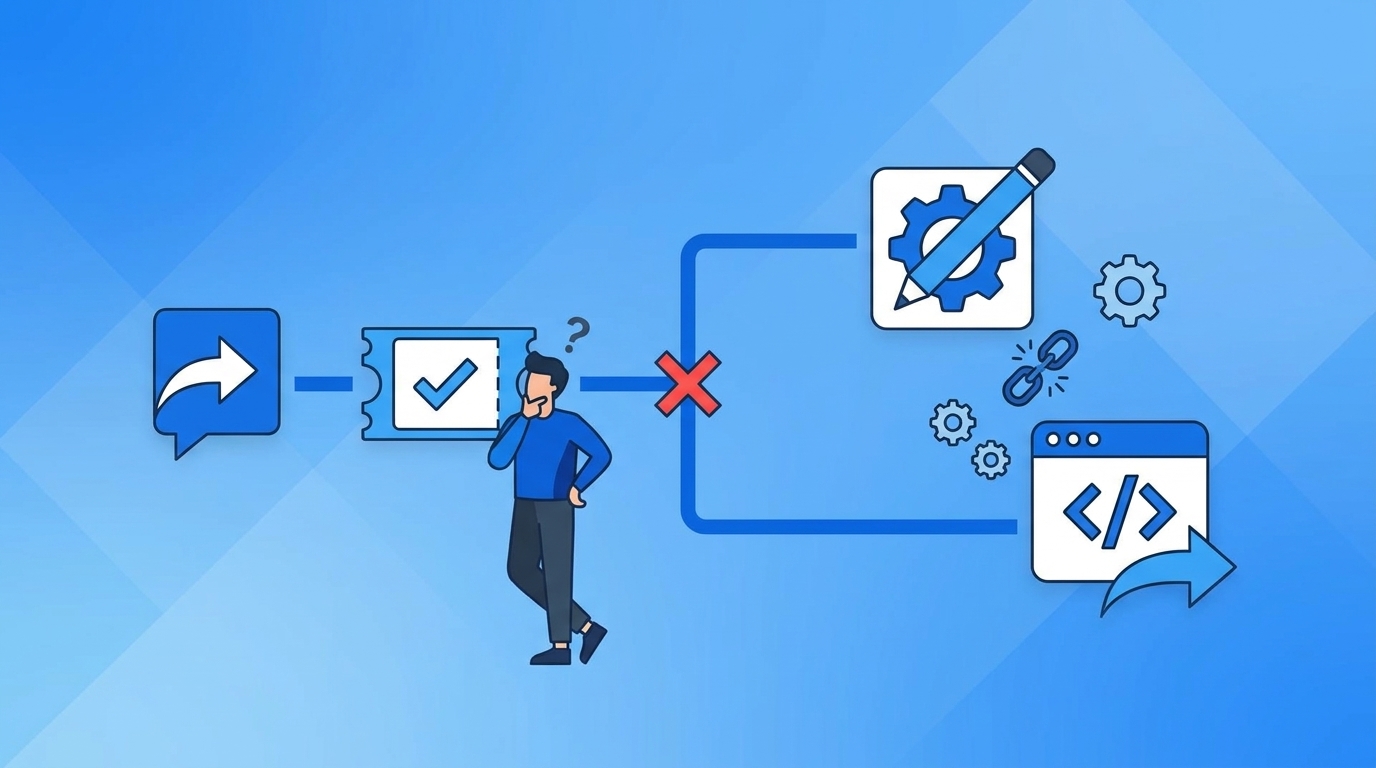
The Ticket Looks Clean, But The Work Is Scattered
At 9:12 AM, a new sales hire submits a Jira ticket for access to Salesforce, Gong, and a shared Google Drive folder. The ticket looks totally fine, Clean request, Good description, and maybe even the right manager selected. Then the real work starts, because IT still has to figure out which group maps to which role, whether the manager actually approved it, and whether the app owner needs to weigh in.

I've seen this movie before in a bunch of ops workflows. The system of record looks organized, but the operating work is happening in side channels. Someone approves in Slack, someone else adds the user to a group, and someone comments "done" in Jira. A month later, no one can easily prove who approved what and why. That's the annoying part.
The access workflow becomes like a receiving dock with four clipboards. One clipboard has the request, one has the approval, one has the inventory change, and one is supposed to prove the shipment happened. Each individual clipboard makes sense. Together, they create a process where everyone has to walk around asking who touched what last.
If you're living in that world, the next step is to pull the request, approval, and provisioning path into one record. If that gap sounds familiar, Learn more about Multiplier in the context of Jira-based access work, because the point isn't another portal. The point is getting the actual workflow under control.
Growth Turns Small Access Gaps Into Daily Backlog
A 20-person company can get away with manual access work for a while. The IT person knows everyone. The apps are obvious. Approvals happen fast because the company is still small enough that you can tap someone on the shoulder. Honestly, that's why manual access processes survive longer than they should.

At 200 people, the pattern changes, New hires come in batches, Departments create their own app stacks, Managers don't always know which role someone needs, and App ownership gets fuzzy. By 500 people, your queue isn't just access requests anymore. It's onboarding, transfers, offboarding, license cleanup, access reviews, and random "can you add me to this group?" messages that never should have been messages in the first place.
Synthesia is a good example. They grew from 100 to over 400 employees in two years, and access was being tracked through Slack channels and Notion boards. Not because the team was bad. They were growing fast, and the old process couldn't keep up. They later processed 3,800+ access requests in a year, with 75% fully automated, while a 4-person IT Ops team supported 420+ employees.
That number matters because it shows the real leverage. You don't fix manual access processes by asking IT to work harder. You fix them by taking repeatable requests and turning them into a governed workflow.
Audits Expose The Process You Actually Have
Audits don't care that the access request got done. They care whether you can prove who requested it, who approved it, what changed, when it changed, and whether access was removed when it should've been. That's where a lot of teams get exposed. The work happened, but the evidence is scattered.
Security teams know this pain well. You spend the quarter trying to keep access moving, then audit season arrives and suddenly everyone is rebuilding the story. Screenshots, CSV exports, Jira comments, and Slack threads. Spreadsheets with tabs named "Final Final." It's not great.
Fair point, spreadsheets can work for a smaller company with a narrow app stack and low compliance pressure. If you only review 10 apps once a year, you can probably muscle through it. The problem shows up when access changes every day and reviews happen across dozens of apps. At that point, the audit trail needs to be a byproduct of the workflow, not a separate project.
That's the reframe: the access problem isn't that people request too much. The real problem is that the system doesn't preserve the decision and the change in one place.
How To Replace Manual Access Processes With A Governed Workflow
A governed access workflow connects request intake, approval, provisioning, expiry, and evidence into one operating path. Instead of asking IT to remember every handoff, the process defines what happens based on app, role, risk, requester, and identity provider group mapping. That's where access starts to scale.
Start By Separating Request Types By Risk
Not every access request deserves the same process. A viewer role for a low-risk marketing tool shouldn't move through the same approval path as production database access. When teams treat every request the same, two bad things happen. Low-risk requests get slowed down, and high-risk requests don't get enough attention because the queue is full of noise.
The simplest diagnostic is to pull 30 days of access tickets and sort them into three buckets. First, requests that could be auto-approved because they're low risk and common. Second, requests that need manager or app-owner approval. Third, requests that should be time-bound because the access is privileged, sensitive, or expensive. Don't overcomplicate it. Just look for patterns.
A good access model usually starts here:
- Low-risk access: common apps, standard roles, auto-approved when the requester matches basic rules.
- Managed access: app-owner or manager approval required before provisioning.
- Temporary access: elevated roles, production tools, sensitive data, or admin permissions with expiry.
- Manual exception access: tools that don't support SSO or need human provisioning, but still need evidence.
The hidden win is focus. Your IT team stops treating every ticket like a fresh investigation. And security gets a cleaner way to say, "Yes, but only for 24 hours," instead of blocking the request or granting standing privilege forever.
Map Roles To Identity Provider Groups Before You Automate
Automation only works when the inputs are clean. If "Admin" means one thing in Jira, another thing in Okta, and something totally different in the app, you're not ready to automate provisioning yet. That's not a tooling problem. That's a mapping problem.
Start with your top 10 requested apps. For each one, define the roles people can request, then map each role to the identity provider group that actually grants access. If you can't identify the group, don't automate that role yet. Put it into a manual exception lane until the mapping is clean. Boring work, but it matters.
The useful test is pretty simple:
- Can a requester pick the app and role without writing a paragraph?
- Does each role map to one or more identity provider groups?
- Does the approval path change based on role risk?
- Can the group assignment be removed later without guessing?
- Does the Jira issue show the request, approval, and outcome?
If the answer is yes to all five, you're close. If the answer is no, don't automate the mess. Fix the mapping first, then automate the path.
Put Approvals Where People Already Respond
Approvals die when they sit in the wrong place. Email approvals get missed. Jira approvals get ignored by people who don't live in Jira all day. Slack approvals get fast responses, but if they aren't tied back to the ticket, you lose the evidence trail. That's the tradeoff.
The better approach is to let people approve where they already work, while keeping Jira as the record. For most teams, that means Slack for the action and Jira for the proof. A manager can approve from a Slack DM, but the decision still updates the Jira issue and triggers the next workflow step. Fast decision. Clean record.
Videoamp saw a version of this during rapid growth. They went from 100 to 500 employees, and new hires would start on Monday, then Tuesday the IT queue filled with access requests. The request volume wasn't the only issue. The team also lacked enough context to act on requests quickly. A self-service app catalog changed that because employees selected sanctioned apps and roles up front, instead of dropping vague asks into the queue.
For a practical rule, if an approval waits more than 24 hours for a standard business app, the approval channel is probably wrong. If it waits more than 4 hours for privileged access during an incident, the process is actively working against the business. That's where chat-based approval tied to Jira starts to make a lot of sense.
The access workflow should feel boring. Request, approve, provision, record. If your team wants to see that pattern in a Jira-native setup, See how Multiplier works from the approval through provisioning flow.
Make Temporary Access The Default For Risky Roles
Standing privilege is easy to grant and hard to clean up. That's why it spreads. Someone needs access during an incident, the request gets approved, the group gets assigned, and then everyone moves on. Three months later, that person still has access because no one owns the cleanup.
Temporary access changes the conversation. The question stops being, "Should this person ever have access?" and becomes, "How long do they need it?" That sounds small, but it's a major shift. Most privileged access doesn't need to be permanent. It needs to be available when there's a valid reason, then removed when the work is done.
Stavvy is a strong example here. After funding and acquisitions, they needed to reduce long-lived privileged access while keeping work moving. With time-bound access, they reduced privileged access by 85% and had 1,300+ access requests automatically revoked after approved windows. That's the part most teams miss. The revocation matters as much as the grant.
A simple threshold works well: if access gives admin rights, production access, sensitive customer data, or broad financial access, make it time-bound by default. Start with 1 hour, 6 hours, and 24 hours as standard windows. If someone needs longer, they can request it. But don't make permanent the default.
Build Audit Evidence Into The Workflow
Audit readiness shouldn't be a quarterly scavenger hunt. If every access request creates a Jira issue, every approval updates the issue, every provisioning action writes back to the issue, and every revocation is captured on the same record, you don't need to rebuild the story later. The story already exists.
The useful standard is whether an auditor can answer five questions from one record. Who requested access? Who approved it? What role was granted? When was it granted? When was it removed or reviewed? If answering those questions requires Slack search, screenshots, and a spreadsheet, your evidence model is broken.
Access reviews should follow the same logic. Instead of exporting users into a spreadsheet and asking app owners to rubber stamp it, run the review where the access work already lives. Show the reviewer the user, app, group, job title, department, and last login context. Then make the decision actionable. Keep or revoke. Not "please update column H and email it back."
There's a real concession here. Some compliance teams like spreadsheets because they feel flexible. And they're not wrong. Spreadsheets are easy to shape around an auditor's request. But flexibility becomes a cost when the same spreadsheet is also your control system. The stronger approach is to keep the workflow structured, then export the evidence when needed.
Review Usage Before You Buy More Licenses
Manual access processes don't just create security risk. They waste SaaS spend. Someone gets a license during onboarding, stops using the tool after a project ends, and the license stays assigned because no one has time to check. Multiply that across dozens of apps and it becomes real money.
The counterintuitive part is that license cleanup is really an access governance problem. Finance sees wasted spend, IT sees stale access, Security sees unnecessary privilege, and Same root cause. Access was granted, but no operating loop exists to check whether it's still needed.
A good usage review starts with three signals:
- Last login: no activity for 30, 60, or 90 days, depending on the app.
- Role risk: admin and editor roles should be checked sooner than viewer roles.
- Business exception: executives, contractors, or break-glass users may need exclusions.
If a user hasn't logged in for 30 days, warn them before removing access. If they still don't use it after the grace period, reclaim the license and write the action back to the ticket. That creates a cleaner process than quarterly spreadsheet cleanup, and it makes SaaS waste harder to ignore.
How Multiplier Turns Jira Into The Access Control Layer
Multiplier turns Jira Service Management into the access control layer by connecting intake, approvals, identity provider group changes, and audit evidence inside the same workflow. Employees request access through Jira or Slack, approvals route to the right person, and approved requests can trigger group-based provisioning through Okta, Entra ID, or Google Workspace.
Provisioning Through Identity Provider Groups
Multiplier is strongest when roles in the app catalog map to identity provider groups. An employee selects the app and role in the Jira-native catalog, the request creates a Jira issue, and the approval workflow routes to the manager, app owner, or a specific user. Once the issue reaches the approved status, Multiplier calls the identity provider to add the user to the mapped group.

That matters because the change is authoritative. IT isn't copy-pasting from a ticket into the identity provider and hoping they picked the right group. The workflow drives the change, and the Jira issue captures the outcome. For SSO apps, the identity provider group can push the entitlement through the normal SAML or SCIM path. For non-SSO apps, teams can still capture the request and approval trail, even if provisioning stays manual.
The real difference is the link between action and evidence:
- Application Catalog: employees request sanctioned apps and roles in JSM or Slack.
- Approval Workflows: managers, app owners, or named approvers decide in Jira or Slack.
- Automated Provisioning: approved requests add or remove users through identity provider groups.
- Time-Based Access: temporary access can auto-revoke when the window expires.
- Jira Evidence: request, decision, provisioning status, and revocation stay tied to the issue.
If your biggest cost is the back-and-forth between Jira and the identity provider, Multiplier removes the swivel-chair work. Not by bypassing governance. By making governance the path.
Reviews, Revocations, And Exportable Evidence
Multiplier also brings access reviews into Jira, which is where the audit story gets much cleaner. Admins create review campaigns, select approved applications, assign reviewers, and give them context like user attributes, groups, last login, and recommendations. Reviewers mark Keep or Revoke, and revocations can remove users from the relevant identity provider groups.
That closes the loop. The same system that captured the original access request can also capture the periodic review and the removal. For teams dealing with Vanta evidence or auditor requests, CSV exports from review campaigns are a lot cleaner than rebuilding access history from screenshots. And if the issue is stale access, Auto Reclaim can identify inactive users from identity provider login data, warn them, and revoke access after the grace period if they stay inactive.
Multiplier isn't magic. If an app doesn't have accurate identity provider telemetry, license reclamation won't be perfect. If access was granted manually outside SSO, automatic revocation depends on whether the entitlement is tied to an identity provider group. That's a real limitation. But it also proves the bigger point: the more access you route through Jira and identity provider groups, the easier it is to govern.
Manual access processes fail because they separate the work from the evidence. Multiplier brings them back together, and if you're ready to replace that fragmented path, Get started with Multiplier from the workflow you already trust in Jira.
Make Access Work Where The Work Already Happens
The access process most teams need is not another place to log in. It's a better operating model inside the tools already running the work. Jira handles the request, Slack handles fast decisions, the identity provider handles the actual access change, and the ticket holds the proof.
When those pieces are split apart, IT becomes the glue. That's expensive. It creates delays, missed revocations, stale licenses, and audit cleanup nobody wants to own. When those pieces work together, access becomes repeatable. And repeatable is the whole game.
Identity governance belongs in Jira because that's where the access work already starts. Put the workflow there, connect it to the identity provider, and let audit evidence build as the work happens. That’s how you stop managing access like a queue and start running it like a system.
Frequently Asked Questions
How do I automate access requests in Jira?
To automate access requests in Jira, you can use Multiplier's Application Catalog. Start by embedding the catalog into your Jira Service Management (JSM) portal. Employees can browse sanctioned applications, select roles, and submit requests directly through JSM or Slack. Once a request is made, Multiplier handles the approval workflow and provisions access automatically through your identity provider, like Okta or Google Workspace. This setup keeps requests organized and ensures that all requests are logged for audit purposes.
What if I need to revoke access quickly?
If you need to revoke access quickly, Multiplier's Time-Based Access feature can help. When submitting a request, you can set a duration for access (like 1, 6, or 24 hours). Once the time expires, Multiplier automatically removes the user from the mapped group without requiring manual follow-up. This ensures that access is only granted when necessary and reduces the risk of standing privileges. If you need to extend access, you can do so without re-approval, making it easier to manage urgent access needs.
Can I track access reviews in Jira?
Yes, you can track access reviews in Jira using Multiplier's Access Review feature. Admins can create review campaigns directly within JSM, selecting the applications to be reviewed and assigning reviewers. Reviewers can easily mark access as 'Keep' or 'Revoke' based on user activity and context provided by Multiplier. This process eliminates the need for spreadsheets and ensures that all decisions and changes are documented in Jira, providing a clear audit trail for compliance purposes.
When should I consider using time-bound access?
Consider using time-bound access for roles that require elevated permissions, such as admin roles or access to sensitive data. By default, these roles can be set to expire after a specified duration (like 1 hour or 24 hours), which minimizes security risks associated with standing privileges. This maintains least privilege and keeps access available only when there's a reason. If a user needs longer access, they can request an extension, keeping security tight without slowing things down.


