


Manual access waste adds up fast. If you have 400 employees and even 15 percent of your SaaS licenses are sitting idle, you're not dealing with a small cleanup issue. You're carrying a budget leak that compounds every month.
A lot of teams think user access problems are mostly about approvals and audit risk. That's part of it. But one of the most common challenges in user access management is much simpler: nobody has a clean operational way to remove what people no longer use.
You see it all the time. Someone joins, gets 12 apps on day one, switches teams six months later, and keeps half of them. Another person needs elevated access for a production issue, gets it, solves the problem, and still has it weeks later. Then finance asks why software spend keeps climbing and IT has to reverse-engineer the answer from Slack threads, Jira tickets, and Okta groups.
Key Takeaways:
- Common challenges in user access management usually come from fragmented operations, not missing policy documents.
- If access lives across Jira, Slack, email, spreadsheets, and an external governance portal, delays and waste are almost guaranteed.
- The 30-30-1 rule is a good baseline: review inactive licenses after 30 days, notify for 30 more, then reclaim automatically.
- Least privilege only works when expiry and revocation are built into the workflow.
- Login activity is one of the few signals finance, IT, and security can all use without argument.
- High-growth teams should separate standard access, elevated time-bound access, and inactive license cleanup into different workflows.
- Tools matter later. Operating model matters first. If you want to see what that looks like in Jira and Slack, Learn more about Multiplier.
Why Common Challenges in User Access Management Keep Coming Back
Common challenges in user access management keep repeating because most companies split the work across too many systems. Jira handles the ticket. Slack handles the nudge. The identity provider handles the group. Someone exports evidence for the auditor. Someone else keeps a spreadsheet for app owners. Nothing is technically broken. But the whole thing is broken.
The real bottleneck is the ITSM and IGA split
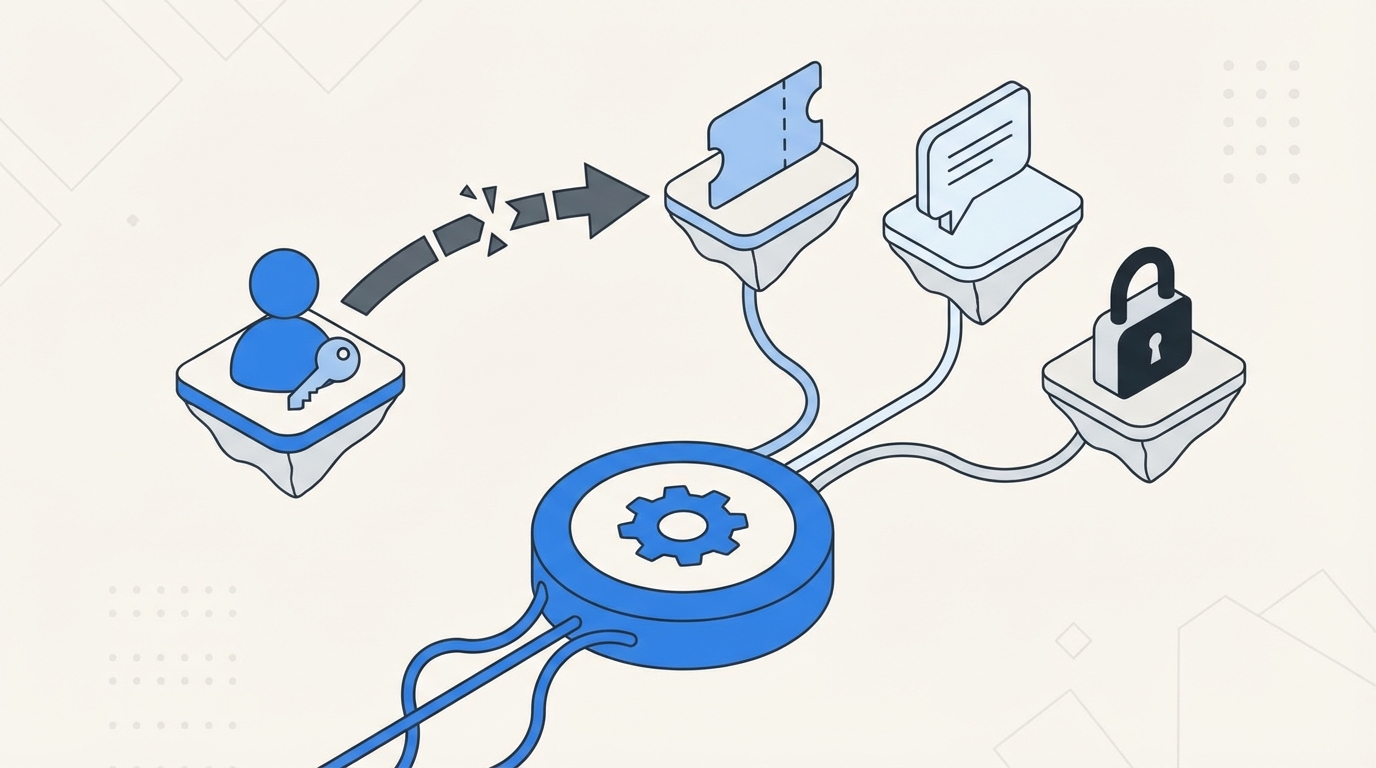
The surface complaint is usually slow approvals. Or too much manual work. Or messy audits. The deeper issue is that governance and service delivery got separated. One system is where work starts. Another is where policy lives. A third is where changes happen. That's why common challenges in user access management never stay small.

Think about a normal Wednesday. A product manager asks for access in Jira at 9:12 AM. Their manager approves in Slack around lunch. IT sees it at 3:40 PM, adds the user to the right group in the identity provider, leaves a comment in the ticket, and forgets to set an expiry. At quarter end, someone asks who approved it, when it was granted, whether it was still needed, and why the license is still active. Now four people are reconstructing a decision that should have been obvious from the start.
I think this is where a lot of teams get tricked. They assume more policy fixes the problem. Usually it doesn't. Policy without operational enforcement just creates a nicer document describing the same mess.
Manual cleanup creates both security risk and SaaS waste
One of the overlooked common challenges in user access work is that standing access and unused licenses are really the same operational problem. You granted something. You never cleaned it up. Security sees excess privilege. Finance sees wasted budget. Same root cause.

A fintech team dealing with rapid growth had access requests coming through Slack, email, and Jira, with admins manually assigning Okta groups. That kind of setup doesn't fail all at once. It leaks. Five minutes here. Twenty minutes there. A missed approval. An orphaned license. Then suddenly your team spends hours each week doing clerical work that shouldn't exist.

To be fair, the old way has a logic to it. Teams use separate tools because they inherited them. Jira for service. Slack for communication. Okta or Entra for enforcement. Spreadsheets for whatever fell through the cracks. That's a reasonable starting point. It's just not a scalable one.
The emotional cost is real, even if nobody says it out loud
Access work gets tiring in a very specific way. Not dramatic. Just constant. You chase approvers, answer the same questions, fix the same mistakes, and still feel one audit request away from a bad week.
And that low-grade friction changes behavior. People start overprovisioning because it's faster. Managers stop caring about clean revocation because the process is annoying. IT gets blamed for delay when the real problem is the design.
The fix isn't more reminders. It's a different operating model.
A Better Operating Model for Common Challenges in User Access Management
The best way to handle common challenges in user access management is to split the problem into three lanes: standard access, elevated temporary access, and inactive license cleanup. Different risks. Different rules. Different automation. If you run all three through the same vague workflow, you'll stay stuck.
Start with a diagnostic, not a tool purchase
Before you buy anything, figure out which kind of user access problem you really have. I use a simple framework for this: the 3 Buckets Test. Bucket one is delay. Bucket two is standing privilege. Bucket three is waste. Most teams have all three, but one is usually driving the pain.
Ask yourself:
- Are employees waiting more than 24 hours for low-risk app access?
- Do users keep admin or elevated access longer than the work requires?
- Are you paying for licenses tied to people who haven't logged in for 30 days or more?
- Can you prove who approved access and when it was removed without digging through multiple tools?
- Do audits trigger spreadsheet work?
If you answered yes to three or more, your issue isn't isolated. Your access model is fragmented. If your strongest yes is around delays, fix intake and approvals first. If it's standing privilege, fix time-bound access first. If it's wasted budget, go after inactive license reclamation first. That's the rule. One dominant pain gets the first workflow.
A high-growth AI company ran into this during a 4x headcount stretch. Requests lived in Slack, tracking lived in Notion, and provisioning stayed manual. The result wasn't just backlog. It was missed notifications, inconsistent follow-through, and IT getting dragged into routine access work all day long. Once standard requests were automated, 75 percent of access requests were fully automated. That's not a small improvement. That's a different operating model.
Build separate rules for standard access and elevated access
Standard SaaS access and elevated access should never be treated the same. This sounds obvious, but a lot of teams still run both through one approval logic. Then they wonder why everything is either too slow or too loose.
For standard access, the benchmark I like is this: if the app is approved, the role is mapped, and the approver is known, fulfillment should happen with no manual provisioning step. If it takes an admin touching the identity provider for every normal request, the workflow is still immature.
Elevated access is different. This is where the 1-6-24 model works well. Give requesters a duration choice of 1 hour, 6 hours, or 24 hours. If the work genuinely needs longer, make them request longer. Not everyone agrees with forcing explicit duration selection because it can add friction. Fair point. But the friction is useful. It forces intent, and intent is what keeps privilege from becoming permanent.
A good example is privileged access in fintech. One team reduced privileged access by 85 percent and automatically revoked more than 1,300 requests after approved windows. What changed was not a better spreadsheet. It was time-bound control with automatic expiry. That's the big shift. Least privilege stops being a policy aspiration and becomes an enforced workflow.
Use the 30-30-1 rule for license waste
License waste usually gets treated like a quarterly finance cleanup. That's too late. The better model is operational. I call it the 30-30-1 rule.
Thirty days inactive: flag the user. Thirty more days with warning: notify and give them a chance to log in. One automatic action: reclaim access if inactivity continues.
This works because it creates a clean threshold and a clean consequence. No endless debate. No giant once-a-quarter review session where everyone argues over edge cases. If login data says the user hasn't touched the app, and they're not in an excluded group, the system should move.
Some teams will say login telemetry isn't perfect. That's true. It depends on accurate identity provider data, and not every app gives you the same signal quality. That's a real limitation. But imperfect activity data with an explicit grace period is still better than blind spend with no enforcement.
What's interesting is how this changes cross-functional conversations. Finance likes it because it ties directly to spend. IT likes it because it cuts manual follow-up. Security likes it because unused access disappears. Same workflow. Three wins.
If you want a simple trigger, use this rule: if an app has material license cost and 30-day inactivity is visible from the identity provider, automate reclamation. If telemetry is weak, route those apps into review campaigns instead of full automation.
Run reviews with usage context, not memory
Quarterly access reviews often fail because reviewers are asked to judge access from memory. That's absurd when you think about it. Someone gets a spreadsheet with names and apps, maybe a title, maybe not, and they're supposed to make a clean revoke-or-keep decision. Of course they rubber-stamp it.
The better way is usage context first. Last login. Group membership. Department. Role. Then a recommendation. When you do that, the review becomes an actual decision instead of clerical theatre.
I've seen teams wait too long to fix this because they think reviews are just a compliance event. They're not. Reviews are one of the fastest ways to expose where your access model is sloppy. If the same stale accounts show up every quarter, you don't have a review problem. You have a cleanup problem upstream.
And this is where the pieces connect. Time-bound access reduces future review volume. Automated reclamation removes obvious waste before certification cycles. Standardized request flows give you cleaner records. Reviews become tighter because the rest of the system got tighter.
That leads to the real question: how do you make this operational without bolting on one more portal?
What a Jira-Native Access Model Looks Like in Practice
A Jira-native access model puts requests, approvals, provisioning, and evidence in the same operational thread. That's what removes a lot of the common challenges in user access management. You stop passing context between tools and start letting the workflow carry the context for you.
Keep intake and approvals where people already work
One reason adoption fails is simple. You ask employees to use one more portal. They don't want another portal. They want to request access in the places they already use.
That's why the intake layer matters more than people think. When employees can browse sanctioned apps in a Jira-native catalog, or request access in Slack, the process gets cleaner right at the start. The request includes the app, the role, and if needed, the duration. You don't burn cycles clarifying basics.
A team growing from 100 to 500 employees ran into this hard during onboarding. New hires got the basics, then flooded IT with extra requests on Tuesday. Every week, same movie. Once the self-service catalog was in place, they cut the back-and-forth and lowered resolution time because the request came in structured, not vague.
This is also why identity governance belongs in Jira in the first place. The service desk already owns intake, SLAs, and tickets. Pulling governance into that same flow reduces context switching before the real work even starts.
Provision through the identity provider or don't call it automation
A lot of teams say they automated access, but what they really did was automate notifications. That's not the same thing. If a human still has to copy the request into the identity provider and add the right group, the weak spot is still there.
Real automation means the approved request maps to the right identity provider group and the change happens from the workflow. If the role isn't mapped, fix the role mapping. If the approval logic is messy, fix the approval logic. But don't pretend a faster handoff solved the root problem.
This is where the market gets a bit weird. Some organizations buy policy-heavy governance tools and then keep manual provisioning steps because the operational plumbing never got finished. So they have more controls on paper, but day-to-day work is still slow and error-prone. That's why I keep coming back to the same contrarian point: automation-first least privilege beats policy-heavy approaches without operational enforcement.
If standard requests are low risk and repetitive, automate them. If elevated access is higher risk, time-box it. If usage shows inactivity, reclaim it. That's the system.
Treat audit evidence as an output, not a project
Audit evidence should fall out of normal work. It shouldn't become a separate project at quarter end. If your team is taking screenshots, stitching together approvals from Slack, and exporting spreadsheets to explain what happened, the process is telling on itself.
This matters more than people admit because audits eat time twice. First during the audit. Then after, when everyone promises to "tighten process" and ends up adding more manual checkpoints. The cycle repeats.
A cleaner model is one record that ties request, approval, grant, and revoke together. Then evidence isn't reconstructed. It's already there. Honestly, that's the part many teams don't realize they need until they go through one ugly audit cycle.
The other benefit is practical. When evidence lives with the workflow, your IT team doesn't have to become historians.
How Multiplier Cuts Waste Without Adding Another Portal
Multiplier works best when you already know the operating model you want. It doesn't magically fix broken access logic. What it does is make the good model executable inside Jira Service Management and Slack, with the identity provider doing the authoritative group changes.
Multiplier centralizes the request and approval flow inside Jira and Slack
Multiplier gives teams a Jira-native Application Catalog so employees can request sanctioned apps and roles through JSM or Slack. That matters because one of the most common challenges in user access management is messy intake. If requests come through five channels, the process is going to fail somewhere.
Approval Workflows keep decisions in Jira and Slack instead of pushing people into a separate governance portal. Admins can route approvals to managers, app owners, or specific users. Once the right person approves, the Jira issue moves forward with a clean system of record. For teams already living in Atlassian, that's a huge advantage. You don't have to retrain the company on a whole new place to do access work.
Multiplier also has a Slack App, which lets employees request access and lets approvers act from Slack while Jira stays the source of truth. That's important. Chat can speed up approvals, but chat alone usually weakens governance. Here, the Slack action still ties back to the Jira issue, so the evidence stays intact.
Multiplier automates provisioning, expiry, reviews, and reclamation
Multiplier handles Automated Provisioning through identity provider groups, which means approved access can trigger the actual group change in Okta, Entra ID, or Google Workspace. That removes the manual provisioning step that slows teams down and creates mistakes. It provisions through identity provider groups, not directly inside each SaaS app, and that boundary matters.
For elevated access, Multiplier supports Time-Based Access. Users can request a duration like 1, 6, or 24 hours, and once approved, access is granted and then automatically removed when the timer expires. That's how you reduce standing privilege without forcing IT to remember cleanup later.
For cleanup and cost control, Multiplier includes Auto Reclaim on the Advanced edition. It uses real login activity from the identity provider, lets admins define inactivity thresholds, grace periods, and exclusions, warns users, and then automatically revokes access if they remain inactive. A Jira ticket documents the removal. That's the cost story finance actually cares about: not vague efficiency, but licenses reclaimed based on real usage.
Multiplier also supports Access Reviews inside JSM with usage context like last login, group membership, job title, and department, plus recommendations. Reviewers can keep or revoke access, and revocations execute through the workflow. So the quarterly review isn't a spreadsheet memory test anymore.
If your team wants to cut SaaS waste, tighten least privilege, and keep the workflow inside the tools people already use, Get started with Multiplier.
The Common Challenges in User Access Management Don't Stay Small
Common challenges in user access management look operational at first. A few slow approvals. A few stale licenses. A few manual reviews. Then headcount grows, SaaS spend rises, and the little cracks turn into system-level drag.
The teams that get ahead of this stop treating access as scattered admin work. They design for three things up front: structured requests, time-bound privilege, and automatic cleanup based on real usage. That's when user access stops being a backlog factory and starts becoming a controlled system.
If your current setup still depends on Jira for intake, Slack for chasing, the identity provider for execution, and spreadsheets for memory, you already know where this is heading. The next step isn't more policy. It's fewer handoffs and more enforcement in the workflow itself.
Frequently Asked Questions
How do I set up automated access requests with Multiplier?
To set up automated access requests with Multiplier, follow these steps: 1) Install the Multiplier app in your Jira Service Management (JSM) instance. 2) Configure the Application Catalog to display approved applications for employees to request access. 3) Map roles to identity provider groups for automated provisioning. Once set up, employees can request access directly through JSM or Slack, streamlining the process and reducing manual work for IT.
What if I need to revoke access for inactive users?
If you need to revoke access for inactive users, you can use Multiplier's Auto Reclaim feature. First, set inactivity thresholds (like 30 days) and grace periods for notifications. When a user exceeds the threshold, Multiplier will notify them to log in. If they remain inactive after the grace period, their access will be automatically revoked, and a Jira ticket will document the removal. This helps manage SaaS spend effectively.
Can I track access requests in real-time?
Yes, you can track access requests in real-time with Multiplier. When employees submit requests through the Application Catalog in JSM or Slack, a Jira ticket is created automatically. You can view the status of these tickets, including approvals and provisioning actions, directly in Jira. This centralized tracking helps ensure that all access requests are visible and manageable.
When should I conduct access reviews?
You should conduct access reviews regularly, ideally quarterly, to ensure compliance and security. With Multiplier's Access Reviews feature, you can create campaigns that automatically pull in users and their access details. Reviewers can see last login dates and group memberships, making it easier to decide whether to keep or revoke access. This structured approach helps maintain a clean access environment and reduces the risk of overprovisioning.
Why does my team need time-based access?
Time-based access is crucial for minimizing security risks associated with elevated privileges. With Multiplier, users can request temporary access for specific durations (like 1, 6, or 24 hours). After the time expires, access is automatically revoked, which helps prevent standing privileges and reduces the chance of unauthorized access. This approach is especially useful during high-stakes situations where immediate access is needed but should not be permanent.


