


If you want failure-resistant access automation in production, you can’t treat errors like surprises. You engineer for them. I’ve sat in those 2 am war rooms. Alarms firing. Slack threads exploding. Half-applied changes nobody can trace. The fix isn’t more heroics. It’s boring, predictable plumbing that absorbs failure and still leaves you with clean evidence.
The playbook below is what I wish we’d had years ago. Classify failures before you see them. Make every write idempotent. Retry with guardrails. Automate compensations. And always, always tie the request, the approval, and the side effects back to the same Jira issue. You keep automation on, avoid audit gaps, and stop tickets from piling up.
Key Takeaways:
- Treat provisioning errors as routine, not edge cases, and measure by error class, not a single pass or fail
- Make every write safe to replay with request tokens, postchecks, and verified no-ops
- Use a failure taxonomy with deterministic actions so alerts drive behavior, not noise
- Cap retries with jitter and record the reason and next attempt on the ticket
- Automate compensations and prove them in the same record that authorized the change
- Tie request, approval, side effects, and expiry to one Jira issue so audits run on reports, not screenshots
Stop Treating Provisioning Errors As Edge Cases In Failureresistant Access Automation
Provisioning errors are normal in real systems. APIs time out, identity providers drift, and eventual consistency hides partial writes. You need to plan for these conditions and capture evidence in the same place work happens. Microsoft’s guidance on Failure Mode Analysis says it plainly, design for faults, not sunny-day paths.
The overlooked truth about error rates
Provisioning errors aren’t rare, they’re steady. In any stack, you’ll see transient timeouts, permission mismatches, and stale group mappings. If you only track a global success rate, you won’t see which class is driving the pain. That’s how the same “random” bug turns into three quarters of your queue without anyone noticing. I’ve watched teams ship fixes that never hit the real root cause because the logs were too coarse.
Start by tagging outcomes at the moment they happen. Transient, permanent, or semantic drift. Then make a report that shows counts, median time to recovery, and who touched what. It sounds basic. It changes behavior immediately. People stop saying “it flakes sometimes” and start asking why semantic errors doubled last week.
Once you can see classes, you’ll adjust your process. Transient errors get smarter backoff. Permanent errors get better forms and validation. Semantic drift gets a weekly cleanup job. Your queue stops feeling like a slot machine.
Why automation amplifies bad failure handling
Automation runs faster than humans, which means it can multiply mistakes just as fast. A blind retry that isn’t idempotent becomes a duplicate license. A rollback that isn’t scoped becomes an unintended revocation. The fix is boring and safe. Build guardrails first, speed second. The pipeline should prefer verified no-ops over double-provisioning, and it should record what happened on the originating ticket.
You don’t need fancy tech to start. Prechecks confirm the side effect doesn’t already exist. Postchecks confirm the side effect does exist after the write. If either check fails, you capture the result on the issue and flip to a compensation step. Everyone sees the same state because it lives in one place.
Governance belongs where work happens. Requests, approvals, and provisioning events should live on the same record so your evidence writes itself as people do the work. That’s how least privilege scales without creating a ticket backlog.
What goes wrong when you assume success by default?
Assuming success leads to skipped verification. No precheck, no postcheck, and no plan for partial failure. The result is noisy queues, frustrated agents, and auditors who get a folder of screenshots nobody fully trusts. Flip the assumption. Budget for jitter and retries. Verify inputs before the write. Verify side effects in the identity provider after the write. Then write artifacts to the Jira issue so every actor sees the same truth.
One small change goes a long way. Add a “Provisioning outcome” section to your ticket template. Include attempted action, side effect target, timestamp, result, and next step. It removes debate and shortens MTTR because nobody has to reconstruct history from chat logs.
And if you’re looking for a reference pattern, Microsoft’s Failure Mode Analysis is a solid primer on designing for faults.
Failureresistant Access Automation Needs A Failure Taxonomy And Idempotency
A usable failure taxonomy turns chaos into a checklist. Classify errors by how they recover, then wire each class to one action. Idempotency takes it further. Every write can be replayed safely, so retries don’t create duplicates. The combination is simple, repeatable, and aligns perfectly with Failure Mode Analysis.
Classify failures: transient, permanent, semantic
A taxonomy isn’t theory, it’s control. Transient errors recover with retries. Permanent errors need human input or config fixes. Semantic errors reveal drift between your intended state and the identity provider’s state. Tag each at the point of detection, not at the end of the day, and make the tag visible on dashboards.
Operationally, you wire each class to a deterministic path. Transient, retry with exponential backoff and jitter, capped attempts. Permanent, open a diagnostic-rich ticket with a clear owner and checklist. Semantic, trigger a drift-correction workflow. The point is to stop debating “what now” for the same failure type over and over.
Two side effects happen quickly. Alert fatigue drops because alerts route by class. And postmortems improve because you’re reviewing patterns, not one-offs. That’s how teams get out of fire drills.
Design idempotent actions and request-level deduplication
Idempotency is the line between safe automation and chaos. If a call can be replayed without changing the outcome, retries become cheap insurance. Use a request token or operation ID that’s stored on the Jira issue and passed with the identity provider call. Before acting, check whether the side effect already exists. If it does, record a verified no-op and move on.
You’ll want a short-lived dedupe cache keyed by user, app, role, and the token to stop parallel runs from colliding. It doesn’t need to be fancy. It just needs to be unique per intent. And it should be visible. Debugging race conditions is miserable when the keys are opaque.
This is where mapping matters. Each application role should map to one or more identity provider groups. If the mapping is clear and the token travels with the request, replay safety becomes a habit, not a hope.
How do you prove an operation already ran?
You prove it with evidence you can query. Store the operation ID, the target group, and a timestamp in the ticket comment. Keep a lightweight audit table if you need quick lookups. On retry, check that evidence plus the identity provider. If both agree, skip the call, mark idempotent success, and keep moving.
That proof matters more than you think. It cuts noise in logs, it shortens investigations, and it makes audits uneventful. Reviewers stop arguing over screenshots because the record answers who requested access, who approved, what changed, and when it expired.
If you’ve ever dug through email and chat to rebuild approvals, you know why this matters. Evidence attached to the issue removes guesswork.
The Cost Of Failureresistant Access Automation Done Wrong
Bad failure handling is expensive. You pay in retries, rework, and missing evidence. You also pay in trust. Leaders lose confidence when they can’t see whether least privilege holds. The fix is to quantify costs with simple math, then set targets you can defend. Microsoft’s [Failure Mode Analysis] is a good reference if you want to anchor your numbers.

Quantify the waste: retries, rework, audit noise
Let’s pretend you process 1,000 requests monthly with a 6 percent raw failure rate. Without idempotency, 40 percent of those failures become duplicate grants that take 12 minutes each to undo. Another 30 percent turn into missing audit links that take 15 minutes to reconstruct. You’re staring at 120 to 150 hours per month burned on preventable rework and evidence hunting.
That math adds up quicker than people expect. Two engineers spend a full week a month cleaning up avoidable mistakes. While the queue grows. And morale drops. You can argue the exact percentages, but the shape is the same in most shops.
You don’t need a data warehouse to see it. Sample two weeks. Tag the failures. Time the rework. Put the number in front of the team. Behavior changes when the waste is visible.
Incident math: MTTR and risky revocations
Every manual review cycle adds delay and risk. If one manual revocation takes 23 minutes to verify and complete, a spike of 50 partial failures adds roughly 19 hours of MTTR overhead. During that window, least privilege is weaker and license waste grows. Small teams feel this as context switching and fatigue, which then feeds more mistakes.
You can cut that curve with two moves. Make revocations automatic when the signal is clean. And ensure the proof lands on the same ticket that authorized the change. Auto-created tickets for removals aren’t a luxury. They’re how you avoid arguing with an auditor three months later.
In my experience, the moment you automate a single revocation flow end to end, the rest of the process starts bending toward it. People see the time you get back.
Set SLOs that make failures actionable
SLOs force clarity. Define them for provision success rate, median time to success, retry saturation, and false-positive revocations. Starting targets can be simple. Ninety nine point two percent request success within ten minutes. Fewer than one percent of requests needing more than one retry. Fewer than zero point two percent unintended revocations.
Tie alerts to error-class thresholds so you don’t wake people up for healthy noise. You don’t need page duty for a single transient timeout. You absolutely want eyes when semantic errors triple in an hour. Class-driven alerts are the difference.
Review the SLOs monthly. They’ll move as your volume and surface area change. The point isn’t perfection. It’s trend and intent.
A baseline you can defend in audits
Auditors don’t need heroics. They want traceability. Link the request, approval, side effects, and expiry to the same Jira issue. If a retry occurred, show the operation ID and the idempotent no-op log. If a rollback executed, show the compensating change and the approver. The time you save here shows up as lower MTTR and fewer escalations.
You’ll also protect your weekends. When evidence is a byproduct of normal work, you stop rebuilding history every quarter. Teams start improving controls instead of printing screenshots.
What It Feels Like When Provisioning Fails In Production
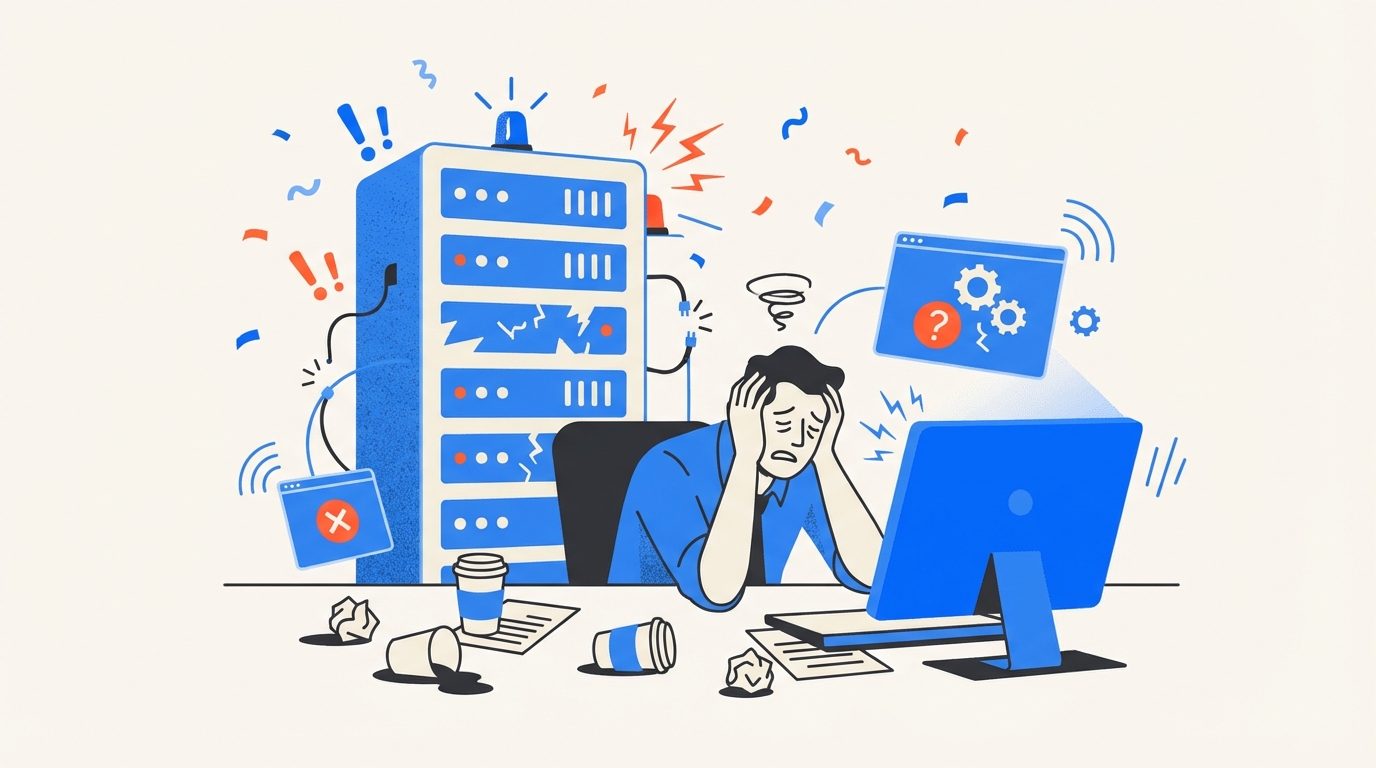
Failure isn’t only math. It’s a feeling. Alarms. Missed context. Guesswork. If you’ve lived through a messy rollback night, you know the cost in attention and energy. Documenting that emotion helps leaders prioritize the fix. If you want a reference for failure categories in operations guides, Accruent’s Failures overview shows how even simple taxonomies reduce confusion.
The 2 am rollback spiral
You know the pattern. A change partially applies. Someone runs a rollback from memory. Another person starts a manual fix. Nobody records which step succeeded. By the time the dust settles, you’ve restored access but lost the evidence. That’s a problem you’ll pay for later.
Write the spiral out of the system. Predefine compensations for each action. Include a rollback checklist in the ticket template. Automate the evidence step so the final state is obvious to anyone who wakes up later. If two steps must run by hand, the template should tell them exactly what proof to capture.
Small detail, big impact. A checkbox that says “Postcheck complete” with a link field beats a thousand words in Slack.
Approver fatigue and rubber stamps
When requests boomerang because automation is noisy, approvers start clicking approve to make the queue smaller. It’s understandable. It’s also a mistake that grows risk. Keep decisions short and informed. Show relevant context in the ticket, route to the right owner, and prove post-approval outcomes. People make better calls when the system shows them impact in one place.
If you’ve got four different systems for request, approval, provisioning, and audit, you’re inviting rubber stamps. Put the decision and the proof together. You’ll feel the difference in a week.
And yes, faster approvals are good. Faster with proof is the bar.
Why does your queue feel endless?
Queues feel endless when each item lacks a deterministic next step. Replace vague statuses with state plus intent. Waiting for retry. Waiting for compensation. Waiting for owner. Use automation to move tickets on state changes, and notify the smallest possible audience.
Momentum reduces perceived load. When people see items flowing, they stop doom-scrolling the backlog. Your SLOs will show it too. Median time to success drops when state is explicit and next steps are encoded.
I’d argue this is the cheapest fix you can ship in a day.
Build Failureresistant Access Automation That Sticks
A resilient pipeline needs four habits. A taxonomy tied to action. Idempotent writes. Bounded retries with jitter. And compensations that are first-class steps, not afterthoughts. Microsoft’s Failure Mode Analysis backs that structure, and it maps cleanly to Jira-driven workflows.
Failure taxonomy with deterministic responses
Codify a map from error class to action. Transient maps to retry with jitter and cap. Permanent maps to a rich-ticket with owner and checklist. Semantic maps to a drift-correction workflow. Store this in code and in documentation. Then make the Jira issue template encode the choice with prefilled fields, so every incident produces the same audit-ready evidence and follow-up.
Two guardrails keep it honest. The template must be short enough that people actually use it. And the taxonomy must evolve as you learn. Set a quarterly review. Kill categories that don’t drive action.
If you’re struggling to start, write five recent incidents on a whiteboard. Classify them. You’ll see the pattern.
Idempotency and request dedupe patterns
Make every action safe to replay. Persist a request token on the ticket and pass it with the identity provider call. Before acting, check the identity provider and the ticket for a matching token and side effect. If found, log an idempotent success and skip. Build a short-lived dedupe cache keyed by user, app, role, and token to stop parallel collisions.
You’ll want visibility into that cache for debugging. A tiny page that shows the hot keys for the last hour pays for itself the first time you chase a ghost duplicate. And keep the mapping between roles and groups close by. Idempotency crumbles if your target drifts under your feet.
If all of that sounds heavy, start with one action. Make group adds idempotent first. Then expand.
Retry and backoff without creating crowds of calls
Use exponential backoff with jitter, and cap attempts per class. For transient API timeouts, try three times across five minutes, then escalate. For rate limit responses, read headers and schedule the next attempt accordingly. Record each attempt on the ticket with the reason and the next run time. When attempts exceed the cap, flip to the fallback path automatically.
One important nuance. Retries should be quiet in healthy ranges and loud when they cross a threshold. Nobody wants a page on the first timeout. You do want a page when retries saturate on a critical app for twenty minutes.
Close the loop by reviewing retry stats weekly. You’ll spot noisy endpoints and fix upstream causes.
Compensation flows and safe rollbacks
Plan for partial success. If license assignment worked but the group add failed, remove the license, then retry the group add under a new token. Treat compensation like any write, with idempotency checks and postchecks. Automate these sequences as separate, named steps so they can be audited and retried independently, and so they don’t mask the original failure.
Document edge cases you found the hard way. That wisdom should live in your templates, not in a veteran’s memory. And make the rollback evidence mandatory. You’ll thank yourself during audits.
Stop when the compensations feel boring. That’s the right level.
Stop chasing approvals. Start publishing faster with Multiplier.
How Multiplier Operationalizes Failureresistant Access Automation In Jira
A Jira-native model makes the right outcome the easy outcome. Multiplier executes provisioning through your identity provider and writes the results to the originating Jira ticket. Requests, approvals, provisioning events, reviews, and revocations are all linked to the same record, so your audit trail builds itself as the work happens. That’s the foundation you need for failure-resistant automation.
Jira-native evidence for every side effect
Multiplier provisions by adding users to mapped identity provider groups when a ticket reaches your configured approved status. The action is logged on the same issue that captured the request and approval, so you can prove who asked, who approved, what changed, and when. If a step fails, Multiplier leaves an internal comment with error details and keeps the ticket open for follow-up.

This is where engineers save time. Instead of digging through email and chat, they see the exact error, the target group, and the state. Your fallback template can trigger without losing context, and Jira automation can route to the right owner based on tags and smart values like application name or department.
The outcome is less rework and fewer escalations. Which is the real goal.
Time-bound access and automated revocations cut false positives
Temporary access windows enforce expiries by policy. When a window ends, Multiplier removes the user from the mapped groups automatically and records the action on the issue. You reduce long-lived privileges, shrink license waste, and avoid false-positive revocations that happen when manual lists are stale. During audits, you export results or push them to tools like Vanta without rebuilding evidence.

Access reviews run as Jira campaigns too. Reviewers see usage context and recommendations in the portal, and revocations execute automatically through the identity provider. The campaign dashboard shows coverage and exceptions in real time, and results export on demand.
Proof beats promises here. You either see the removal on the ticket or you don’t.
Post functions for lifecycle workflows with safe retries
For onboarding or sensitive changes, chain post functions in Jira. Create the user in the identity provider, then add to groups, then assign licenses. Each function logs success or failure on the ticket. If a later step fails, you have the artifacts to compensate safely, for example unassign the license or retry the group add. Jira automation rules can fan out notifications, assign owners, or leave instructions for manual steps when needed.

Approvals don’t have to bounce between tools either. Approvers can decide in Jira or in Slack, and once they do, Multiplier progresses the ticket and triggers provisioning. Tickets auto-close after successful provisioning, which keeps your queue clean and your metrics honest.
3x faster request cycles. That’s what Multiplier delivers when the approvals, the writes, and the evidence stay in one place. See How Multiplier Works
Before you wrap, get specific. If your failure math showed 120 hours a month in rework, the combination of Jira-native evidence, automated revocations, and chained post functions is how you buy that time back. It’s not a promise, it’s the removal of toil you measured.
Want the nuts and bolts mapped to your environment? Get Started With Multiplier
Conclusion
Errors aren’t edge cases in access automation. They’re the default. Teams that win stop pretending otherwise. They classify failures. They make writes idempotent. They retry with caps and record every attempt. They automate compensations. And they anchor all of it in Jira so the request, the decision, and the side effects live together.
I’m biased toward boring, because boring is what scales. Put the taxonomy in code and in templates. Prove side effects with postchecks. Keep the evidence on the ticket. Do that, and you’ll keep automation on, avoid audit gaps, and stop tickets from piling up. That’s the whole point.
Frequently Asked Questions
How do I automate access requests with Multiplier?
To automate access requests using Multiplier, start by integrating it with your Jira Service Management (JSM) instance. First, install Multiplier from the Atlassian Marketplace. Next, connect your identity provider, like Okta or Azure AD, to sync applications and groups. Once set up, you can create an app catalog within JSM where employees can browse and request access to approved applications. When a request is submitted, Multiplier handles the approval workflow and provisions access automatically, reducing manual effort and speeding up the process.
What if my team needs to manage temporary access?
If your team needs to manage temporary access, you can use Multiplier's Just-in-Time access feature. When employees request access, they can specify a duration (e.g., 1 hour or 24 hours). Once approved, Multiplier provisions access and automatically revokes it after the specified time expires. This helps maintain least privilege and ensures that users only have access when they need it, minimizing security risks.
Can I track access review campaigns in Multiplier?
Yes, you can track access review campaigns in Multiplier. To start, create a new access review campaign in the Multiplier interface within Jira. Select the applications to review and assign reviewers for each app. Once the campaign is launched, reviewers will receive notifications and can mark users as 'Keep' or 'Revoke'. Multiplier automatically documents the actions taken and provides a centralized view of campaign progress, making it easier to manage compliance and audit requirements.
When should I consider automating onboarding with Multiplier?
Consider automating onboarding with Multiplier when your organization experiences rapid growth or faces challenges in managing access requests. Automating onboarding helps streamline the process by allowing new hires to receive their necessary access without delays. By integrating Multiplier with your identity provider and setting up workflows in Jira, you can ensure that new employees are provisioned with the appropriate accounts and access rights efficiently, reducing the workload on your IT team.
Why does Multiplier integrate with Slack for approvals?
Multiplier integrates with Slack to streamline the approval process for access requests. This integration allows approvers to receive notifications directly in Slack, where they can quickly review and approve requests without switching between applications. By keeping the workflow within Slack, Multiplier enhances efficiency and reduces the chances of missed approvals, ensuring that employees get timely access to the tools they need.


