

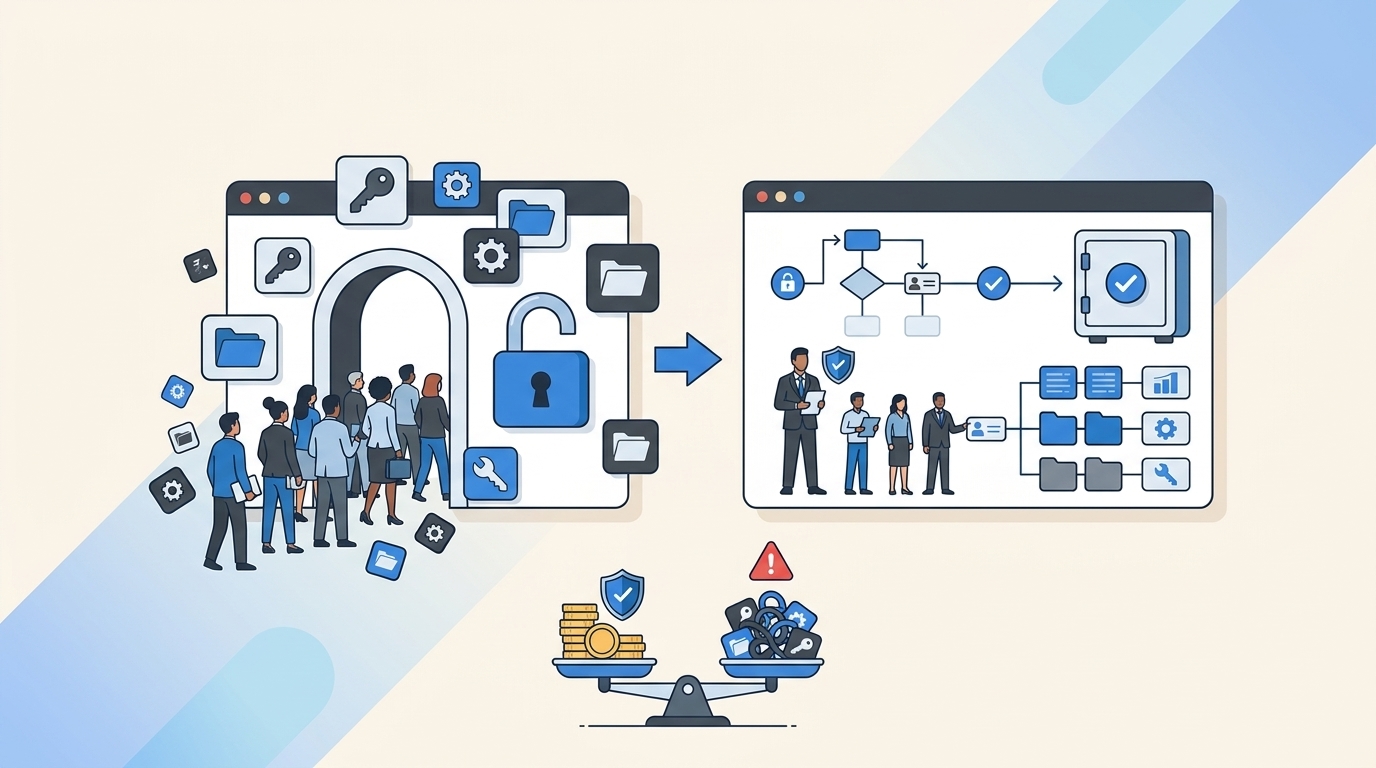
Most companies treat privilege creep like a leak they'll fix later. Then they wake up to an audit and realize half the team has admin access they haven't used in months. By then, it's not just a compliance problem. It's a security risk, a budget drain, and a mess that takes weeks to untangle.
Here's what most teams miss. Privilege creep isn't a one-time cleanup job. It's a symptom of how access gets granted in the first place. You approve a request, provision the access, then forget about it. No expiry. No review. No automation to pull it back when the project ends. Six months later, that temporary database admin role is still live, and you're paying for a license no one's touching.
Key Takeaways:
- Privilege creep happens when access is granted without expiry dates or automated revocation
- Time-bound access and automated reviews prevent standing privileges from accumulating
- Access reviews inside Jira with usage data make revocations fast and audit-ready
- Automated provisioning via identity provider groups enables zero-touch deprovisioning
- Most teams discover privilege creep during audits, not before it becomes a security risk
Why Privilege Creep Happens in the First Place
Privilege creep isn't caused by bad intentions. It's caused by how access requests actually work in most companies.

Someone needs elevated access for a project. They file a ticket. The manager approves. IT adds them to the right group in Okta or Azure AD. The ticket gets closed. Everyone moves on. Three months later, the project's done, but the access is still there. No one remembers to remove it. No one's tracking it. The person might not even work on that team anymore.
Multiply that by hundreds of requests and you've got a problem. Learn more about Multiplier
The Manual Provisioning Trap
When provisioning is manual, revocation is manual too. That's the core issue. IT grants access by hand, so they'd have to remove it by hand. But there's no trigger. No reminder. No automated check that says "this access expired last week."

The result? Standing privileges pile up. People keep access long after they need it. And the only time anyone notices is when an auditor asks for a list of who has admin rights to production systems.
The Approval Without Expiry Problem
Most approval workflows don't include an expiry date. The form says "User needs access to X." The manager clicks approve. Done. But there's no field that says "for how long" or "until when."

Without that constraint, every approval becomes permanent by default. IT doesn't know when to revoke. The requester doesn't think to ask for removal. The manager who approved it six months ago isn't tracking it. So the access just sits there.
Why Quarterly Reviews Don't Catch It
Some teams run quarterly access reviews. They export a spreadsheet of group memberships, send it to managers, and ask "does this person still need this?" Managers skim the list, maybe catch a few obvious ones, but mostly just approve everything. Why? Because the spreadsheet doesn't show context. It doesn't show last login. It doesn't show what the access was originally for.
So the review becomes a rubber stamp. Everyone clicks "keep" because they don't have enough information to confidently click "revoke." And privilege creep continues.
What Privilege Creep Actually Costs You
The cost isn't abstract. It's measurable. And it shows up in three places: security risk, license waste, and audit effort.
Security Risk: Every Unused Admin Account Is an Attack Vector
Here's the uncomfortable truth. Every standing privilege is a potential entry point. If someone's account gets compromised and they still have admin access to a system they haven't touched in months, the attacker just got elevated privileges for free.
Stavvy, a fintech company, cut privileged access by 85% after implementing time-bound access. That's not a small improvement. That's reducing the attack surface by four-fifths. Before that, long-lived admin access was sitting around, waiting to be exploited.
The risk compounds when you consider contractor access. Contractors finish a project, move to another client, but their access to your production database is still live. Most teams don't even realize it until someone runs a report.
License Waste: You're Paying for Seats No One's Using
SaaS licenses aren't cheap. And when people keep access they don't need, you're paying for seats that aren't being used. Auto Reclaim policies at companies running Multiplier have reclaimed hundreds of licenses by tracking last login data and automatically revoking access after a defined period of inactivity.
One mid-market SaaS company found that 30% of their Jira licenses were assigned to users who hadn't logged in for over 90 days. That's thousands of dollars a month in wasted spend. The fix? Automated license reclamation based on real login telemetry from the identity provider.
Audit Effort: Proving Least Privilege Without Clean Records
When auditors ask "who has access to what, and why," most teams scramble. They pull reports from Okta or Azure AD, cross-reference them with old Jira tickets, and try to reconstruct the justification for each access grant. If the access was granted manually and never logged properly, there's no evidence. Just a group membership and a guess.
Privilege creep makes this worse. The more standing access you have, the more entries you need to justify. And the more entries you can't justify, the worse the audit findings. See how Multiplier works
The Old Way: Manual Reviews and Spreadsheet Certifications
Most teams handle privilege creep the same way. Quarterly access reviews. Export a list of users and their group memberships. Email it to managers. Wait for responses. Manually remove the ones they flag.
It's slow. It's incomplete. And it doesn't prevent the problem from recurring.
Why Spreadsheet Reviews Fail
Spreadsheets don't show usage context. A manager sees "John Doe has Editor access to Figma" but they don't see that John hasn't logged into Figma in four months. So they approve it. Why wouldn't they? They don't have the data to make a different decision.
Even when managers do flag someone for revocation, IT still has to manually remove them from the identity provider. That's another ticket, another manual step, another chance for it to slip through the cracks.
The Approval Backlog Problem
When access reviews pile up, IT teams face a choice. Either spend days processing revocations, or push the review to next quarter. Most teams push it. The backlog grows. Privilege creep accelerates.
And because the review process is so painful, teams space them out. Once a quarter becomes twice a year. Twice a year becomes "whenever we have time." Meanwhile, standing privileges accumulate.
No Enforcement After Approval
Even when a manager says "revoke this," there's no automated enforcement. IT has to log into Okta or Azure AD, find the user, remove them from the group, and update the ticket. If IT is swamped, it might take days. Or it might not happen at all.
How Time-Bound Access Prevents Privilege Creep
Time-bound access flips the default. Instead of granting permanent access and hoping someone remembers to revoke it, you grant access with an automatic expiration. When the timer runs out, the access is removed. No follow-up. No manual cleanup.
Just-in-Time Access for Production Systems
Just-in-time access is time-bound access applied to high-risk systems. An engineer needs to troubleshoot a production issue. They request admin access for six hours. The request gets approved in Slack. Multiplier provisions the access through the identity provider. Six hours later, it's automatically revoked.
This model shrinks the window of exposure. Instead of standing admin access that lives for months, you have a six-hour window. If the account gets compromised, the attacker has six hours, not six months.
With Multiplier, the entire request, approval, grant, and revocation are logged to the Jira issue. That gives auditors a clean record of exactly when access was granted and when it was removed.
Auto-Revocation Without Manual Cleanup
The key mechanism is automated revocation. When a time-bound request is approved, Multiplier adds the user to the mapped identity provider group and starts a timer. When the timer expires, it calls the identity provider API to remove the group membership. The change is logged back to the Jira ticket.

This eliminates the manual cleanup step. IT doesn't have to remember to revoke. They don't have to track expiry dates in a spreadsheet. The system enforces it automatically.
Extending Access When Needed
Sometimes the work takes longer than expected. If the original request was already approved and the user needs more time, Multiplier can extend the window without requiring a new approval. This keeps the process fast during incidents while still maintaining the principle of time-limited access.
How Automated Access Reviews Stop Privilege Creep
Quarterly reviews don't have to be a spreadsheet nightmare. When access reviews run inside Jira with real usage data, revocations become fast and enforceable.
In-Jira Reviews with Usage Context
Multiplier's access review campaigns run as Jira issues. Reviewers see users, group memberships, job titles, departments, and last login dates. They also see recommendations. If someone hasn't logged into an app in 90 days, the system flags it.
This gives reviewers the context they need to make real decisions. Instead of rubber-stamping everything, they can confidently revoke access that's clearly unused.
One-Click Enforced Revocations
When a reviewer marks someone for revocation, Multiplier automatically removes them from the relevant identity provider groups. A Jira ticket is created documenting the change. The reviewer doesn't have to file a separate ticket. IT doesn't have to manually process it. It just happens.
This enforcement mechanism is what makes the review useful. Without it, you're just creating a list of people who should lose access. With it, the access is actually removed.
Continuous Audit Trail
Every revocation is logged to a Jira issue. That issue ties back to the access review campaign. Auditors can see who reviewed what, when revocations happened, and the justification for each decision. No screenshots. No spreadsheets. Just a clean record in the system that already tracks all your IT work. Get started with Multiplier
How Automated Provisioning Enables Zero-Touch Deprovisioning
The reason privilege creep happens is because provisioning and deprovisioning are disconnected. You grant access in one place, but you have to remember to remove it somewhere else. Automated provisioning through identity provider groups solves this by making revocation as automatic as the original grant.
Provisioning via Identity Provider Groups
When access is provisioned through identity provider groups, the system of record is the identity provider. Multiplier doesn't store access state. It just calls the identity provider API to add or remove users from groups. When the group membership changes, the downstream apps see the change through SAML or SCIM.
This means revocation is deterministic. Remove the user from the group, and the access is gone. No manual steps in individual apps. No orphaned accounts.
Lifecycle Orchestration for Onboarding and Offboarding
Post functions in Multiplier let you orchestrate identity lifecycle tasks directly from Jira workflow transitions. During onboarding, a transition can create a user account in Azure AD, add them to department-specific groups, and assign licenses. During offboarding, another transition disables the account and removes key group memberships.
Because the orchestration is tied to the Jira issue, there's a complete audit link between who approved the change and what actually happened in the identity provider. No scripts running in the background that no one can trace.
Auto Reclaim for Inactive Licenses
Auto Reclaim takes this further. It monitors last login data from the identity provider. When a user crosses an inactivity threshold, the system sends them a warning email. If they don't log in after a grace period, Multiplier automatically revokes access and generates a Jira ticket.
This handles license optimization automatically — no manual reports, no follow-up needed. Least privilege is enforced day to day. And when quarterly access reviews run, there's less standing access to certify because inactive users have already been cleaned up.
Next Steps
Privilege creep isn't inevitable. It's a byproduct of manual provisioning, missing expiry dates, and reviews that don't enforce their own decisions. When access is time-bound by default, reviews run with usage context, and revocations happen automatically through the identity provider, standing privileges don't accumulate. Security risk drops. License waste stops. And audits become a report export, not a fire drill.
Frequently Asked Questions
How do I set up time-bound access requests with Multiplier?
To set up time-bound access with Multiplier, follow these steps: 1) In the JSM portal, navigate to the application catalog and select the app you need access to. 2) Choose the duration for access (like 1, 6, or 24 hours) during your request submission. 3) Once approved, Multiplier will automatically provision access and set a timer to revoke it after the selected duration expires. This prevents privilege creep: access only exists as long as it's actually needed.
What if I need to extend access after it's been granted?
If you need to extend access after it's been granted, Multiplier allows you to do this without starting a new approval process. Simply submit a request for an extension before the original access expires. If the prior request was already approved, Multiplier can automatically extend the access duration, keeping the process efficient while maintaining time-bound access principles.
How do I conduct access reviews using Multiplier?
To conduct access reviews with Multiplier, you can create an access review campaign in Jira. Start by selecting the applications you want to include, then assign reviewers. They will receive notifications with details like user roles and last login dates. Reviewers can easily mark users for revocation or keep access based on the provided context. Multiplier automatically removes users from identity provider groups when access is revoked, keeping the process clean and auditable.
Can I automate license reclamation with Multiplier?
Yes, you can automate license reclamation using Multiplier's Auto Reclaim feature. Set inactivity thresholds for your applications, and when a user exceeds this threshold without logging in, Multiplier will send them a warning email. If they remain inactive after a grace period, it will automatically revoke their access and generate a Jira ticket documenting the change. This keeps SaaS spend in check — you stop paying for seats nobody uses.
When should I perform access reviews to prevent privilege creep?
Running access reviews more often beats waiting for quarterly cycles, and Multiplier lets you kick off campaigns directly in Jira. Instead of relying on quarterly reviews, you can set up campaigns whenever needed, using real-time usage data to inform decisions. This way, you can catch unused access more frequently and take action before privilege creep becomes a significant issue.


