


Multiplier Features Guide: What Actually Matters for Jira-Native Access Governance
Most teams searching for a multiplier features guide think they need a bigger checklist. They usually don’t. What they actually need is a cleaner way to run access governance before the whole thing turns into Jira tickets, Slack pings, spreadsheet evidence, and a bunch of manual cleanup nobody owns. That’s where most teams get stuck. Not on policy. On operating model.
If you're running Jira Service Management with Okta, Entra, or Google Workspace, this is the real question: do you want access governance to live where work already happens, or do you want one more portal people ignore until audit season?
Key Takeaways:
- A strong multiplier features guide should explain the operating model, not just list features.
- Most access programs break because requests, approvals, provisioning, and evidence live in different systems.
- Jira-native governance matters when you want faster access and tighter control at the same time.
- Identity provider groups should be the enforcement layer, not an afterthought.
- Time-bound access and Jira-based reviews make least privilege real instead of theoretical.
- Slack approvals are useful, but only when Jira stays the system of record.
- The best reason to evaluate Multiplier is simple: it keeps governance inside Jira instead of adding another portal.
Why Most Access Governance Setups Break as You Grow
Most access governance setups don’t fail because teams are careless. They fail because the workflow is split across too many tools, and every handoff adds drag. At smaller scale, you can kind of power through it. At larger scale, that same setup becomes backlog, risk, and audit pain fast.
The hidden problem isn't access requests
The obvious complaint is speed. Requests take too long. Managers forget to approve. IT gets buried in repetitive work. Yep. All of that is real.
But that’s not the actual issue.
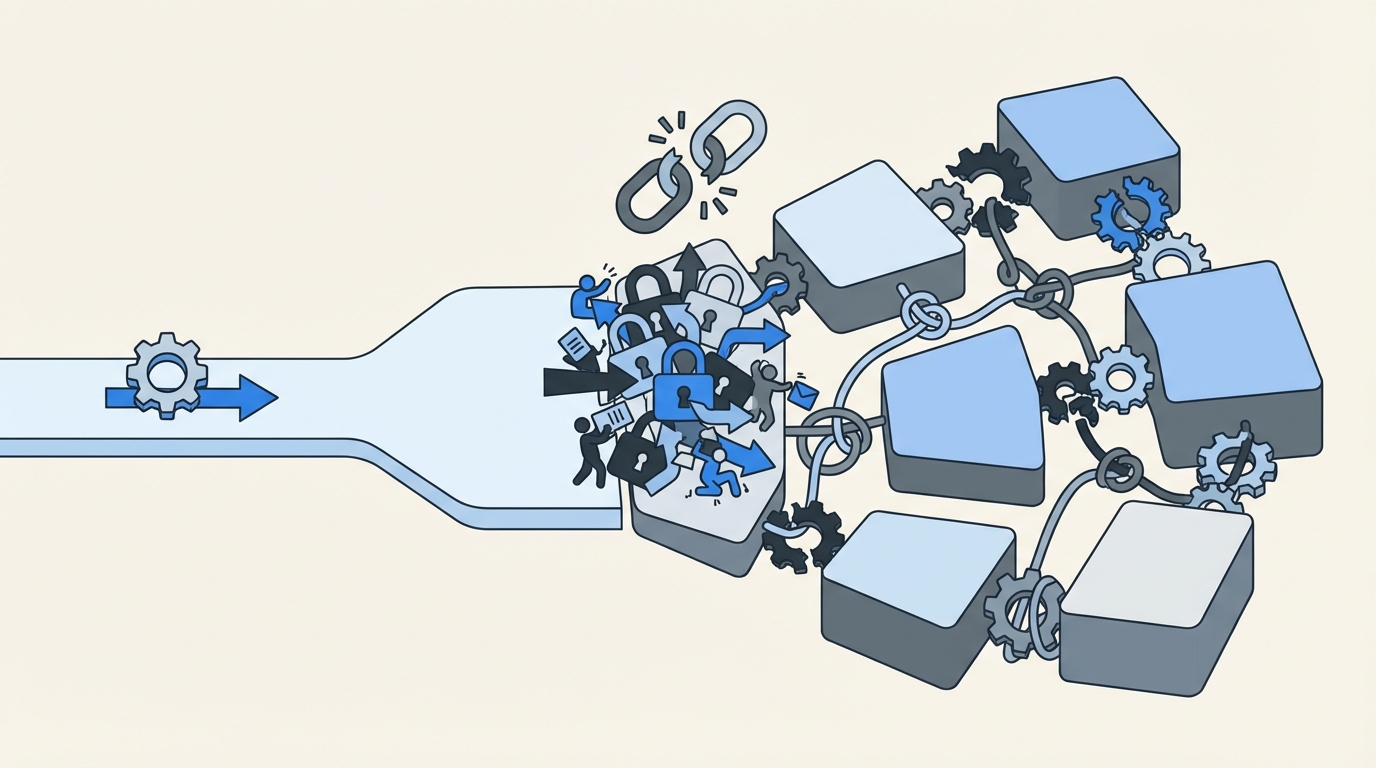
The real issue is fragmentation. The request starts in Jira or Slack. Approval happens somewhere else. Provisioning happens in the identity provider. Evidence gets rebuilt later with screenshots, comments, and exported logs. Nothing carries the whole process from start to finish.
That’s why old-school IGA portals often feel heavier than expected. On paper, they look like more control. In practice, they create another place employees need to visit, another queue admins need to watch, and another system that never quite matches what happened in Jira. So the process gets slower. And somehow messier too.
The cost shows up in time, risk, and audit pain
When one basic access request bounces between Jira, email, Slack, and your identity provider, tiny delays stack up. One manager misses a message. One admin has to guess the right group. One person forgets to remove access later. Doesn’t sound dramatic. Until it happens a few hundred times.
Then the backlog starts shaping behavior.
Teams grant broader access because it’s faster. Elevated access stays around because cleanup is manual. Evidence gets cobbled together because the system never produced a clean trail on its own. Atlassian has written about this dynamic in employee lifecycle workflows inside Jira Service Management, and the point lands: growing teams centralize work in the service desk because scale forces them to, not because it’s some trendy process idea (Atlassian).
And then audits happen. That’s when the cracks stop being annoying and start being expensive. Someone asks who approved access, when it was granted, when it expired, and why. Now your team is stitching together tickets, chat logs, screenshots, and CSV exports trying to tell one clean story after the fact.
Growth makes weak workflows obvious
Manual access management can look fine right up until scale exposes it. Luno ran into this during rapid growth, with routine requests coming in through Slack, email, and Jira while IT still had to chase approvals and handle group assignments manually in Okta (Multiplier customer story). VideoAmp hit a similar wall as the company grew from 100 to 500 employees and repetitive onboarding access work started clogging the queue (Multiplier customer story).
That’s why any real multiplier features guide has to start with the operating model. Features only matter if they remove the tax created by fragmented systems. If they don’t, you’re basically just buying a nicer wrapper for the same broken process.
What a Better Access Model Actually Looks Like
A better model keeps governance where the work already happens. Requests begin in Jira Service Management or Slack. Approvals happen in the same flow. Provisioning runs through the identity provider. Evidence writes back to the ticket automatically. That’s the model. Simple. And way more durable.
Start with one system of record
First move: stop treating governance like a side system.
If your employees already use Jira for service requests, that’s where access should live too. Not in a separate portal. Not buried in email. Not split across three tools because that’s how it evolved over time.
When Jira becomes the system of record, the ticket stops being just intake. It becomes the request, the approval history, the provisioning trigger, and the evidence trail. That matters a lot for lean teams. Synthesia’s Head of IT described supporting a billion-dollar company with a team of four and Multiplier in the mix. Honestly, that makes sense. Lean teams do not need more dashboards. They need fewer disconnected steps. That’s a big reason people end up looking for a multiplier features guide in the first place.
Use your identity provider as the enforcement layer
This is the second shift. And it’s the one a lot of teams miss.
Governance is not mainly about collecting requests. It’s about enforcing approved changes in a way that’s consistent and reversible.
So the better setup uses identity provider groups as the control point. Someone requests access. The right person approves it. Then the system adds or removes the user from the mapped group in Okta, Entra, or Google Workspace. Now the change is authoritative. Auditable. Easy to reverse. You’re not counting on someone to remember a one-off admin task later.
That also keeps teams out of a common trap. Ticketing alone doesn’t solve governance. Chat alone definitely doesn’t solve governance. They can improve speed, sure. But least privilege only becomes real when the workflow connects all the way through enforcement.
Make least privilege operational, not theoretical
Least privilege sounds amazing in policy docs. Real life is where it gets ugly.
Usually the failure point is simple: nobody has time to enforce it manually.
That’s why time-bound access matters. If someone needs elevated access for one hour, six hours, or a day, the system should grant it for that exact window and then remove it automatically. No cleanup reminder. No “we’ll circle back.” Just actual expiration.
That’s the difference between a policy statement and a real control.
Stavvy used this model to cut privileged access by 85%, which says a lot (Multiplier customer story). The big win isn’t just convenience. It’s reducing long-lived access before it turns into standing risk.
Run reviews where your team already works
Access reviews are where old processes really start to wobble. Most teams still export data, email spreadsheets around, gather decisions in random places, and then manually convert those decisions into revocations. It’s slow. It’s clunky. And there’s usually a gap between review and enforcement.
A better model runs reviews in the same place that owns requests and approvals. Reviewers should see the user, the app, the groups, and enough context to make a clean decision. Then if they revoke access, that action should trigger the actual group removal and log the evidence back into Jira.
That closes the loop.
And if you’re comparing options, this is where a multiplier features guide becomes useful. Not to admire the feature list. To see whether the review process actually ends in enforcement.
Bring speed into chat without losing governance
Slack is where a lot of work happens. Fine. Lean into that.
Approvals in Slack can be great. Requests in Slack can be great too. But only if Slack is part of the workflow, not the source of truth.
I’ve seen teams confuse convenience with control. A Slack message by itself is not governance. A Slack action tied to a Jira issue, connected to an approval workflow, and enforced through the identity provider? Different story. Now you’ve got speed without losing the record.
Build the catalog before you chase perfection
A lot of teams think they need to automate everything immediately. They don’t.
They need a sane front door first.
Usually that means a self-service app catalog with approved apps, clean request paths, role options, and clear routing. Once that’s in place, you automate provisioning for the apps and roles that are ready. Then you layer in time-bound access, reviews, and broader lifecycle workflows.
That’s the sequence I’d use. Not because it sounds elegant on a slide. Because it’s how teams actually get this stuff shipped.
Discover how leading teams keep access governance inside Jira
Which Multiplier Features Actually Matter
This is where a multiplier features guide should get practical. Not every feature matters equally. The real value is in how the pieces connect inside Jira Service Management so requests, approvals, provisioning, expiry, and evidence stay tied together in one record.
A Jira-native front door for requests and approvals
Multiplier starts with the Application Catalog, which gives employees a Jira-native place to request approved applications and roles through JSM or Slack. Apps can sync from Okta, Entra, or Google Workspace, and roles map directly to identity provider groups. That means requests come in with cleaner context from the start.

Then there are Approval Workflows, which route requests to a manager, app owner, or specific approver inside Jira and Slack. Approvers can act from Slack DMs or JSM notifications, and the decision stays attached to the originating Jira issue. That’s huge. No screenshot archaeology later. No piecing together side-channel approvals from random messages.
Provisioning and expiry that enforce least privilege
This part of the multiplier features guide is the one most teams should care about most: Automated Provisioning via identity provider groups.

Once a request hits the approved state, Multiplier can add or remove the user from mapped groups in Okta, Entra, or Google Workspace. That makes the change authoritative because it’s happening in the identity provider, not through a manual side step.
Then you add Time-Based Access. The requester selects a duration. Approval happens. Access is granted. Timer starts. When the window ends, Multiplier removes the group membership and records the change in Jira. Clean. Auditable. No cleanup debt hanging around.
Start automating access workflows with Multiplier
Reviews, lifecycle work, and license cleanup in the same system
This is where the multiplier features guide gets interesting for ops-heavy teams.

Access Reviews let admins run Jira-native certification campaigns, assign reviewers, show useful context like last login, and enforce revocations through the identity provider when reviewers choose revoke. Evidence stays linked to Jira, and results can be exported for auditors.
For broader identity operations, Post Functions let teams trigger lifecycle actions from Jira workflow transitions without scripts. That can include creating a user in Entra, updating group memberships, or handling offboarding actions tied directly to ticket progress.
And for cost control, Auto Reclaim identifies inactive users based on identity provider login telemetry, warns them, and revokes access if they stay inactive after the grace period. One caveat: Auto Reclaim is available on the Advanced edition.
If your team lives in Slack, the Slack App extends requests and approvals into a tool people already use every day while keeping Jira as the system of record. That’s the balance most teams want. Fast for employees. Structured for IT. Auditable for security.
Why Jira-Native Governance Wins Long Term
If you take anything from this multiplier features guide, it should be this: Jira-native governance wins because it removes system sprawl from the process itself. One place for intake. One place for approvals. One path for enforcement. One audit trail that doesn’t need to be rebuilt after the fact.
The older model asks your team to glue together a portal, chat, email, spreadsheets, and admin work by hand. The better model keeps the workflow in Jira, uses Slack where it actually helps, and pushes the real access changes through the identity provider where they belong.
That’s why it holds up as the company grows.
When you're evaluating tools, don’t just compare checklists. Look at where the work lives. Look at how revocation happens. Look at how evidence gets produced. That’s where the real difference shows up, and it’s exactly why a practical multiplier features guide matters more than a generic feature matrix.
Ready to bring access governance into Jira? Get started with Multiplier
Conclusion
A good multiplier features guide is really a guide to operating model fit. If your team already runs work in Jira Service Management, the smartest move is usually to keep access governance there too. Requests, approvals, provisioning, expiry, reviews, and evidence all work better when they live in one connected system.
That’s the real story here. Not more features for the sake of it. Better flow. Less manual work. Tighter control. Fewer surprises when the company gets bigger or the auditors show up.
Frequently Asked Questions
How do I set up the Application Catalog in Multiplier?
To set up the Application Catalog in Multiplier, start by navigating to your Jira Service Management (JSM) portal. You can add approved applications that employees can request access to. Ensure each app is mapped to the appropriate identity provider groups for streamlined provisioning. Once configured, employees will see a user-friendly catalog with application tiles, making it easy for them to submit requests directly through JSM or Slack.
What if I need to revoke access for multiple users?
If you need to revoke access for multiple users, you can use the Access Reviews feature in Multiplier. Create a new access review campaign, select the applications in scope, and assign reviewers. Reviewers can then mark users to revoke access, and Multiplier will automatically remove them from the relevant identity provider groups, ensuring that the changes are documented in Jira for audit purposes.
Can I automate time-bound access with Multiplier?
Yes, you can automate time-bound access using Multiplier's Time-Based Access feature. When submitting a request, users can select a specific duration for their access (like 1, 6, or 24 hours). Once approved, Multiplier provisions the access and automatically sets a timer to revoke it after the specified time, ensuring that elevated access is only granted when necessary and minimizing risk.
When should I use the Slack App for access requests?
You should use the Slack App for access requests when your team frequently communicates through Slack. This allows employees to submit access requests directly within Slack, which creates a Jira ticket automatically. Approvers receive notifications in Slack, making it easier to manage requests without switching between platforms. This integration helps maintain governance while speeding up the request process.
Why does Multiplier integrate with identity providers?
Multiplier integrates with identity providers like Okta, Azure AD, and Google Workspace to streamline provisioning and ensure that access changes are authoritative. By linking access requests and approvals directly to these identity providers, Multiplier automates the addition or removal of users from groups, which helps maintain a consistent and auditable access governance process.


