


Most companies have a doc somewhere called “inactivity policies for software.” It reads fine. Then the real world shows up. Seats sit idle, revocations never happen, and audits become a mad scramble. The gap isn’t intent. It is execution. Policies that don’t live in your day-to-day systems will decay fast.
I’ve watched smart IT teams fight the same cycle. They set a 30 or 60 day threshold. Good start. But without shared data, clear ownership, and automation tied to the identity provider, nothing sticks. A month later, the license bill still looks bloated and your team is back to chasing approvals. Sound familiar?
Key Takeaways:
- Inactivity policies fail when they live in docs, not systems that enforce them
- Define “inactive” by app and role using identity provider login data, not gut feel
- Write the rule, grace, and comms together so revocation isn’t a surprise
- Execute through IDP groups so approvals grant access and expiry removes it
- Pair time-bound access with quarterly access reviews to catch exceptions
- Track reclaimed licenses and cycle time so you can tune thresholds with data
Why Inactivity Policies for Software Fail in Practice
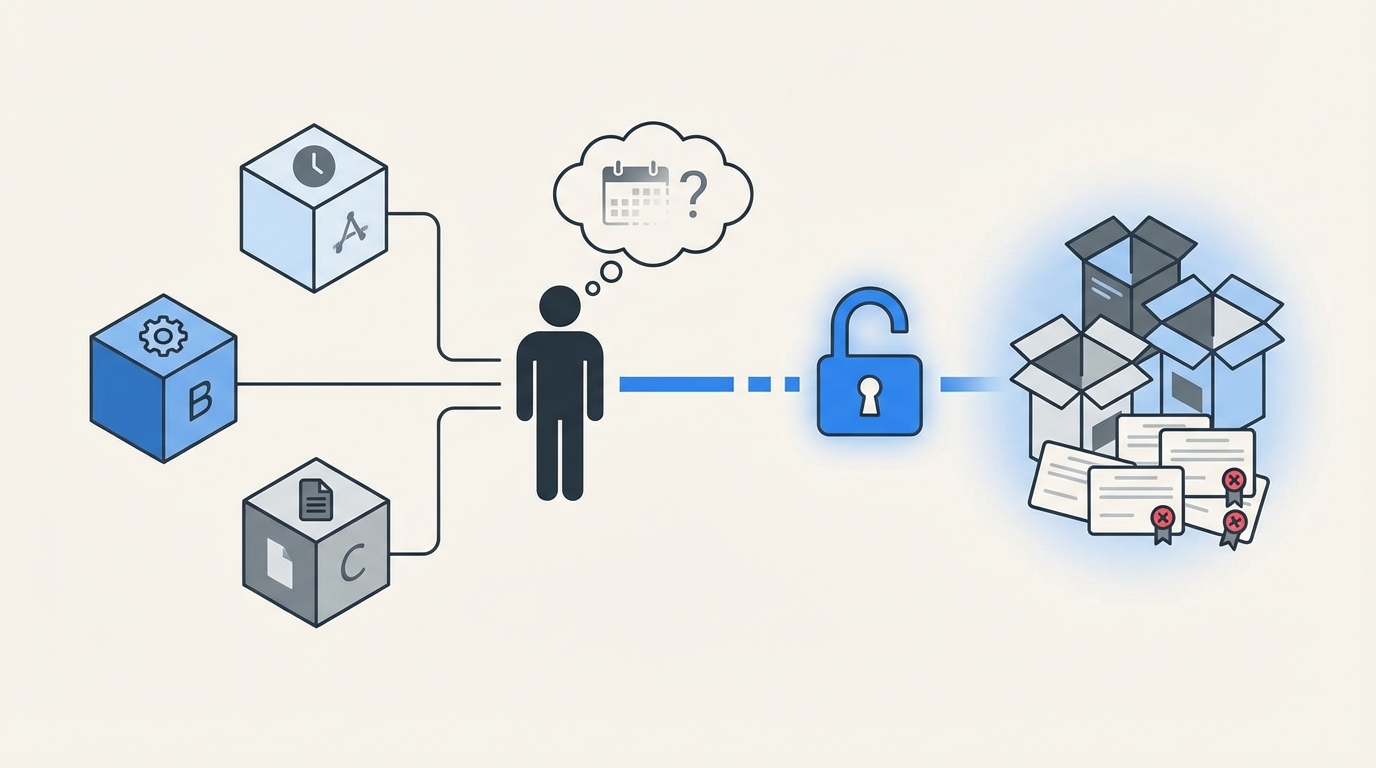
Inactivity policies for software fail because teams write them without shared data, no single system enforces them, and revocations depend on memory. The result is standing access, wasted licenses, and a messy audit trail. Picture a “60 days inactive” rule with no IDP feed or auto-removal. Nothing changes.
No Shared Definition of “Inactive”
Most teams start with a round number. Thirty days. Sixty days. It feels right. The trouble begins when “inactive” means one thing to finance, another to engineering, and something else to security. You get arguments, not action. I’ve been in those meetings. Everyone is half right and nothing moves.
You need a ground truth: last successful login from the identity provider, mapped to each app and role. Use that, and debates fade. You can then refine by risk and usage patterns, but the baseline is objective. Without it, you risk revoking from people who still use the tool weekly through an API or a background sync. Then you lose trust.
Login telemetry exists. Okta’s system log and similar APIs from Entra and Google Workspace make it accessible. Use those feeds, not anecdotes. Start with a simple rule, “no login in 30 days,” then layer nuance by app and role. The teams arguing about edge cases will get quieter once they see shared data. See Okta System Log API.
Evidence Scattered Across Tools
I keep seeing the same broken chain. Request in a ticket. Approval in email or Slack. Provisioning in the IDP. Evidence in screenshots. Revocation in a spreadsheet or a vague comment. When evidence is scattered, you can’t prove the rule was enforced. Audits feel like archaeology.
It also slows everyone down. People waste time hunting for who approved what and when. Then they paste a screenshot into the ticket as proof. Multiply by hundreds of requests and you create a cost you can’t see day to day. You feel it later when the audit starts. It’s demoralizing to rebuild history that should have been written once.
One place needs to be the record of truth. Tie each approval and each change to that record. Keep the request, the decision, and the IDP change in the same loop. When the system writes the change back to the ticket, you stop chasing ghosts. You also stop arguing about “who said yes.”
Approvals and Revocations Drift
Approvals are easier than revocations. That’s the human bias. People want to help colleagues move. Removing access feels risky, so it waits until someone remembers. Weeks later, seats are still assigned. The policy didn’t fail on paper. It failed in practice because no system owned the end condition.
This is where most teams struggle. You can feel the risk building, and you hate it. You know those admin roles should be temporary. You know old vendors shouldn’t still see production. You also know your team is swamped. If revocation isn’t automatic, it won’t be consistent.
How to Build Inactivity Policies for Software That Stick
Effective inactivity policies start with shared data, segment by risk, and use the identity provider as the execution engine. The rule, the grace period, and the communication plan should ship together. When policy and automation move in lockstep, you get fewer arguments and real savings.
Start with Data: Define Inactive by App and Role
An inactivity policy is only as strong as its definition. You need a stable answer to a simple question: what counts as “not using this app.” Identity provider last-login data is your best anchor because it is authoritative across SSO-connected tools. Start there before you fine tune.

Different apps deserve different definitions. A daily tool might use a 14 or 30 day threshold. A monthly billing tool might use 60 or 90. Roles matter too. An admin who hasn’t logged in for 14 days could trigger a faster review than a viewer who only checks a dashboard monthly. Resist one-size-fits-all rules. They look neat and fail quickly.
Pull your app list. For each app, map the roles and the source of truth for login. IDP data should be first choice. If an app isn’t SSO’d, you can still centralize approvals and evidence in tickets, then plan to migrate the app behind SSO. The point is consistent inputs and one source of truth.
To make this concrete:
- Inventory apps and roles from your IDP
- Confirm last-login telemetry exists per app
- Set preliminary thresholds by app criticality and cadence
- Write down edge cases you’ll test in month one
Classify Apps by Risk and Cost
Not every license is equal. Classify apps on two axes, risk and cost. High-risk apps with admin roles deserve tighter windows and faster revocations. High-cost apps with many seats deserve closer attention because every idle seat hurts your budget. Most teams skip this step and pay for it later, especially when evaluating inactivity policies for software.

Think in tiers. Tier 1: production systems, code repos, finance apps. Tier 2: core collaboration tools. Tier 3: nice-to-have or occasional-use tools. As you set inactivity windows, let the tiers drive your defaults. It’s easy to explain. It is also easier to defend in audits because your rules follow risk.
Do the same on cost. If Flexera and others are right that a big chunk of SaaS spend is wasted on underused licenses, then you have real savings sitting on the table. I’ve seen double-digit percentages reclaimed with simple policies and consistent follow-through. See the Flexera 2024 State of the Cloud Report for context.
A simple matrix helps:
- Tier 1, high cost: 14 to 30 day threshold, no auto-approval on reactivation
- Tier 1, low cost: 30 day threshold, manager approval on reactivation
- Tier 2, high cost: 30 day threshold, auto-approve reactivation for viewers
- Tier 3: 60 day threshold, auto-approve reactivation across roles
Write the Rule, Grace, and Comms Together
Policies fail when the first time someone hears about revocation is after it happens. Write the policy, the grace period, and the email copy at the same time. Keep it plain. No scolding. Tell people how to keep access if they still need it. Set a timer. Then stick to it.

Your grace window should fit the app’s usage pattern. For a daily tool, a 3 to 5 day grace period is fine. For a monthly tool, make it a week or more. The key is predictability. People get a heads up. They can log in if they still need the seat. If they don’t, the policy revokes on schedule.
Document the flow in your service desk so anyone can see it. New hires should learn it in onboarding. Managers should see it in your help center. When revocations are expected and reversible through the normal request flow, people trust the system. That trust prevents pushback and one-off exceptions.
Practical pattern:
- Send warning at threshold minus grace (example: day 25 of 30)
- Include simple instructions to keep access by logging in
- Revoke at day 30 if no login, log evidence to the ticket
- Reactivate through the same catalog if needed
Execute Through Your Identity Provider Groups
If approvals live in one place and provisioning lives somewhere else, drift creeps in. Tie execution to your identity provider groups. Request approved means “add to group.” Expiry reached means “remove from group.” No screenshots, no side-channel emails, no memory required.

Group-based management makes your policy auditable. It also makes it reversible. You can see when someone was added, who approved, and when they were removed. When the system writes those changes back to the ticket, you get end-to-end evidence for free. That’s the difference between a policy you hope people follow and one they can’t ignore.
It also reduces errors. No more copy and paste from tickets into the IDP. No more missed revocations because someone went on vacation. The system handles the change, and your people focus on exceptions that need judgment.
Checklist to anchor execution:
- Map each app role to an IDP group
- Configure approvals to trigger group adds
- Configure expiries to trigger group removals
- Write back success or error to the ticket for audit
Pair Time-Bound Access with Periodic Reviews
Time-bound access closes the window for elevated roles. You grant what is needed for hours, not months. Then you remove it on schedule. It’s the cleanest way to shrink risk without slowing people down. For recurring access, periodic reviews catch what falls through.

Quarterly access reviews work if the data is in the same place as the decisions. Reviewers see last login, the group, and the title. They click keep or revoke. The system enforces revocations and logs the result. No spreadsheets. No chasing. When reviews are easy, they actually happen.
This pairing is underrated. Time-bound access limits exposure day to day. Reviews right-size standing access at a regular cadence. Neither feels heavy when they run inside your service desk with the right context. And auditors love it because your evidence is clear, especially when evaluating inactivity policies for software.
A simple cadence:
- Time-bound for admin or production roles by default
- Quarterly reviews for standing roles by app owner or manager
- Follow-up revocations executed automatically
Measure Impact and Tune Monthly
Policies pay off when you measure two things. Cycle time and reclaimed licenses. Cycle time tells you if you’re slowing the business. Reclaimed licenses tell you if the policy is working. Track both and you’ll know where to tweak thresholds without guesswork.

Start small. Pick five high-volume apps and two elevated roles. Run the policy for a month. Publish the results. Share how many seats you reclaimed, how many reactivations you approved, and how cycle time moved. I’ve seen lean teams get real momentum when they make the wins visible.
Expect some pushback early. People worry they’ll lose access at the worst time. Fair point. That’s why your grace periods and comms matter. It is also why you don’t start with a draconian 7-day rule across the board. Get early wins. Then tighten where it makes sense.
To keep it honest:
- Report reclaimed seats and dollar estimates monthly
- Track approval-to-provisioning time for reactivations
- Review false positives and adjust thresholds by app
- Share the numbers with finance and security to stay aligned
From Policy to Reality in Jira and Slack
You make inactivity policy real when requests, approvals, provisioning, expiries, and reviews live in Jira and Slack, and changes flow through your identity provider. That gives you speed and proof. The policy stops being a doc and becomes how work gets done.
Automate Decisions and Provisioning
Multiplier brings access requests into a catalog inside Jira Service Management and Slack, then routes approvals to the right person without leaving those tools. Approved means Multiplier adds the user to the mapped identity provider groups, so access shows up fast and predictably.
For temporary access, Multiplier enforces time-based access windows. Requesters choose a duration during submission. After approval, Multiplier provisions access immediately and removes group membership when the timer expires. The change is written to the Jira issue, so your audit trail stays clean.
Approvals are simple. Managers or app owners get pinged in Slack and JSM with one-click Approve or Deny. No more lost emails or side threads. When approved, Multiplier transitions the ticket and handles provisioning through Okta, Entra, or Google Workspace. You get consistency, less risk, and no swivel chair.
Concrete capabilities you can put to work:
- Application Catalog that centralizes requests in JSM and Slack
- Approval Workflows that target managers or app owners
- Automated Provisioning via identity provider groups
- Time-Based Access that auto-revokes at expiry
Prove It to Auditors, Reclaim Waste
Auditors want two things. Evidence that you enforce your rules, and a way to trace who approved what. Multiplier’s Access Reviews run inside Jira, show last login and group context, and apply reviewer decisions automatically. The result is less rubber stamping and clear proof of revocations.
License waste is the quiet cost. Multiplier’s Auto Reclaim policies look at last-login data from your IDP, warn users when they cross inactivity thresholds, then remove access if they don’t log in within the grace period. Each step writes back to Jira. Finance sees reclaimed spend. Security sees fewer standing privileges.
When you connect the dots like this, you stop paying coordination tax. People request in the same place they do everything else. Approvers decide in chat. Provisioning flows through your IDP. Access turns off on schedule. And your evidence is ready when someone asks for it.
Capabilities that close the loop:
- Access Reviews with usage context and one-click revocations in Jira
- Auto Reclaim that removes inactive licenses based on IDP telemetry
- Slack App for fast requests and approvals without another portal
- Post Functions to orchestrate lifecycle changes from workflow transitions
Ready to run inactivity policies that enforce themselves? Learn more about Multiplier
The Path Forward: Make Access Temporary, Make Inactivity Actionable for Inactivity policies for software
Strong inactivity policies are simple rules backed by real usage data and automatic enforcement. Define “inactive” by app and role, write the grace and comms with the rule, and execute through your identity provider. Pair time-bound access with quarterly reviews. Measure and tune.
If you do that, the waste drops, audits get calm, and your team stops chasing approvals. The work moves faster because the system handles the boring parts and your people handle the edge cases. When governance lives in Jira and Slack, the right outcome becomes the easy one.
Want the short path from doc to done? Get started with Multiplier
Frequently Asked Questions
How do I set up inactivity policies using Multiplier?
To set up inactivity policies with Multiplier, start by defining what 'inactive' means for each application based on last login data from your identity provider. Next, use the Application Catalog in Jira Service Management to create a clear list of apps and their roles. Finally, configure your Auto Reclaim settings to automatically revoke access after a set inactivity threshold, ensuring you also communicate these policies to your team to avoid surprises.
What if I need to adjust inactivity thresholds later?
If you need to adjust your inactivity thresholds, you can do so in Multiplier’s settings. First, review the data collected on user activity to identify trends. Then, navigate to the Auto Reclaim feature to modify the inactivity thresholds and grace periods for each application. After making changes, communicate them to your team to ensure everyone is aware of the updated policies.
Can I automate access requests for multiple applications?
Yes, you can automate access requests for multiple applications using Multiplier’s Application Catalog. Employees can browse the catalog to find the apps they need, select their roles, and submit requests directly through Jira Service Management or Slack. This streamlines the approval process and ensures that all requests are logged for auditing purposes.
When should I conduct access reviews?
You should conduct access reviews quarterly to ensure that user access is still appropriate. Use Multiplier’s Access Reviews feature to automate this process. Set up campaigns that include all approved applications, assign reviewers, and launch the campaign. This way, you can efficiently manage access and maintain compliance without relying on manual spreadsheets.
Why does my team need time-based access policies?
Time-based access policies are crucial for minimizing security risks. By using Multiplier’s Time-Based Access feature, you can grant temporary access to applications based on specific needs. This ensures that users have access only when necessary, reducing the chances of unauthorized use and helping to manage your software licenses effectively.


