


30 days of unused SaaS seats can turn into a very expensive access problem. If you're in IT or security, you've probably felt this recently, because the role of access has changed from "get people into tools" to "prove the right people had the right tools for the right amount of time."
That sounds simple. It isn't. Access now sits in the middle of employee experience, SaaS spend, least privilege, audit readiness, and probably 12 other things your team gets blamed for when something breaks. And yet most companies still run access through Jira tickets, Slack threads, identity provider changes, spreadsheet reviews, and a heroic amount of copy/paste.
Ready to get started? Learn more about Multiplier.
Key Takeaways:
- Access isn't just an IT service request anymore. It's now a cost control, risk control, and audit evidence problem.
- Most access workflows break because the request, approval, provisioning, and evidence live in different places.
- Audits should be ready by design in Jira, not rebuilt later in spreadsheets.
- Usage data matters. If someone hasn't logged into an app in 30, 60, or 90 days, access should be questioned before renewal.
- The better model is to make every access decision leave a clean trail automatically.
- Access reviews work better when reviewers see last login, department, role, and group context in the same workflow.
- Jira-native access governance works because it puts governance where IT work already happens.
Why Access Governance Breaks Outside Jira
Access governance breaks when the work happens in Jira but the control lives somewhere else. The ticket starts in Jira, the approval happens in Slack, the change happens in Okta or Entra, and the evidence gets rebuilt later for an auditor. That gap is where delays, standing access, and SaaS waste show up.

The Access Request Is No Longer the Whole Story
Most teams still treat access like intake. Someone needs Figma, Salesforce, GitHub, Snowflake, whatever. They file a ticket, someone approves it, IT adds them to a group, and the request gets closed. Job done.

Not really.
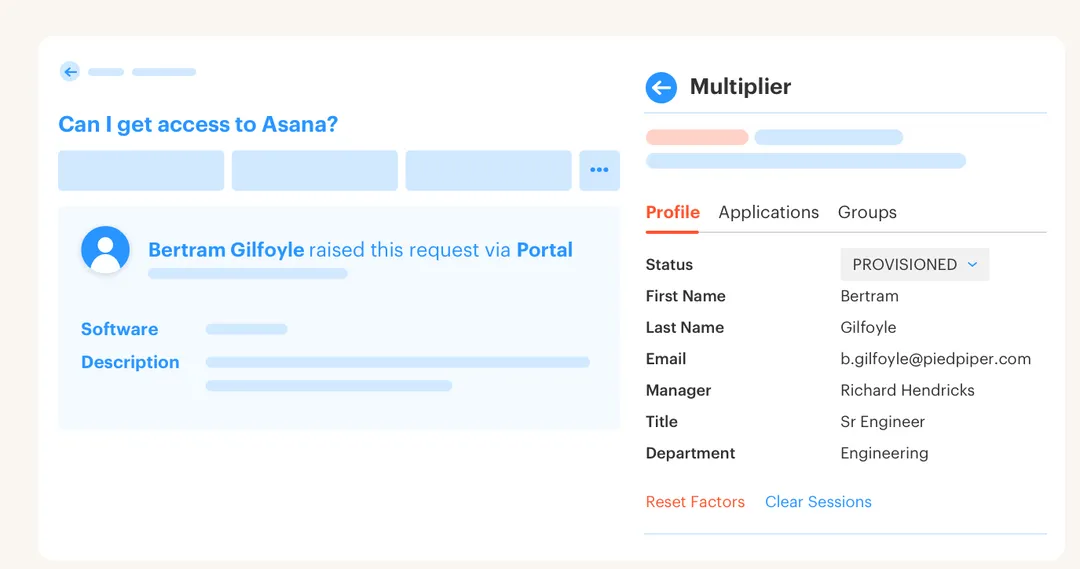
The request is only one small part of the access lifecycle. What happens 30 days later? What happens when the employee changes teams? What happens when the app owner leaves? What happens when the person hasn't logged in for 90 days but procurement is still paying for the license? That's where access starts costing you real money and creating real risk.
I've seen this pattern a lot with high-growth teams. At 100 employees, you can muscle through it. At 500, the wheels start to wobble. At 1,000, every weak point shows up at the same time. Luno is a good example. As they grew to nearly 1,200 employees, access requests were coming in through Slack, email, and Jira, and IT had to chase approvals and manually assign Okta groups. Each request might only take 5-30 minutes, but hundreds of them create a very different problem.
The better question isn't, "How do we close tickets faster?" It's, "How do we make every access decision correct, temporary when needed, and easy to prove later?" If you're trying to show finance and security that access is under control, the role of access has to expand beyond ticket intake.
The Audit Trail Usually Gets Built Too Late
Audit evidence is like application logging. If you only start writing logs after production goes down, you're guessing. You might piece together what happened from screenshots, comments, Slack messages, and IDP history, but it's never as clean as having the event written properly at the time it happened.
That's exactly how a lot of access audits work. The auditor asks for proof that access was approved, granted, reviewed, and removed. Then someone in IT opens Jira, searches Slack, exports from the identity provider, checks a spreadsheet, and tries to stitch together a story that should've existed already. It's annoying. Worse, it feels avoidable.
Picture Maya, an IT operations manager, at 4:47 PM on a Thursday. She's in Jira looking at an old access ticket, Slack is open on her second monitor, and she's trying to prove why a contractor still had access to a paid analytics tool. The Jira ticket has the original request. The approval was a Slack emoji. The actual group change happened in the identity provider. The review decision is in a spreadsheet called Q2-final-final-v3. Brutal.
A lot of teams tolerate this because the status quo has some merit. Separate IGA tools can be powerful, and spreadsheets are flexible. Fair. But if the people doing the work already live in Jira and Slack, forcing governance into another portal creates more reconciliation work than control.
When audit evidence is rebuilt after the fact, you're not governing access. You're archaeology with admin permissions.
If the old way creates proof too late, the better way is to design the workflow so the proof gets created while people do the work.
How to Make Access Decisions Audit-Ready by Default
Audit-ready access starts by connecting every request, approval, grant, review, and revocation to one record. The goal isn't more process. The goal is fewer gaps between what was requested, what was approved, what changed in the identity provider, and what evidence exists later.
Diagnose Whether Access Is Really Under Control
Start with a basic test. Pick 10 users across 5 important apps and ask your IT team to prove four things: who approved their access, when it was granted, when it was last reviewed, and whether they still use the app. If that takes more than 30 minutes, you don't have an access problem. You have an evidence problem.
That might sound harsh, but it's a useful diagnostic. Most teams don't fail because they're careless. They fail because the workflow makes it too easy for evidence to split across systems. Jira has the request, Slack has the approval, the identity provider has the group change, Finance has the renewal pressure, and no single place tells the whole story.
Run the test like this before your next access review cycle:
- Choose 5 business-critical apps: Pick systems tied to customer data, finance, code, or admin access.
- Sample 10 active users: Include employees, contractors, and recent transfers if you can.
- Check 4 proof points: Approval, grant date, last login, and review decision.
- Time the process: If it takes more than 3 minutes per user, the workflow is too manual.
- Flag missing evidence: Any missing approval or unclear group mapping needs to be fixed before audit season.
The point isn't to shame the team. Honestly, most IT teams are doing the best they can with a broken operating model. The point is to see whether the role of access data is strong enough to support real governance, not just ticket closure.
Make Usage the First Filter, Not the Last Question
Access reviews get painful when reviewers are asked to make decisions without context. They see a name, an app, and maybe a group. Then they rubber-stamp because they don't want to break someone else's workflow. I don't blame them. If you don't show usage, department, job title, and last login, you're basically asking people to guess.
Usage should be the first filter. If someone hasn't logged into an app in 30 days, that doesn't always mean you should remove them. Some apps are seasonal, some roles need rare access, and Executives and compliance teams might need exceptions. That's a real limitation, and pretending login activity is perfect would be wrong.
Still, usage gives you a better starting point than a spreadsheet with 900 rows and no signal. A practical rule: if an app is expensive or sensitive, review inactive users first. If the user hasn't logged in for 60-90 days, ask the app owner to justify keep access. If no one can explain the need, revoke it or move it to a time-bound model.
A simple usage-based review flow looks like this:
- Sort by last login date before asking reviewers to decide.
- Group by department and manager so ownership is clear.
- Separate admin roles from standard roles because the risk profile is different.
- Require a reason for keeping inactive access when inactivity passes your threshold.
- Execute revocations from the review workflow so decisions don't become another IT queue.
That last point matters. A review decision that doesn't trigger revocation is just a suggestion. And suggestions don't reduce SaaS spend, least privilege risk, or audit burden. They just make everyone feel busy.
Put Approvals Where People Actually Respond
Approvals fail when they sit in places people don't check. Email is the classic example. It works for formal communication, sure. But for day-to-day access requests, it often becomes a graveyard. Slack is where people respond faster, but Slack alone isn't enough because approval messages need to tie back to the system of record.
The trick is not to replace Jira with chat. It's to let people act in chat while Jira remains the record. That keeps speed and evidence together. In my view, that's the whole point. If the approval happens quickly but the audit trail is weak, security loses. If the evidence is clean but employees wait 3 days for access, the business loses.
Synthesia is a good example of why this matters. They grew from 100 to over 400 employees in two years, and their early access process relied on Slack channels and Notion boards. Notifications got missed. People had to chase decisions. After moving into a Jira-based access model with automated approval workflows, they processed 3,800+ access requests in a year and automated 75% of them with a 4-person IT Ops team.
That's a wild ratio.
The operating rule is pretty simple: low-risk access should not wait on a custom approval chain, and high-risk access should never bypass one. For standard apps, route to the manager or app owner and let them approve in Slack or Jira. For elevated roles, require the right owner and add a time limit. For unclear ownership, fix the app catalog before scaling the workflow.
When approvals and evidence live together, access stops being a scavenger hunt. If your team wants that pattern inside Jira and Slack, See how Multiplier works against the same request-to-revocation flow.
Treat License Reclamation as an Access Control
Most companies treat license reclamation as a finance clean-up project. Procurement pulls a report, IT checks usage, someone emails managers, and a spreadsheet gets passed around. Then everyone gets busy and the unused seats keep renewing.
License waste is actually an access governance problem. If someone doesn't use a tool anymore, they probably shouldn't retain access either. The cost problem and the least privilege problem are connected. Same root cause. Too much standing access with too little review.
A good reclaim policy needs three parts. First, define an inactivity threshold by app. A 30-day threshold might make sense for a daily productivity tool. A 90-day threshold might fit an app used quarterly. Second, create a grace period so users can prove they still need access. Third, exclude groups that genuinely need special handling, like executives, break-glass admins, or critical operations teams.
The counterargument is valid. Automated reclamation can annoy people if it removes access from someone who uses a tool rarely but meaningfully. That's why the policy needs app-level logic, warning emails, and clear exceptions. The goal isn't to yank access from everyone who looks inactive. The goal is to stop paying for obvious waste and stop carrying unnecessary access forever.
A practical reclaim threshold can look like this:
- 30 days inactive for high-cost collaboration or productivity apps used weekly.
- 60 days inactive for tools used by specific departments but not every day.
- 90 days inactive for specialist tools with lower usage frequency.
- Immediate review for inactive admin or privileged access, regardless of license cost.
The CFO conversation gets much easier when you can show real login activity and automatic revocations. Not vibes. Not "we think people use this." Real usage tied to actual access changes.
Make Time-Bound Access the Default for Risky Work
Permanent admin access is usually a convenience choice that aged badly. Someone needed access during an incident, deployment, finance close, customer escalation, or migration. Everyone was moving fast, the access got granted, and then no one removed it.
Again, understandable. Also risky.
Time-bound access changes the default. Instead of granting broad standing access and hoping someone remembers to clean it up, give the person access for 1, 6, or 24 hours. If they need more time, they request or extend it based on your rules. When the window ends, the access comes off through the identity provider group.
Stavvy is a strong example. After funding and acquisitions, they had long-lived privileged access they needed to reduce. By moving to a just-in-time access model in Jira and Slack, they reduced privileged access by 85% and had 1,300+ access requests automatically revoked after approved windows. That wasn't just cleaner process. It changed the risk profile.
The deciding rule is pretty simple. If access can cause customer data exposure, production changes, financial impact, or admin-level changes, make it time-bound unless there's a clear reason not to. If the user needs it every day for their core job, make it standard access and review it regularly. Different jobs. Different control.
The role of access reviews is to clean up what exists. The role of time-bound access is to prevent unnecessary standing access from piling up in the first place.
Build the Audit Trail During the Workflow
Access evidence should be created at the same moment the access decision happens. Approval captured on the ticket, Group change written back to the ticket, Revocation recorded when it happens, Review decision tied to a campaign, and Export ready when auditors ask.
That sounds obvious. It rarely happens by accident.
When evidence is a byproduct of normal work, audits stop becoming special projects. IT doesn't need to spend two weeks collecting screenshots. Security doesn't need to explain why the approval trail is incomplete. Reviewers don't need to defend spreadsheet decisions with no usage context. Everyone works from the same record.
The checklist I like is boring, which is why it works:
- Every access request creates a Jira issue with requester, app, role, and reason.
- Every approval is tied to that issue whether the approver acts in Jira or Slack.
- Every provisioning action writes status back from the identity provider change.
- Every review decision records keep or revoke with reviewer and reason.
- Every revocation creates evidence instead of becoming a manual follow-up.
Boring is good in governance. Boring means repeatable. And repeatable means you can scale access without turning every audit into a memory test.
Once the record becomes the control point, the tooling decision gets a lot clearer.
How Multiplier Automates Access Governance in Jira
Multiplier automates Jira-native access governance by turning access requests, approvals, provisioning, reviews, reclamation, and revocations into Jira-connected workflows. The platform works through identity provider groups and keeps evidence attached to Jira issues, so teams can reduce manual work without adding another portal for employees or approvers.
Access Reviews With Usage Context
Access reviews are where a lot of governance programs either get real or become theater. If reviewers don't see context, they approve everything. If revocations don't execute from the review, IT gets another queue. If exports require cleanup, audit work returns anyway.
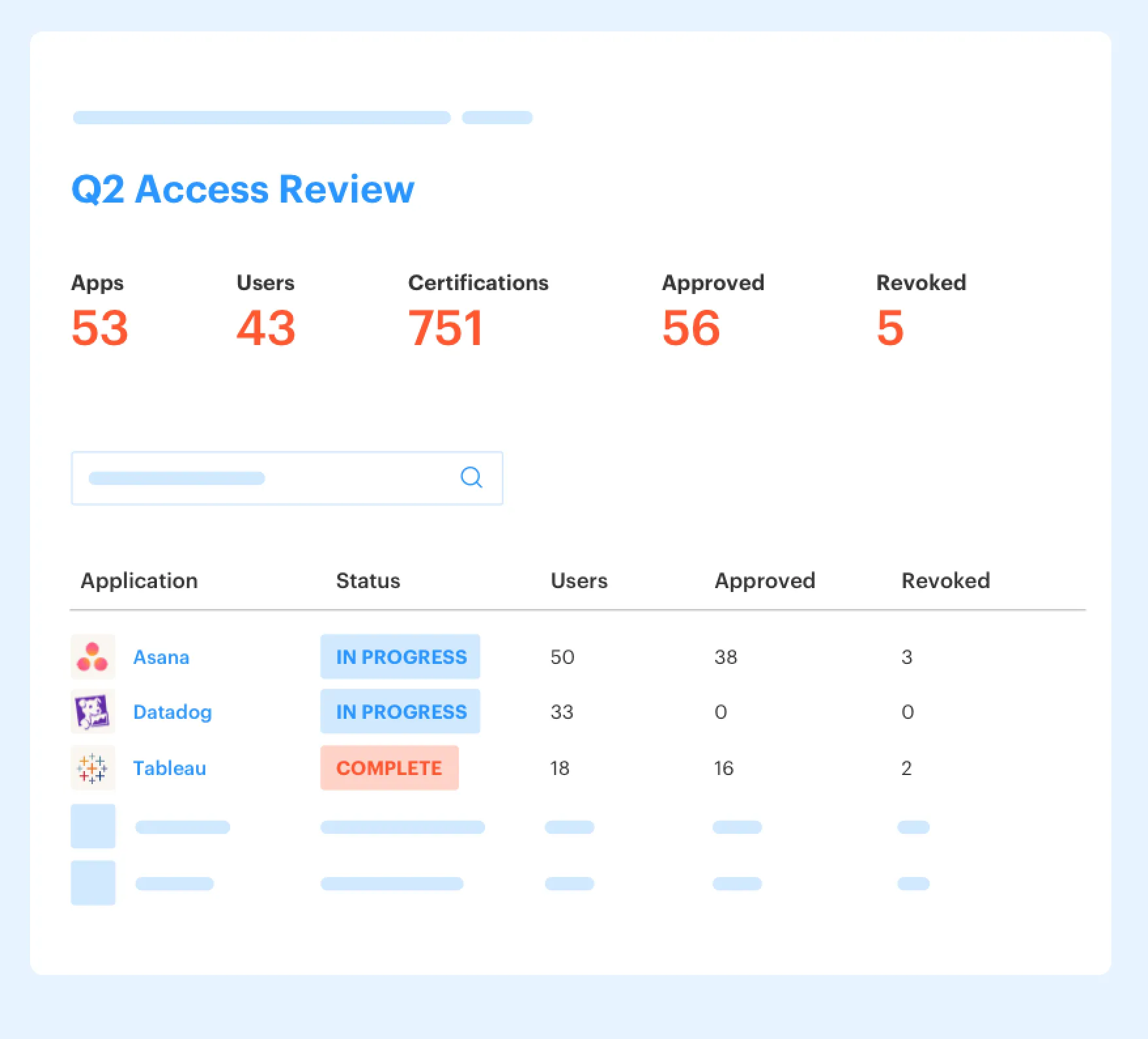
Multiplier runs access review campaigns inside Jira Service Management. Reviewers see user attributes, groups, last login, and recommendations, then choose Keep or Revoke. When they revoke access for supported identity provider group-based access, the platform removes the user from the relevant groups and creates Jira evidence. Admins can export results as CSV or push evidence to systems like Vanta.
That maps directly to the problem earlier. The review decision and the removal don't live in different places. The evidence doesn't need to be rebuilt later. And the app owner isn't staring at a spreadsheet with no clue who actually uses the tool.
License Reclamation and Time-Bound Access
License waste tends to hide inside access that no one owns anymore. A user stops logging in, the license stays assigned, and renewal season turns into a bad surprise. Multiply that across dozens of SaaS apps and the cost gets ugly fast.
Auto Reclaim uses login telemetry from connected identity providers to identify inactive users based on policies you define. Admins set thresholds, grace periods, and group exclusions. Users get a warning, and if they remain inactive after the grace period, access is revoked and a Jira ticket documents the removal. It only works where the needed login data exists and is available on the Advanced edition, which is worth being clear about.
Time-Based Access handles the other side of the problem. For elevated access, requesters choose a duration like 1, 6, or 24 hours. After approval, the platform adds the user to the mapped identity provider group, starts the timer, removes the membership at expiry, and records the change in Jira. That makes least privilege much more operational. Not just a policy people admire in a slide deck.
For teams already running access through Jira, the path is pretty direct: turn the request into a governed workflow, make usage visible, and let revocations create their own evidence. If that maps to your current backlog, Get started with Multiplier with the access flows you're already running today.
The Better Access Model Starts With Evidence
The role of access governance is shifting from permission handling to proof creation. You still need people to get the tools they need quickly, but now you also need to prove why they got access, when they used it, who reviewed it, and when it was removed.
The old way made IT the glue between Jira, Slack, the identity provider, spreadsheets, and auditors. That worked when volume was low. As the company grows, the glue becomes the bottleneck. The better model is boring in the right way: requests in Jira, approvals where people respond, provisioning through the identity provider, usage-based reviews, automatic revocations, and evidence created as work happens.
Mission accomplished when the auditor asks for proof and your team doesn't panic.
Frequently asked questions
- How do I set up automated access reviews in Multiplier?
To set up automated access reviews in Multiplier, follow these steps: 1) Navigate to the Access Reviews section in Jira. 2) Click 'New Review' to create a campaign and select the applications you want to include. 3) Assign reviewers for each app and set a start and end date for the review campaign. Once everything is configured, click 'Start Campaign' to notify reviewers. This process helps streamline access governance and ensures that decisions are documented within Jira, making audits easier.
- What if a user needs temporary access to a sensitive application?
If a user requires temporary access to a sensitive application, you can use Multiplier's Time-Based Access feature. When submitting the access request, the user can select a duration for access (like 1, 6, or 24 hours). After approval, Multiplier automatically provisions access for the specified time and revokes it when the time expires. This approach minimizes security risks while ensuring users have the access they need for critical tasks.
- Can I reclaim licenses for inactive users automatically?
Yes, you can reclaim licenses for inactive users automatically using Multiplier's Auto Reclaim feature. First, set inactivity thresholds for each application in the Admin settings. If a user exceeds the threshold, Multiplier will send them a warning email. If they remain inactive after the grace period, their access will be automatically revoked, and a Jira ticket will document the change. This helps reduce unnecessary SaaS costs while maintaining compliance.
- How do I ensure my access requests are compliant?
To ensure access requests are compliant, use Multiplier's Application Catalog within Jira. This feature allows employees to request access to approved applications, ensuring that all requests include the necessary context. Also, set up approval workflows that route requests to the appropriate managers or app owners for review. By keeping everything within Jira, you maintain a clear audit trail and reduce the risk of non-compliance.
- What if I need to review access for a large number of users?
When you need to review access for a large number of users, leverage Multiplier's Access Review campaigns. Create a campaign in the Access Reviews section of Jira, select the applications involved, and assign reviewers. Reviewers will have access to user attributes, last login dates, and recommendations, so they can make informed decisions. This centralized approach speeds up the review process and ensures that all decisions are documented for future audits.
What if a user needs temporary access to a sensitive application?
If a user requires temporary access to a sensitive application, you can use Multiplier's Time-Based Access feature. When submitting the access request, the user can select a duration for access (like 1, 6, or 24 hours). After approval, Multiplier automatically provisions access for the specified time and revokes it when the time expires. This approach minimizes security risks while ensuring users have the access they need for critical tasks.
Can I reclaim licenses for inactive users automatically?
Yes, you can reclaim licenses for inactive users automatically using Multiplier's Auto Reclaim feature. First, set inactivity thresholds for each application in the Admin settings. If a user exceeds the threshold, Multiplier will send them a warning email. If they remain inactive after the grace period, their access will be automatically revoked, and a Jira ticket will document the change. This helps reduce unnecessary SaaS costs while maintaining compliance.
How do I ensure my access requests are compliant?
To ensure access requests are compliant, use Multiplier's Application Catalog within Jira. This feature allows employees to request access to approved applications, ensuring that all requests include the necessary context. Also, set up approval workflows that route requests to the appropriate managers or app owners for review. By keeping everything within Jira, you maintain a clear audit trail and reduce the risk of non-compliance.
What if I need to review access for a large number of users?
When you need to review access for a large number of users, leverage Multiplier's Access Review campaigns. Create a campaign in the Access Reviews section of Jira, select the applications involved, and assign reviewers. Reviewers will have access to user attributes, last login dates, and recommendations, so they can make informed decisions. This centralized approach speeds up the review process and ensures that all decisions are documented for future audits.


