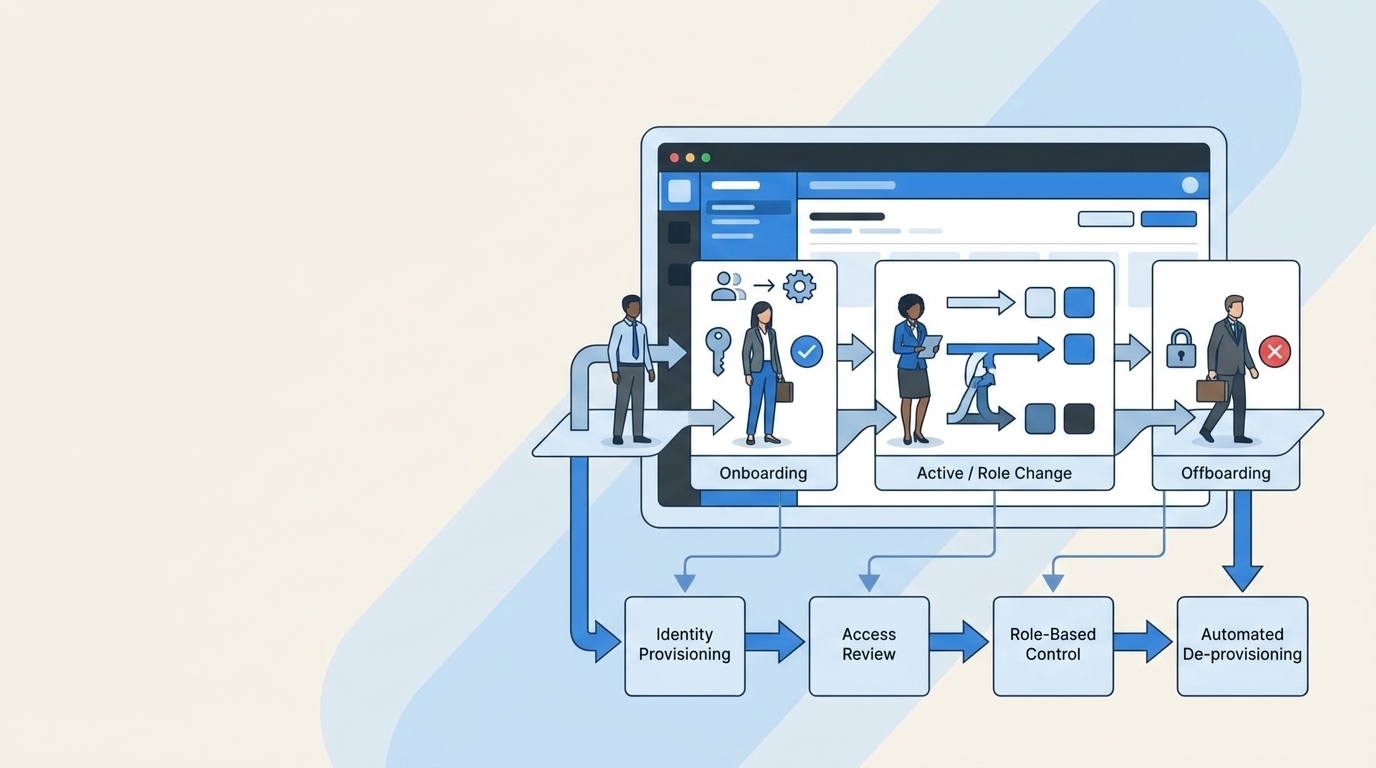
Last updated: November 21, 2026
An employee offboarding checklist lists every task due when someone leaves, with an owner and a deadline. Split it into three phases. Before the last day, HR confirms the exit and IT lists the person's access. On the last day, IT deactivates the identity provider account and removes app access. Afterwards, IT transfers data, reclaims licenses and files evidence.
The IT steps below go further than "revoke system access": session revocation, apps outside SSO, shared credentials and audit evidence. A plain-text template you can paste into a Jira ticket or a doc is further down.
Offboarding checklist at a glance
Before the last day
Start as soon as HR confirms the exit. For a planned resignation that usually means a week or two of notice. For an involuntary exit, everything below collapses into a few hours, and access removal moves to the start of the termination meeting rather than the end of the day.
HR: confirm the exit and open the ticket
- Confirm the last working day, the exact cutoff time and its time zone, and whether the exit is voluntary or involuntary.
- Open one offboarding ticket that every team works from. In Jira Service Management that is an offboarding request type, so the ticket carries the employee's details as fields.
- Tell IT, payroll, the manager and facilities. Don't tell the wider team until the manager has spoken to them.
- Check signed agreements, such as confidentiality or non-compete terms, and prepare the exit paperwork.
- Plan the final paycheck and benefits notices. Final pay deadlines vary by state, so check the rule for where the employee works.
Manager: plan the handover
- List the person's open work, recurring meetings and the customers or vendors they talk to.
- Name a new owner for each project, document and shared account. The data transfer on the last day needs a target user.
- Ask for a short written handover covering where things live, logins they manage on the team's behalf and anything only they know.
- Decide whether to set an email auto-reply or forward mail to someone, and for how long.
IT and security: build the access inventory
You can't remove access you don't know about, so build the list before the last day.
- Pull the person's accounts from the identity provider: their groups and the apps assigned through it, in Okta, Microsoft Entra ID, Google Workspace or JumpCloud.
- Add the apps outside SSO. These are tools with their own username and password, apps on plans that don't support SCIM, and anything they signed up for with a work email.
- Add infrastructure and developer access: cloud consoles, SSH keys, API tokens, personal access tokens in GitHub or GitLab, VPN profiles and database users.
- Flag admin and privileged access separately. An admin in a payroll tool, a domain registrar or a cloud account is the access to remove first.
- List shared credentials they know: team password vault entries, shared mailboxes, social media accounts and service accounts.
- List company devices and any personal devices enrolled in mobile device management.
- Agree the cutoff time with HR, and schedule the deprovisioning for it.
If your access reviews are up to date, most of this inventory already exists. Our guide to access review checklists for offboarding in regulated industries covers how to keep that list current so offboarding isn't a scramble.
On the last day
Order matters here. Deactivate the identity provider account first, because that stops new sign-ins to every app behind SSO at once. Then work through what deactivation doesn't reach.
Deactivate the identity provider account
- Deactivate or suspend the user in the identity provider at the agreed time. Don't delete them yet. Deleting first can destroy data you still need to transfer.
- Reset their MFA factors and remove them from groups, so that nothing is re-granted if the account is reactivated by mistake.
- Remove admin roles in the identity provider itself.
End active sessions and tokens
Deactivation blocks new sign-ins. It doesn't always end sessions that are already open. Microsoft's guidance is a good example. After you clear Account enabled and select Revoke sessions, access tokens already issued keep working until they expire, which is one hour by default, and Entra ID can't directly revoke a session token that an application issued (Microsoft Learn, as of November 2026).
- Revoke sign-in sessions and refresh tokens in the identity provider.
- Sign the user out of Google Workspace or Microsoft 365, including mobile mail apps.
- For apps that keep their own sessions, remove the user inside the app. Microsoft recommends deprovisioning users from applications for exactly this reason.
Remove access app by app
- Confirm that SCIM-connected apps deprovisioned the user. Provisioning runs on a schedule, so check rather than assume. Our guide to automating provisioning and deprovisioning end to end covers the triggers.
- For SSO apps without SCIM, deactivate the user in each app's admin console. Removing the SSO assignment stops sign-in but leaves the account, and often its license, in place.
- Remove the person from Slack or Teams channels with external guests, and from shared drives and folders.
- Remove any admin or owner roles they held in each app before removing the user, or the app may block the change.
Handle apps outside SSO
Apps outside SSO are where former employees keep access longest, because nothing removes it automatically.
- Work down the inventory and deactivate each account by hand, or ask each app owner to do it and confirm on the ticket.
- Revoke OAuth grants the person approved for third-party apps on their work account.
- Revoke personal access tokens, API keys and SSH keys, and remove them from cloud and code hosting accounts.
- Disable VPN access and remove database users.
Rotate shared credentials
- Change the password on every shared account the person knew, and move the new password into your vault.
- Rotate service account keys and secrets they had access to, starting with production and payment systems.
- Remove them from the password manager and confirm that their personal vault items didn't hold company credentials.
- Update recovery email addresses and phone numbers on accounts where they were the contact, such as domain registrars and social media.
Collect devices and badges
- Collect laptops, phones, security keys, badges and keys. Record serial numbers on the ticket.
- Lock or wipe devices through mobile device management, and remove company data from enrolled personal devices.
- Disable building access.
- For remote employees, send a prepaid return kit and lock the device remotely if it doesn't arrive by the agreed date.
HR: final day tasks
- Hold the exit interview.
- Collect signed paperwork and confirm forwarding contact details for tax forms.
- Confirm the final paycheck and benefits end dates with payroll.
After the last day
Transfer data and mail
- Transfer Drive or OneDrive files, calendar events and group ownership to the new owner named by the manager.
- Convert the mailbox to a shared mailbox or set forwarding for the agreed period.
- Move documents they owned in shared tools, such as Confluence pages, Jira filters and dashboards, to a new owner.
Reclaim licenses
- Remove or reassign every paid seat the person held. Deactivated accounts often keep a license until someone removes it.
- Check annual contracts for seats you can reassign to the next hire instead of buying more.
- Check apps outside SSO again, because their licenses are the easiest to forget.
Verify removal and keep audit evidence
Auditors for SOC 2, ISO 27001 and SOX ask for proof that access was removed on time, such as timestamps and exports.
- Check the identity provider for the deactivated status and the date.
- Spot-check three or four high-risk apps, including at least one outside SSO, and confirm the account is gone.
- Attach the evidence to the offboarding ticket: timestamps, screenshots or exports, and who did each step.
- Close the ticket only when every line has an owner and a completion date.
Delete or archive accounts on schedule
- Delete identity provider accounts after your retention period, once data transfer is confirmed.
- Archive the mailbox if your retention policy or legal hold requires it.
- Add the person's accounts to the next access review as a check that nothing came back.
IT offboarding checklist template for a Jira ticket
Copy this into a Jira ticket description, a Confluence page or a doc. Replace the bracketed fields and tick each line as you go.
EMPLOYEE OFFBOARDING: [Full name]
Last working day: [Date] at [Time, time zone]
Exit type: [Voluntary / Involuntary]
Manager: [Name]   New owner for files and accounts: [Name]
HR owner: [Name]   IT owner: [Name]

BEFORE THE LAST DAY
HR
[ ] Exit date, cutoff time and exit type confirmed
[ ] IT, payroll, manager and facilities notified
[ ] Signed agreements reviewed, exit paperwork ready
[ ] Final pay and benefits notices scheduled
Manager
[ ] Open work, meetings and external contacts listed
[ ] New owner named for each project, document and shared account
[ ] Written handover received
[ ] Email auto-reply or forwarding decided
IT and security
[ ] Identity provider groups and apps exported
[ ] Apps outside SSO listed
[ ] Cloud, code, VPN, database and API access listed
[ ] Admin and privileged access flagged
[ ] Shared credentials the person knows listed
[ ] Devices listed, with serial numbers
[ ] Deprovisioning scheduled for the cutoff time

LAST DAY
IT
[ ] Identity provider account deactivated or suspended (not deleted)
[ ] MFA reset, groups removed, admin roles removed
[ ] Sessions and refresh tokens revoked, signed out of email and mobile
[ ] SCIM apps checked for deprovisioning
[ ] SSO apps without SCIM: user deactivated in each app
[ ] Apps outside SSO: each account deactivated, owner confirmed
[ ] OAuth grants, API keys, access tokens and SSH keys revoked
[ ] VPN and database access removed
[ ] Shared passwords and service account secrets rotated
[ ] Removed from password manager
[ ] Devices collected or locked, building access disabled
HR
[ ] Exit interview held
[ ] Paperwork signed, forwarding contact details recorded

AFTER THE LAST DAY
[ ] Files, calendar and group ownership transferred to [Name]
[ ] Mailbox converted or forwarded until [Date]
[ ] Licenses removed or reassigned: [list apps]
[ ] Identity provider status and date checked
[ ] High-risk apps spot-checked: [list apps]
[ ] Evidence attached: timestamps, exports, who did each step
[ ] Account deletion scheduled for [Date]
[ ] Added to next access review
In Jira Service Management, make this a request type with the fields at the top as form fields, and use the checklist as the description or as subtasks per owner. Then the ticket itself becomes the audit record.
What changes when the exit is involuntary?
For an involuntary exit, move access removal to the start. IT deactivates the identity provider account, revokes sessions and rotates shared credentials while the meeting happens, not after it. Data transfer, license cleanup and evidence follow the same steps as a planned exit.
How to automate offboarding from a Jira ticket
Multiplier is an access management app that runs inside Jira Service Management, so the offboarding ticket can run the identity steps itself. You add Multiplier's Deactivate User action as a post function on your offboarding workflow, usually on issue creation or after an approval, and map the request fields to the user in your identity provider (Multiplier docs).
With Okta or Microsoft Entra ID, the same workflow can reset the user's MFA and remove them from groups. With Google Workspace, it can also transfer Drive files, group ownership and calendar events, sign the user out, and suspend or delete the account (Google Workspace integration). Every action is logged on the Jira ticket, which gives you the evidence for the last section of the checklist.
For apps your identity provider can't reach, Multiplier's AI agents can remove users through the app's admin console, and on the Advanced plan it can reclaim unused licenses based on login activity. See employee lifecycle management in Jira and onboarding and offboarding automation for the full workflow, or the step-by-step setup in our guide to Jira onboarding and offboarding automation.
Multiplier costs $5 per user per month on Standard and $6 on Advanced, with a 30-day free trial. Start your free trial on the Atlassian Marketplace.
Frequently asked questions
What should an employee offboarding checklist include?
It should include tasks for HR, the manager and IT, grouped by timing. HR confirms the exit and handles final pay and benefits. The manager plans the handover and names new owners. IT lists every account, deactivates the identity provider account, removes app access including apps outside SSO, rotates shared credentials, collects devices, transfers data, reclaims licenses and keeps evidence that access was removed.
What is an IT offboarding checklist?
An IT offboarding checklist covers the technical side of an exit: the access inventory, identity provider deactivation, session and token revocation, app-by-app removal, shared credential rotation, device collection, data transfer and license reclamation. It ends with verification and audit evidence. It is the part of employee offboarding that protects company systems, and it usually lives in the IT team's service desk ticket.
How soon should access be removed when an employee leaves?
Remove access at the agreed cutoff time on the last working day, not days later. For involuntary exits, remove it at the start of the termination meeting. Deactivate the identity provider account first, because it blocks new sign-ins to every SSO app at once, then revoke open sessions and work through apps outside SSO the same day.
Should you delete or deactivate a departing employee's accounts?
Deactivate first and delete later. Deactivating or suspending the account blocks sign-in while keeping the files, mail and ownership records you need to transfer. Once the new owner has the data and your retention period has passed, delete the account. Deleting on the last day can destroy files and break ownership of shared documents and groups.
How do you offboard apps that aren't connected to SSO?
List them before the last day, because nothing removes them automatically. For each one, deactivate the user in the app's admin console or ask the app owner to do it and confirm on the ticket. Also revoke OAuth grants, API keys and access tokens. Tools that automate admin consoles, such as Multiplier's AI agents, can handle apps without SCIM or API access.
Who is responsible for employee offboarding?
HR owns the process and starts it, the manager owns the handover, and IT owns access removal, devices and data. Security often owns privileged access and the evidence for audits. Give every line of the checklist a named owner and keep them all on one ticket, so nothing depends on someone remembering to email someone else.
What evidence do auditors want for offboarding?
Auditors usually want proof that access was removed promptly after the termination date. That means the termination date from HR, timestamps of account deactivation in the identity provider and key apps, and who performed each step. Keeping all of it on the offboarding ticket, with exports or screenshots attached, lets you answer a SOC 2 or ISO 27001 sample request in minutes.